
Inspiring
September 26, 2024
Question

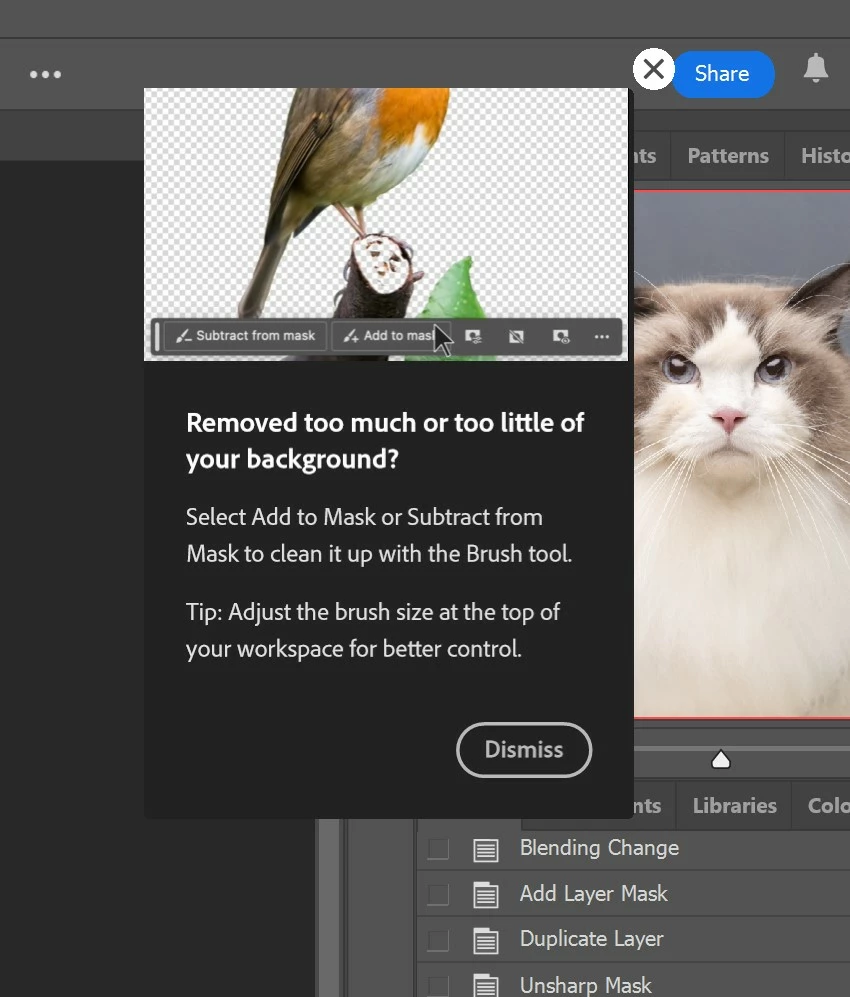
P: Persistent Mask tips keep popping up.

  • September 26, 2024
  • 6 replies
  • 3989 views

Whenever I clicked on the mask, the tooltip will pop up. I have already turned off the tooltips. If I don't close the tooltip, and press the number pad to adjust the opacity, it will run an action. Is this a bug? I'm on V 25.12.0.
This topic has been closed for replies.

6 replies

Participant
September 28, 2024

Try this one..
1. logout your email on HHelp>sign out account

2. close Photoshop

3. Re login your email 

Participant
September 28, 2024

That worked for me - thanks!

Participant
September 28, 2024

Nevermind! It doesn't show up when I click on masked layers anymore but it pops up when I add an adjustment layer.

Participant
September 27, 2024

I have the same problem it's a right PITA!

Participant
September 26, 2024

Photoshop v 25.12

Windows


I am getting what looks like a rich tooltips pop up every time I run an action on an image. 

I have clicked dismiss, the "x" and have disabled rich tooltips in preferences.


Its very irritating to have to dismiss this pop up every single time I run an action.

This just started happening after the most recent update.

I have included photos of the pop up and also the preferences window.

Participant
September 27, 2024

Of course the standard solution to modern software bugs in an otherwise useful feature is to just turn off that feature. -.-

Participant
September 26, 2024

Hello, since yesterday I've been getting a popup tooltip (see attachment) every time a create a mask or click on a mask. Show tooltips and Use rich tooltips are unchecked in preferences. PS 25.12.0 Windows. Reinstalling PS is not fixing the problem. Very annoying, so far I have no clue what´s going on, appreciate any help.

Participant
September 28, 2024

Hi -


Same thing is happening to me. Very annoying. Using Mac and PS latest version! Reset prefs and rebooted etc. Still a problem.

Thanks!

-Larry


Also any help appreciated. 

Participant
September 26, 2024

I have this same problem since the last 2 updates. Does anyone know how to stop this?

dragantomas
Inspiring
September 26, 2024

Hi all, 


Since Ive updated Ps to its latest version, every time I tap on the mask or the stamp layer itself I get these pop up tips, see screenshot. Where can I disable this to stop it happening?


16' MBP, latest version OS and Photoshop.


Known Participant
September 26, 2024

I get this as well using the latest versions of Windows11 and PSCC.
I also get magenta overlays on the entire image which are a bugger to get rid of.

Known Participant
September 26, 2024

You're supposed to be able to disable it by un-ticking the box:

Edit/Prefences/Tools/Show Rich Tooltips
Which on my set-up is not ticked and greyed out!