
Participant
February 3, 2023
Question

Painting Brush Taking Background Colour

  • February 3, 2023
  • 5 replies
  • 5043 views

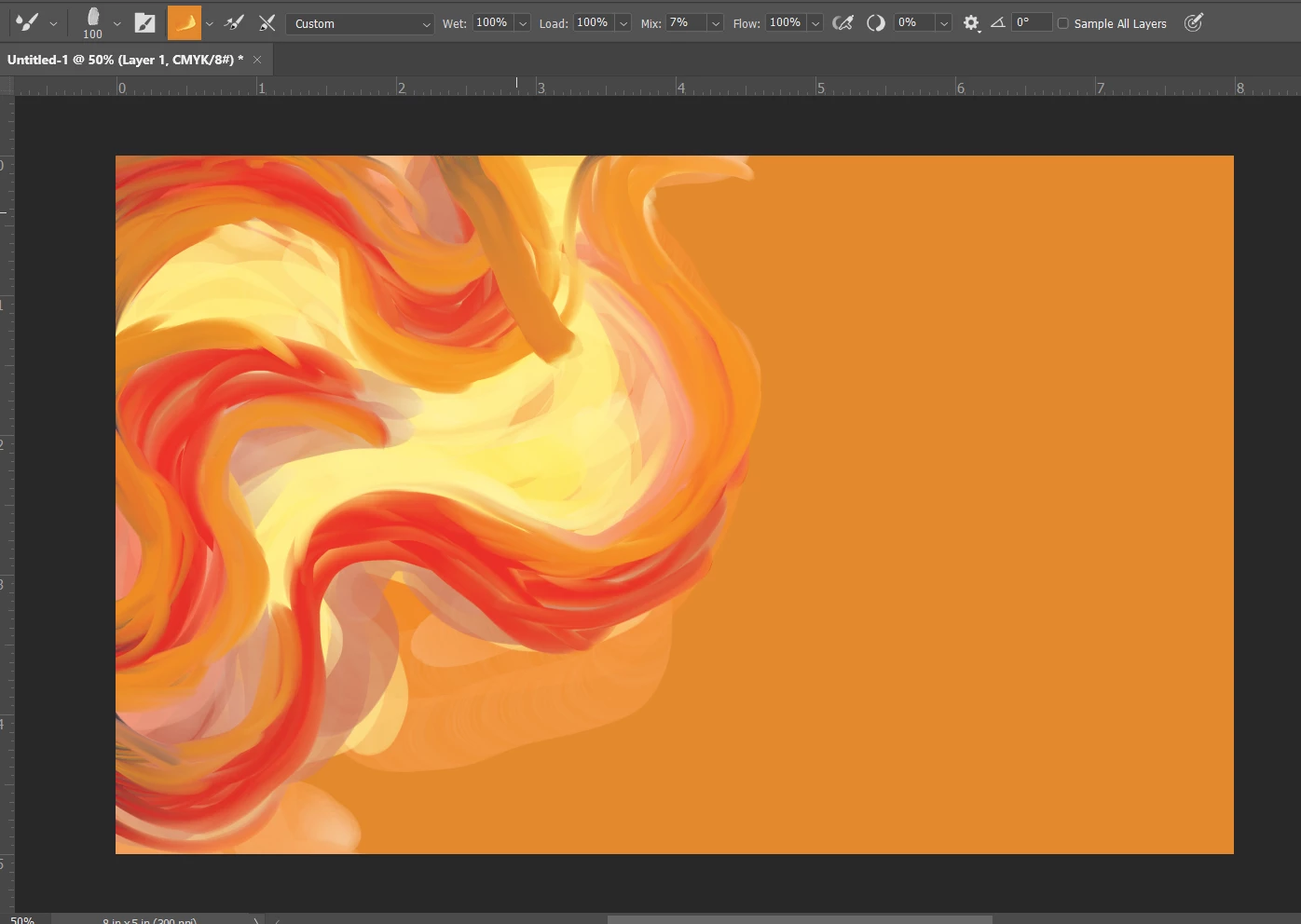
I'm trying to use a brush (it's the brush in the image attached below) and it's taking the background colour into the blending and making my orange and red paint all grey and muddy. Any tips on how to fix this?



This topic has been closed for replies.

5 replies

PECourtejoie
Community Expert
Community Expert
February 4, 2023

Hi, @Adrian99999999999 this is not a regular brush, but a mixer brush. (look at the icon in the top right-it is missing from your capture)

If you do want to select the brush tip only, in order to paint with the Foreground color, do a Ctrl+Alt click on the brush preset, it will be highlighted in Brown rather than Blue.

Jeff Arola
Community Expert
Community Expert
February 4, 2023

What version of photoshop are you using?


There was a similar bug with the Mixer Brush Tool that was fixed several versions back.


In photoshop go to Help>System Info and the top line says the Adobe Photoshop Version.

barbara_a7746676
Community Expert
Community Expert
February 3, 2023

I just noticed that you have Kyle's Real Oils Round Flex Wet brush selected. At the default settings for that brush it should only be using the Foreground color.

These are the default settings for that brush and it does not include foreground/background color jitter.

With the brush selected, you can right click on the tool icon in the Options bar and choose to reset it.

Kevin Stohlmeyer
Community Expert
Community Expert
February 3, 2023

Change your brush settings in the options bar - you have 100% wet and 100% load try turning these down.

barbara_a7746676
Community Expert
Community Expert
February 3, 2023

Open the Brush Settings panel. If the brush has Foreground/Background jitter it will alternate the foreground and background colors. You can change that settings.

Participant
February 3, 2023

Thank you but for some reason I can't click on that?


barbara_a7746676
Community Expert
Community Expert
February 3, 2023

With the Brush tool selected in the Tools panel, you can click the Brush Settings Panel icon in the Options bar to open the Brush Settings panel. If you don't see it, it may be behind another panel.