Participant
April 12, 2024
Question

Pantone 294 c turning to a different shade of blue when transferred to a file

  • April 12, 2024
  • 1 reply
  • 1378 views

Hi! I'm applying Pantone 294 c to my CMYK file but when I transfer it to another PSD, it turns to another shade of blue.


Can't find the solution for this. I need to establish the Pantone 294 c as a base color for all materials. Attached the file here.


Bottom photo: Main blue with Pantone 294 c using Pantone Connect

Upper photo: Transferred (dragged) but color changed
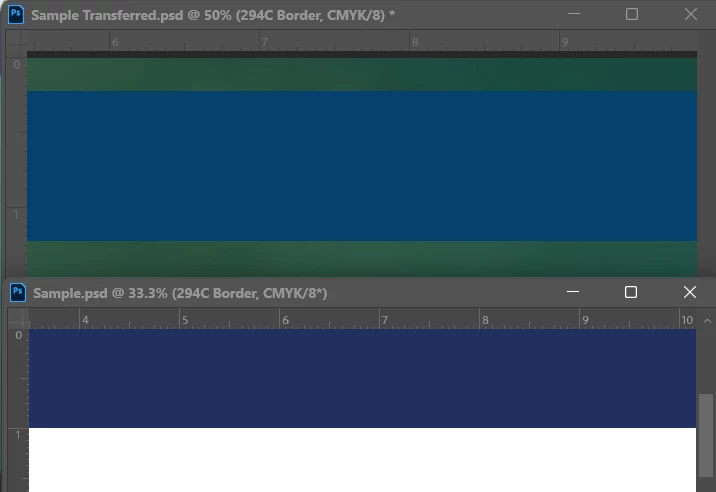


Thank you in advance!

This topic has been closed for replies.

1 reply

Michael Bullo
Community Expert
Community Expert
April 12, 2024

Do your files have different color profiles?

Participant
April 12, 2024

They're both in CMYK 🙂

Participant
April 12, 2024

Are you getting this printed somewhere specific? If so, I recommend having a chat with them to find out what they prefer.


Having said that, the Photoshop defaults are generally fine. Try and have consistency between your files. If you don’t, at the very least make sure color profiles are embedded in your files.


Do I just "assign profile" to align the color profiles? 🙂 
Thanks for all the help!