January 11, 2026
Answered

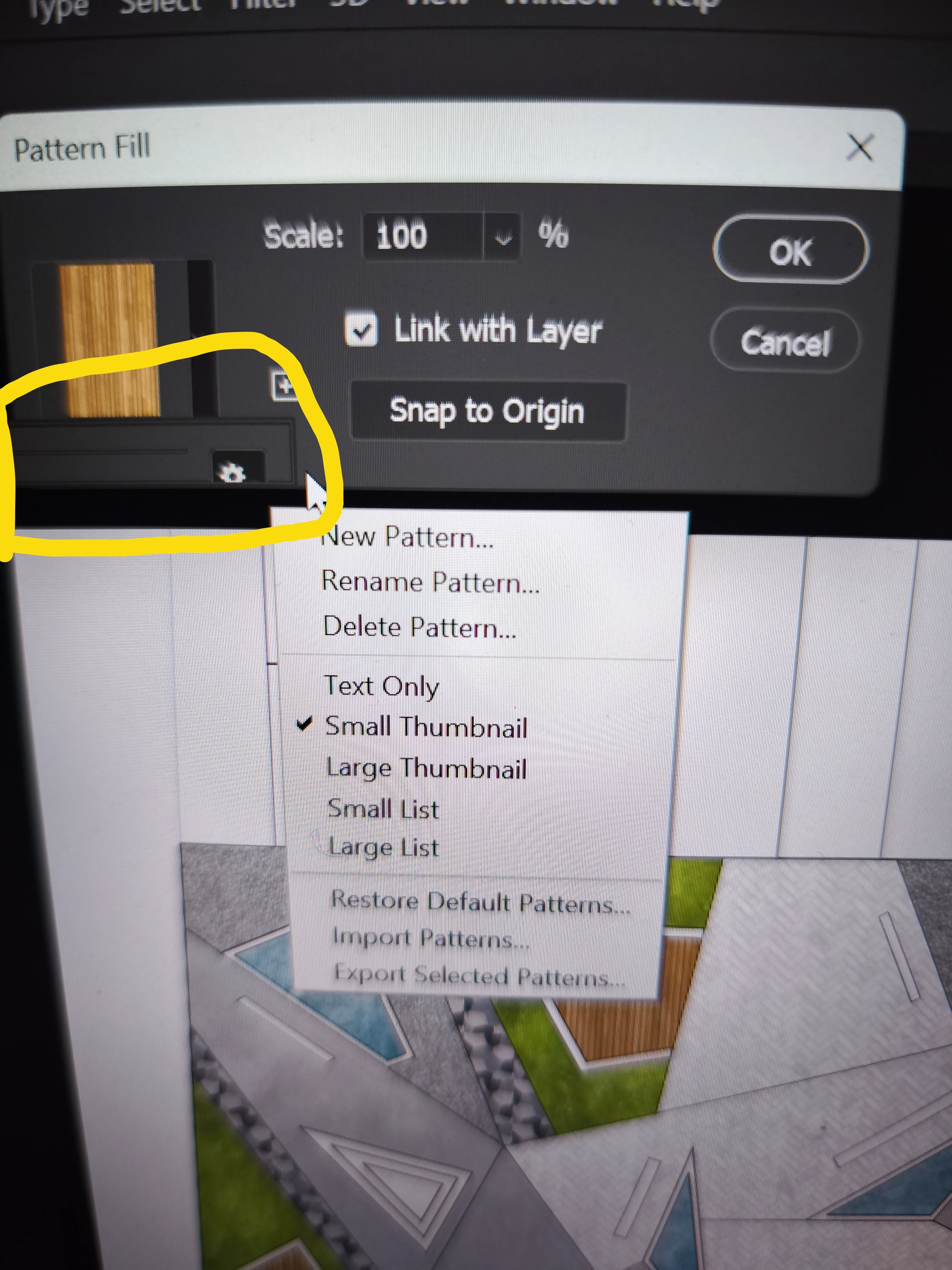
Pattern fill bug
  • January 11, 2026
  • 8 replies
  • 144 views

 i have this problem when i try to use pattern fill in adobe Photoshop 2020 it does not show me the patterns like it use to and i cannot find how to fix it if anyone knows please help

Correct answer J E L

No problem, here you go:

In Photoshop, open your Patterns panel, Windows > Patterns. If you don't have any folders or individual patterns, or you are missing some of your patterns that were there before, you need to load them in. Note that my folders are going to look different from yours. 

JEL_0-1768762943152.png


First, you can automatically load in the Legacy Patterns and More folders under the top left menu. Just click on that menu item and they will pop right into your Patterns panel. I suspect these folders have all the patterns you used to see before.

JEL_2-1768763271153.png


However, if you are missing other custom patterns you've been collecting or saving, from the same menu, choose Import Patterns.

JEL_1-1768763031824.png


That will open File Explorer. Search for *.pat. You may need to try searching in different directories (such as Documents and My Computer) if you don't remember where you saved special patterns. JEL_4-1768763704822.png


Once you've found your custom patterns, you can load them into Photoshop. Again, my patterns are going to be different from yours.

JEL_3-1768763655040.png


If you have a shape or area defined and selected, and you want to fill it with a pattern, it should be at your fingertips like this:

JEL_5-1768764421937.png

JEL_6-1768764637917.png


If you still don't see any patterns showing up, you may need to try resetting your Preferences or reinstalling Photoshop. Come back to let us know and we'll walk you through those processes.

8 replies

January 18, 2026

Okay thank you very much, i will let you know as soon as i try it

J E L
Community Expert
J E LCommunity ExpertCorrect answer
Community Expert
January 18, 2026

No problem, here you go:

In Photoshop, open your Patterns panel, Windows > Patterns. If you don't have any folders or individual patterns, or you are missing some of your patterns that were there before, you need to load them in. Note that my folders are going to look different from yours. 

JEL_0-1768762943152.png


First, you can automatically load in the Legacy Patterns and More folders under the top left menu. Just click on that menu item and they will pop right into your Patterns panel. I suspect these folders have all the patterns you used to see before.

JEL_2-1768763271153.png


However, if you are missing other custom patterns you've been collecting or saving, from the same menu, choose Import Patterns.

JEL_1-1768763031824.png


That will open File Explorer. Search for *.pat. You may need to try searching in different directories (such as Documents and My Computer) if you don't remember where you saved special patterns. JEL_4-1768763704822.png


Once you've found your custom patterns, you can load them into Photoshop. Again, my patterns are going to be different from yours.

JEL_3-1768763655040.png


If you have a shape or area defined and selected, and you want to fill it with a pattern, it should be at your fingertips like this:

JEL_5-1768764421937.png

JEL_6-1768764637917.png


If you still don't see any patterns showing up, you may need to try resetting your Preferences or reinstalling Photoshop. Come back to let us know and we'll walk you through those processes.

January 18, 2026

If you could show me screenshots it would really help me. Thank you very much. I will do it in a few days because i wont have access to my computer and i will let you know if it works

J E L
Community Expert
Community Expert
January 18, 2026

@marinos_89, okay, thanks for letting us know. If there are no patterns showing, you'll need to reload your pattern files through the Patterns panel in Photoshop. First, to find where your pattern files (.pat) are located on your (Windows) computer so you can load them, open File Explorer (press Win + E). In the search box at the top-right, type: *.pat and press Enter. Let me know if you need screenshots to explain this process in more detail.

January 18, 2026

It still does not show me

January 18, 2026

Yes but there it does not show me the patterns

Semaphoric
Community Expert
Community Expert
January 11, 2026

Can you see your patterns  in the Patterns panel?

J E L
Community Expert
Community Expert
January 11, 2026

Hi @marinos_89, I'm wondering if they show up if you use Edit > Fill. If they aren't there either, you might have to reload all your patterns?


JEL_0-1768155477180.png