

Participant
November 10, 2020
Answered

Pattern Preview Not Available
  • November 10, 2020
  • 3 replies
  • 7065 views

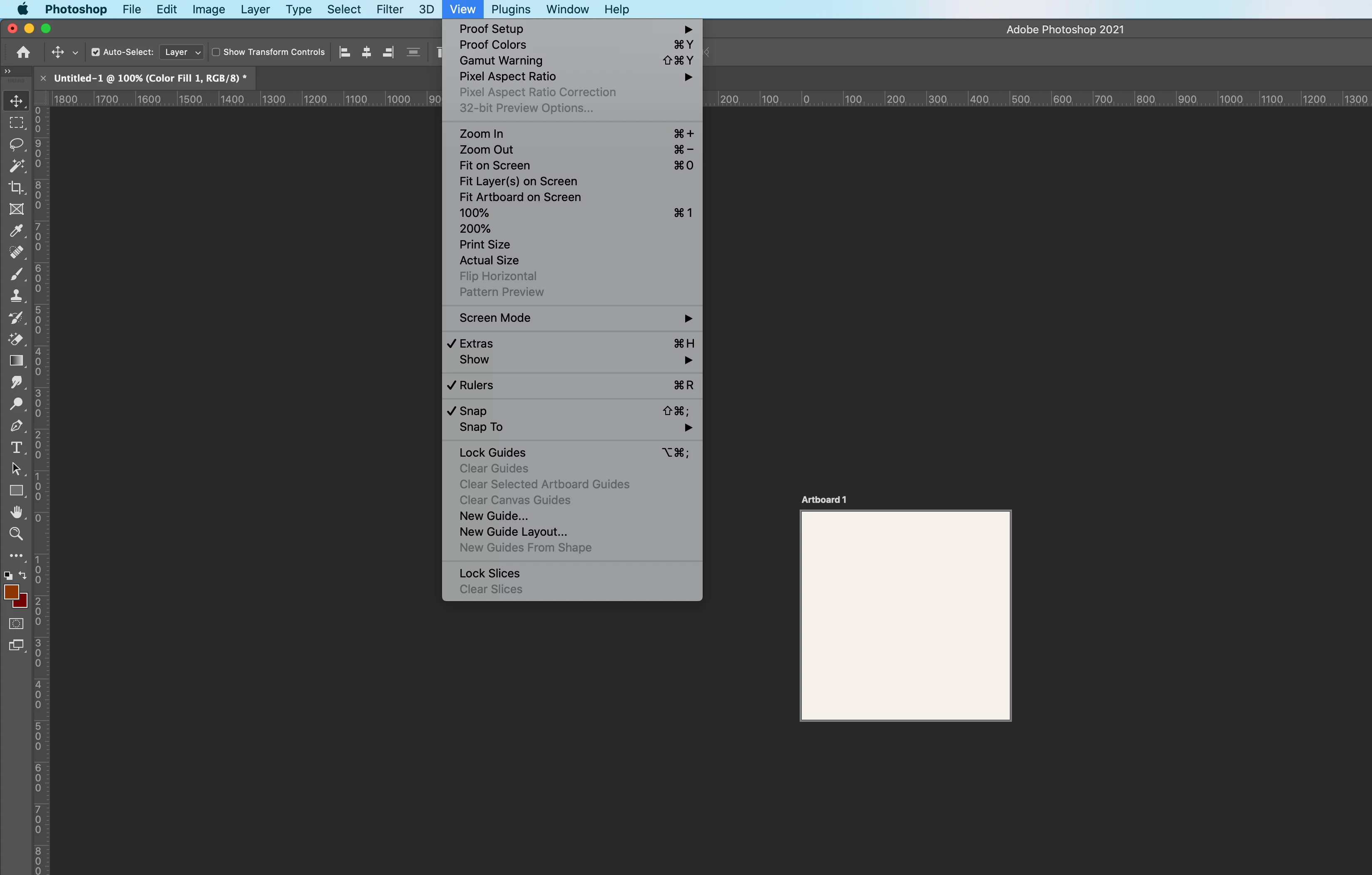
Why would pattern preview not be available? I've restarted, updated and reinstalled.

This topic has been closed for replies.
Correct answer davescm

@mike.pike You're using an artboard. Try it with a normal (non artboard) document


Dave

3 replies

Participant
November 15, 2023

I am having the same issue and I am NOT using an Artboard document and would love if someone on this godforsaken series of tubes would give a different solution.

davescm
Community Expert
davescmCommunity ExpertCorrect answer
Community Expert
November 25, 2020

@mike.pike You're using an artboard. Try it with a normal (non artboard) document


Dave

mike.pikeAuthor
Participant
November 25, 2020

Dave,

Thank you. That was it! 

Participating Frequently
November 24, 2020

I'm getting the same thing - Pattern Preview is not listed in the View list. I've installed the latest version. I hope someone responds soon with a solution please.

Participant
December 30, 2023

Hi all. I'm using photoshop 21.2.4. I can't update beyond that on my current iMac. Pattern preview was there in the View tab last time I used it, a few months ago, but now it isn't there. I don't have an art board enabled. Does anyone know what the cause is or how to fix? thanks.

Participant
December 30, 2023

Pattern preview was introduced by Adobe with v22.0.

Dave


Thanks, Dave. I could have sworn I used it previously, but it must have been a different feature. I'm new to photoshop. I created this image using some feature that


blended the edges of the 4 photos I had arranged.