
Participating Frequently
September 19, 2017
Answered

Pattern UI help

  • September 19, 2017
  • 2 replies
  • 676 views

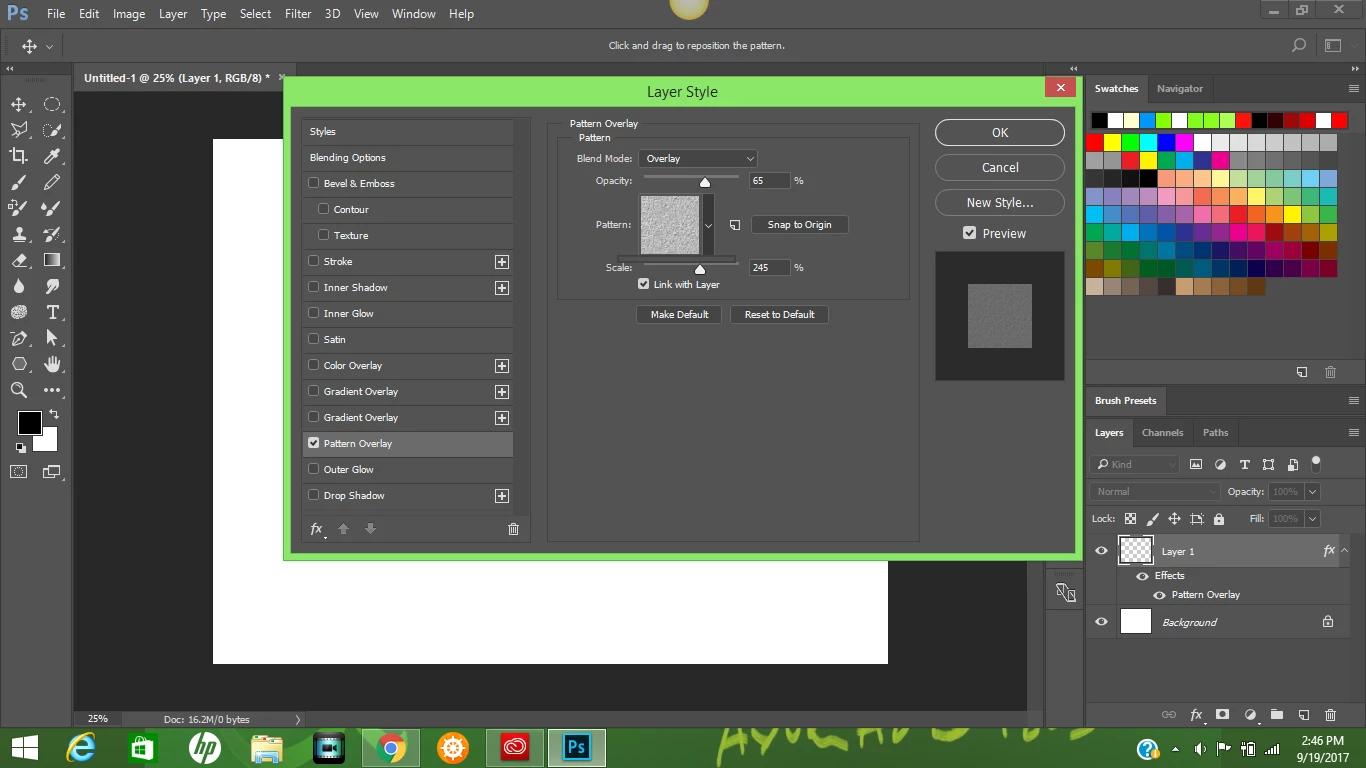
I know I didn't put this in the right place. You know how whenever you want to include a pattern to you work, you click the drop-arrow and a long tab of patterns appear?

Well overtime, the more I use it, the shorter it got for some reason; look at the screenshot below, I find this issue quite annoying.

Now, I know y'all are going to say: Just use Preset manager, right? Well, I can do that fine, but I prefer this method since it's easier. Help please??
This topic has been closed for replies.
Correct answer gener7

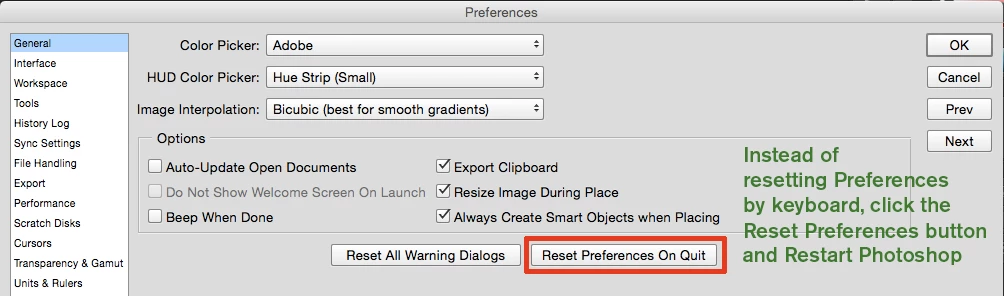
If you never done this before, CC 2017 provides a quick and simple way to reset prefs.

2 replies

gener7
Community Expert
gener7Community ExpertCorrect answer
Community Expert
September 19, 2017

If you never done this before, CC 2017 provides a quick and simple way to reset prefs.

Participating Frequently
September 24, 2017

Thanks for the suggestion, you guys. It worked. What do you think caused it to act up like that, anyways?

ahmed_waheib
Inspiring
September 24, 2017

I think also resetting the pattern preset will work

Chuck Uebele
Community Expert
Community Expert
September 19, 2017

Try resetting your preferences.