starlett2ya
Participant
December 9, 2017
Answered

[Pen Pressure] Bamboo Ink Pen Works With ONLY Windows Ink Apps

  • December 9, 2017
  • 1 reply
  • 12294 views

I just recently bought a convertible laptop (and Acer Nitro Spin 5, to be exact) and bought a Bamboo Ink Pen along with it. The pen itself works but pen pressure does not on Photoshop. I opened up Sketchpad from Windows Inkspace, and pen pressure worked just fine on that.

I know for a Wacom tablet, one of the solutions for the same problem is that you have to check off "Use Windows Ink" and that will work sometimes. However, I've tried installing the driver for the pen, but I receive a "A supported driver was not found on the system" message.

Does this mean that maybe my computer itself is the issue or is there a solution for the pen alone? Maybe using a different stylus than the Bamboo Ink pen?

Many thanks to anyone who can answer this!

This topic has been closed for replies.
Correct answer JJMack

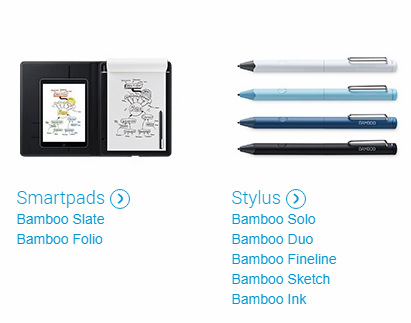
It is not clear what Wacom product you purchased  Stylus are nor digital pens.  What drivers did you install. ?

I see no Bamboo pen?

There is a "Bamboo Ink" that wotks with machines with digitizer support like a microsoft surface.  This is more than a touch screen its like a digitizer tablet.].

Does your Acer Nitro Spin 5 have the required support also the  Bamboo pen also seem to be Microsoft ink only and also requires Bluetooth. I do not see such support listed fot your Acer

Wacom Tablet ....

If you uncheck use windows ink and you are using Photoshop CC you must add a PSUserConfig.txt file to your user Id CC preferences folder so Photoshop will use wintap apl which was the only api old version of Photoshop supported.  Windows Ink is new and is now the default api Photoshop will use for pen support.

1 reply

JJMack
Community Expert
JJMackCommunity ExpertCorrect answer
Community Expert
December 10, 2017

It is not clear what Wacom product you purchased  Stylus are nor digital pens.  What drivers did you install. ?

I see no Bamboo pen?

There is a "Bamboo Ink" that wotks with machines with digitizer support like a microsoft surface.  This is more than a touch screen its like a digitizer tablet.].

Does your Acer Nitro Spin 5 have the required support also the  Bamboo pen also seem to be Microsoft ink only and also requires Bluetooth. I do not see such support listed fot your Acer

Wacom Tablet ....

If you uncheck use windows ink and you are using Photoshop CC you must add a PSUserConfig.txt file to your user Id CC preferences folder so Photoshop will use wintap apl which was the only api old version of Photoshop supported.  Windows Ink is new and is now the default api Photoshop will use for pen support.

JJMack