
dv8kiwi
Inspiring
January 31, 2024
Answered

Pen pressure suddenly stopped working

  • January 31, 2024
  • 3 replies
  • 4217 views

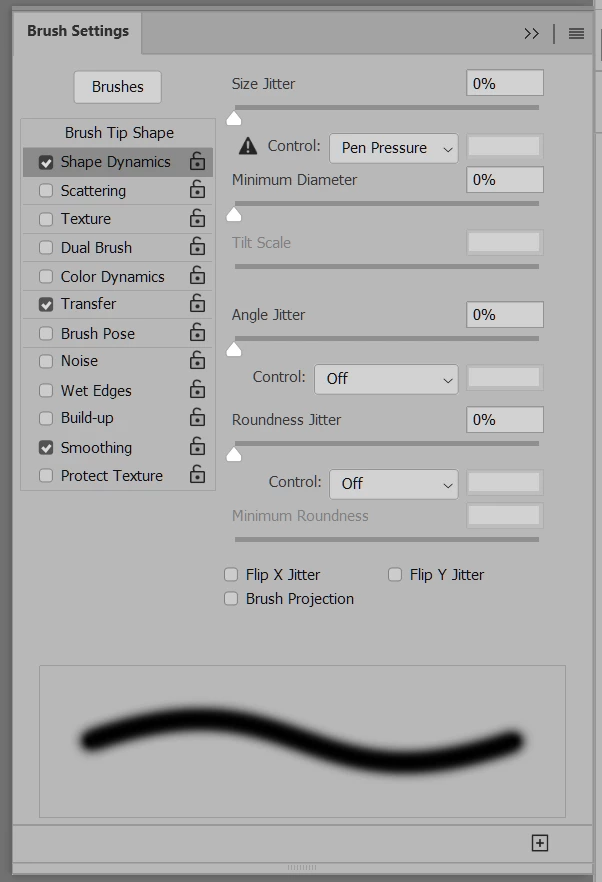
OK now suddenly pressure sensitivity has stopped working, with ALL versions of Photoshop! (I have older versions installed as well as 2024, I have unininstalled them all and reinstalled 2024) However it works fine in Illustrator, Animator, and in all other painting, drawing and photo apps (Fresco, Affinity, Krita, Corel Painter, and in handwriting apps). Windows Ink is enabled. I have restarted several times, including with Windows Ink on and off in the tablet driver. Also tried the "PSUserConfig Fix". I use Huion Kamvas 22 and driver is up to date. Nvidia driver is also up to date. Now this is clearly an Adobe issue please don't tell me the Huion tablet driver is dodgy. Windows 11 btw


This topic has been closed for replies.
Correct answer meggob

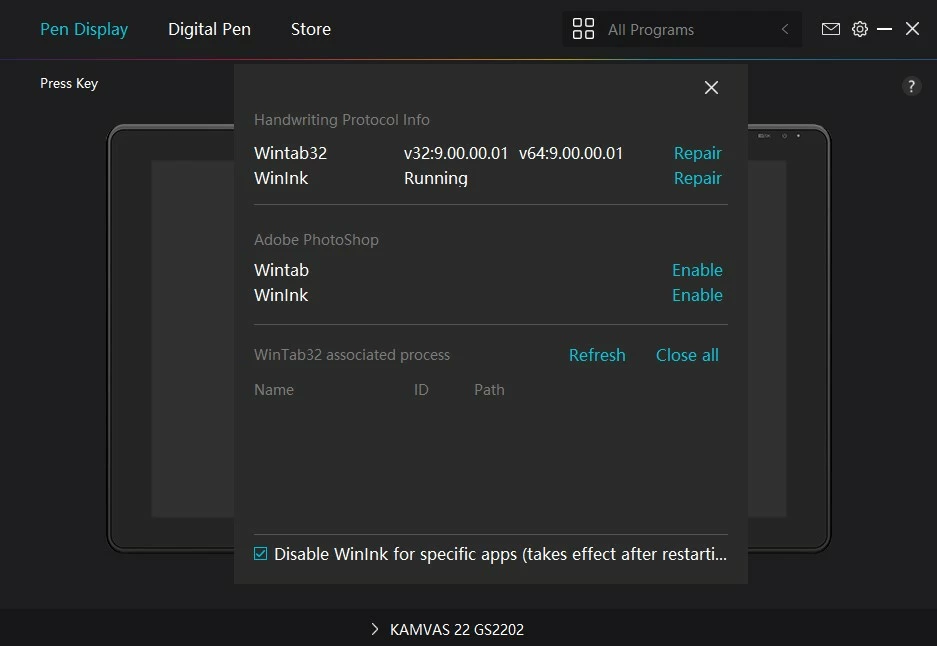
Hi! I have the same tablet, and had the same problem and tried all the same solutions. I finally went into the Huion Tablet app > settings > software diagnosis > clicked both Repairs/Enables > restarted computer and my pen pressure worked again. Hopefully this helps you as well!

3 replies

Participant
May 19, 2024

Meggob your repair/enable trick worked for me thank you!

meggob
meggobCorrect answer
Participant
February 8, 2024

Hi! I have the same tablet, and had the same problem and tried all the same solutions. I finally went into the Huion Tablet app > settings > software diagnosis > clicked both Repairs/Enables > restarted computer and my pen pressure worked again. Hopefully this helps you as well!

dv8kiwi
dv8kiwiAuthor
Inspiring
February 8, 2024

Thanks - I did the same thing in my troubleshooting and it didn't make any difference. And them mysteriously a day later it started working again

meggob
Participant
February 8, 2024

Hi, I was wondering if you found a solution?

I have the same tablet and problem.