

Pen pressure working but not the brush opacity
I've had this problem before, but it always have fixed itself after a really short while.
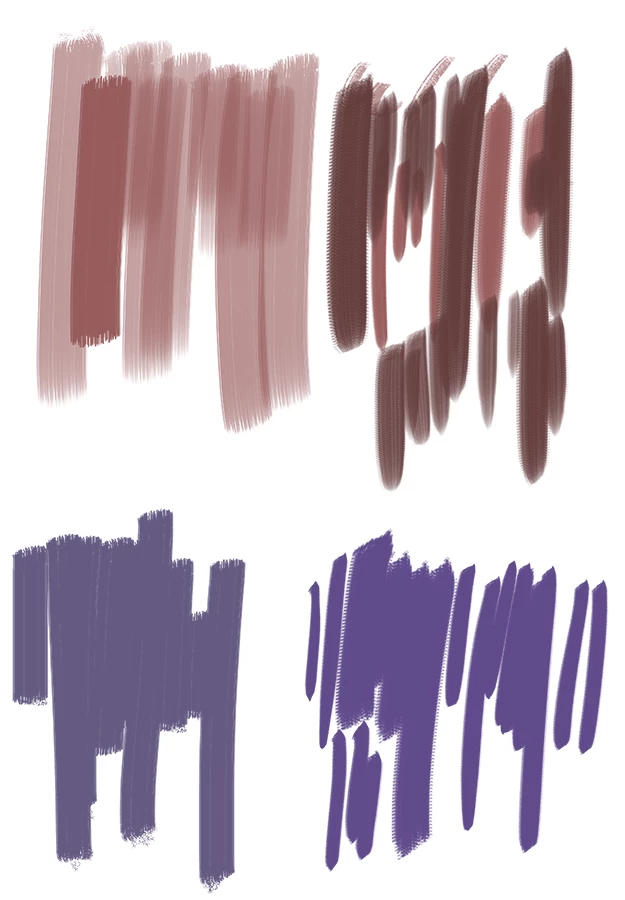
I started a new painting today on Photoshop CC 2019 and it seems that the pen pressure is working fine, but not the "opacity" of the brushes. They all come as a one solid color to the canvas. This is really annoying for when I use textured brushes but you can't see the texture at all. I've tried lowering the opacity of the brush itself but this does not work of course. I've updated my wacom intuos art drivers and photoshop itself, restarted my pc and still it doesn't seem to work. I have Windows 10 if that has anything to do with it..
Below is a sample image of what I mean. The bottom brush work is what happens with CC 2019 and the above brushes are how they should look like, done with CC 2018.
 AdChoices