
Exit
  • Global community
    • Language:
      • Deutsch
      • English
      • Español
      • Français
      • Português
  • 日本語コミュニティ
  • 한국 커뮤니티
0

Pen Tool and Selection

Contributor ,
Apr 18, 2020 Apr 18, 2020

Hi All,

I've been away from Photoshop since the newer versions came out and I'm a bit stuck.

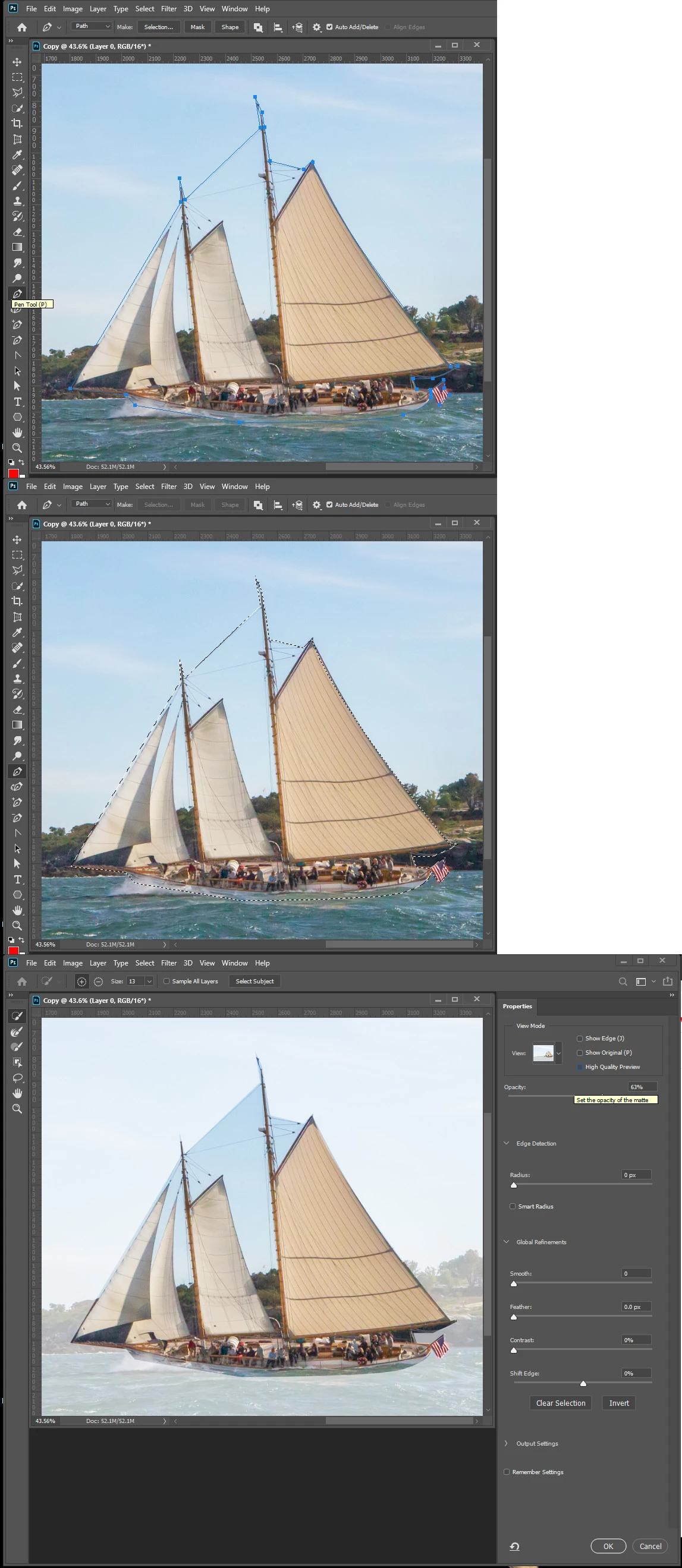
I've used the pen tool to cut out a portion of my image. The image is a bit detailed so using the object selection/quick selection tools weren't options.

So after completing my work with the pen tool I make the selection. Problem is nothing seems selected when I press select and mask. I want the full color cutout of what I have selected in a new layer. Am I missing a step? I've tried inverse as well.


I am using the latest version of Photoshop 2020.


Thjanks in advance for your help!
2.8K
Translate
Report
Community guidelines
Be kind and respectful, give credit to the original source of content, and search for duplicates before posting. Learn more
community guidelines

correct answers 1 Correct answer

Community Expert , Apr 18, 2020 Apr 18, 2020

When you make the selection from the Pen path do you see a marching ants active selection displayed.  If so when does the deselection happen? On Window 10. with Photoshop 2020 version 21.1.2 I can not reproduce your problem.  Are you using a Mac?

Capture.jpg

Translate
Adobe
Community Expert ,
Apr 18, 2020 Apr 18, 2020

When you make the selection from the Pen path do you see a marching ants active selection displayed.  If so when does the deselection happen? On Window 10. with Photoshop 2020 version 21.1.2 I can not reproduce your problem.  Are you using a Mac?

Capture.jpg

JJMack
Translate
Report
Community guidelines
Be kind and respectful, give credit to the original source of content, and search for duplicates before posting. Learn more
community guidelines
Contributor ,
Apr 18, 2020 Apr 18, 2020

Hi JJMack. I am using Windows 10 with Photoshop 2020. Funny thing is that I did the exact same thing and it worked. I didn't change anything. Anyway, Thank you very much for responding. I appreciate it!

Translate
Report
Community guidelines
Be kind and respectful, give credit to the original source of content, and search for duplicates before posting. Learn more
community guidelines
Community Expert ,
Apr 18, 2020 Apr 18, 2020
LATEST

Great to see that it is now working. I always suggest making sure to double-click the Work Path and rename before converting to a selection. This ensures that you have the Path just in case something happens, or you need to make additional edits.

Warmly/j

Translate
Report
Community guidelines
Be kind and respectful, give credit to the original source of content, and search for duplicates before posting. Learn more
community guidelines