
Pen Tool Invert Problem
Updated my Photoshop & now whenever I use my pen tool to make selection
It will only allow my to fill in the outside of my selection
I just want to be able to make a selection and color inside of it
Please help !!
Thanks
Updated my Photoshop & now whenever I use my pen tool to make selection
It will only allow my to fill in the outside of my selection
I just want to be able to make a selection and color inside of it
Please help !!
Thanks
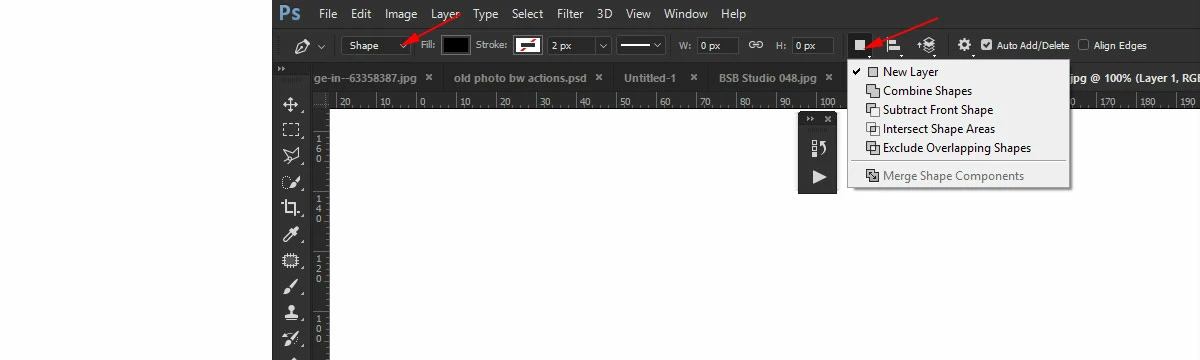
When using Pen tool take a look at Options bar. From Path operations drop-down you should have New Layer (Shapes) or Combine Shapes (Path) selected. In parenthesis I have added tool mode which is available from the first drop down list in the options bar where you can choose to draw: Shape, Path or Pixels.

Already have an account? Login
Enter your E-mail address. We'll send you an e-mail with instructions to reset your password.