

Karen_Little
Inspiring
October 8, 2020
Question

Pen tool not holding my brush "width" sett

  • October 8, 2020
  • 6 replies
  • 930 views

I have used the pen tool in Photoshop daily for years and have always been satisfied with it.

Today, unfortunately, the pen tool is not following my brush setting. In this example, I have my brish set at 3 pixels (I am forcing the issues) and when I used the pen, either with simulated pressure or not, it did not conform. Here's an example:
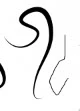
I am at my wits end as I have a lot of work to complete and I cannot go forward! I've closed and rebooted photoshop, and after posting this, I'll close and reboot my PC.


My fingers are crossed that I find help. I'll be glad to provide examples of my work todate to show you how I use this tool.

Karen


This topic has been closed for replies.

6 replies

c.pfaffenbichler
Community Expert
Community Expert
October 10, 2020

Maybe we should start over: 

• Pleaser post meaningful screenshots – that means: taken at View > 100% and including Toolbar, Options Bar, Paths Panel, Brush Settings Panel. 

• One taken before you click the »Stroke path with brush«-button and one after. 

Karen_Little
Inspiring
October 10, 2020

SOLVED - With some help from the Adobe Facebook team, we determined that my problem was not common.
An Adobe Technician mounted my computer and determined that my set up file was corrupt, and reiniated it.
The only thing that I could think of that might have affected it is that I have a lot of trouble with Illustrator crashing, and I was working with both programs the night before the problem. Hopefully, I'll get that solved next week.


Karen_Little
Inspiring
October 8, 2020

HUGE CHANGE HUGE CHANGE ---


The pen tool appears to no longer be connected to the brush tip.


I changed the STROKE to pencil and it the line came out correctly.


This is really awful in that Adobe did something that changed settings - I do not know how much trouble I'm going to have from this point forward. I am going to work with the pencil setting for stroking now .... but I am betting that strokingwon't work with special brush tips. BIG PROBLEM.

Karen_Little
Inspiring
October 8, 2020

Yes - the path now does not pick up brush settings, outside of "Pressure" if you have your tip set as not-round.
To get the correct thickness you have to use Pencil.

This is something that changed overnight.


I hope Adobe is informed - apparently, everything is newly updated and this is a big BUG


PS - I don't know how to make a stream of comment updates here. I'm sorry if the only option I have is the REPLY button 

Karen_Little
Inspiring
October 8, 2020

There are 2 updates, 20.0.10 (which is currently updating, and 21.2.4, which I'll update when finish.

I am praying it solves my problem . . . until it is solved, I'm dead in the water

Karen_Little
Inspiring
October 8, 2020

I am in the process of getting screen samples - I rebooted my computer. Same problem. The pen line is always the same no matter what I set the brush at. I am thinking of reinstalling photoshop.

3 screen captures - pen setting, brush setting, and brush and pen usage 

c.pfaffenbichler
Community Expert
Community Expert
October 9, 2020

What are you talking about? 

Please don’t clip the screenshots to exclude relevant parts – one canno teven see which tool actually is selected when you hit »Stroke path …«. 

What are the exact settings when you alt-click the »Stroke path …«-button? 


Karen_Little
Inspiring
October 9, 2020

1 - set up brush stroke. It is 5 px, hard round.

2 - select pen tool

3 - Draw path

4 - Prepare to stroke path with 5 px width

5 - path drawn using pen and brush point

6 - this is not a 5 px path. Using this same path, here is the pencil version of it

7 - the outcome of the pencil version with the path overlay


8 - the pencil version of the path at 5 px

9 - and here, in red to show the difference, is the brush using the 5 px path

10 - and to be clear, in blue, here is a path drawn with the pen tool using the same brush point

Discussion: Until a day ago, one way to set the pen path width and other considerations was through the brush tip settings. I've used it daily for years and years (note that I am one of the first Photoshop for the PC users in the world today - used it since its inception).

There is a glitch in the system that is causing this not to work. Adobe needs to fix it and I am having this discussion in another place.

*NOW* if you can use the pen/brush setting together without an issue, then something is truly wrong with my computer. Realize, however, that all of my Photoshop updates have been installed, and my PC has been rebooted twice since I reported this.

This is a screen capture, but I could print out the entirety of its contents.


c.pfaffenbichler
Community Expert
Community Expert
October 8, 2020

Could you please post a screenshot with the pertinent Panels (Toolbar, Layers, Channels, Options Bar, …) visible and the Brush Tool selected?