
CalvinJHIV
Participant
August 22, 2018
Answered

Performance / Lagging / Stability Issues

  • August 22, 2018
  • 1 reply
  • 340 views

Lately I have been trying to use photoshop more and more, and I have been running into issues with "Lag". Before I continue, my computer has decent specs.

5820K

GTX 1080

32GB RAM

Multiple SSDs

Moving on, one of the things that I notice is when I press "Ctrl+T", and try to move the layers around, it will LAG, and the further that I zoom in, it will lag even worse. Now if I select the layer with by click it, it usually won't lag, but sometimes it may. When I say lay, I mean trying to position the layer. If I layer around lets say, 40 (small) layers, and try to move them, it lags.

I am unsure what I can do, I have read the performance guide on Adobe's page, and to their standards I have adjust everything to optimal settings. And this is on any of my machines, desktop, laptop. Is it that I haven't properly optimized the software, is this something common within photoshop? What else can I do?
    This topic has been closed for replies.
    Correct answer

    Hi

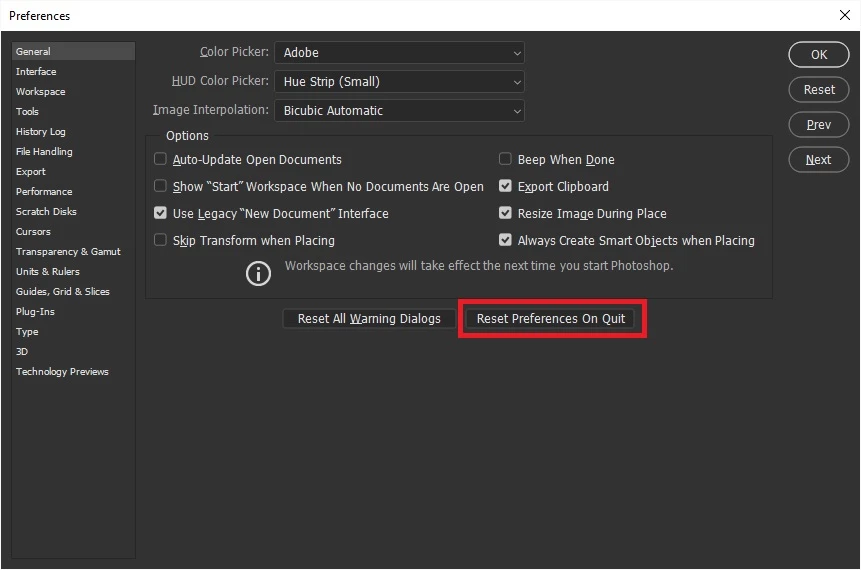
    Have you resetting Photoshop preferences

    Does your system have dual GPU's, a GTX1080 and an Intel onboard GPU, if so might be worth taking a look here especially sections 7 and 8

    Troubleshoot Photoshop graphics processor (GPU) and graphics driver issues

    If that doesn't help try re-installing using the Adobe cleaner tool

    Use the Creative Cloud Cleaner Tool to solve installation problems

    1 reply

    Correct answer
    August 23, 2018

    Hi

    Have you resetting Photoshop preferences

    Does your system have dual GPU's, a GTX1080 and an Intel onboard GPU, if so might be worth taking a look here especially sections 7 and 8

    Troubleshoot Photoshop graphics processor (GPU) and graphics driver issues

    If that doesn't help try re-installing using the Adobe cleaner tool

    Use the Creative Cloud Cleaner Tool to solve installation problems

    CalvinJHIV
    Participant
    August 26, 2018

    I haven't tried resetting the preferences lately, but I will make sure to try that. It's a single GTX 1080, and I don't think that the 5820K has onboard graphics. But I will check out that article.