Participant
August 22, 2021
Answered

Photo displaying jpeg file name above photo

  • August 22, 2021
  • 2 replies
  • 1805 views

I am a noob to photoshop... When attempting to create a mosaic, my second layer photos show the jpeg file name above it. Any help on removing this or a different avenue for saving and downloading?

This topic has been closed for replies.
Correct answer jane-e

@Sir Walter wrote:

Any help on removing this...?


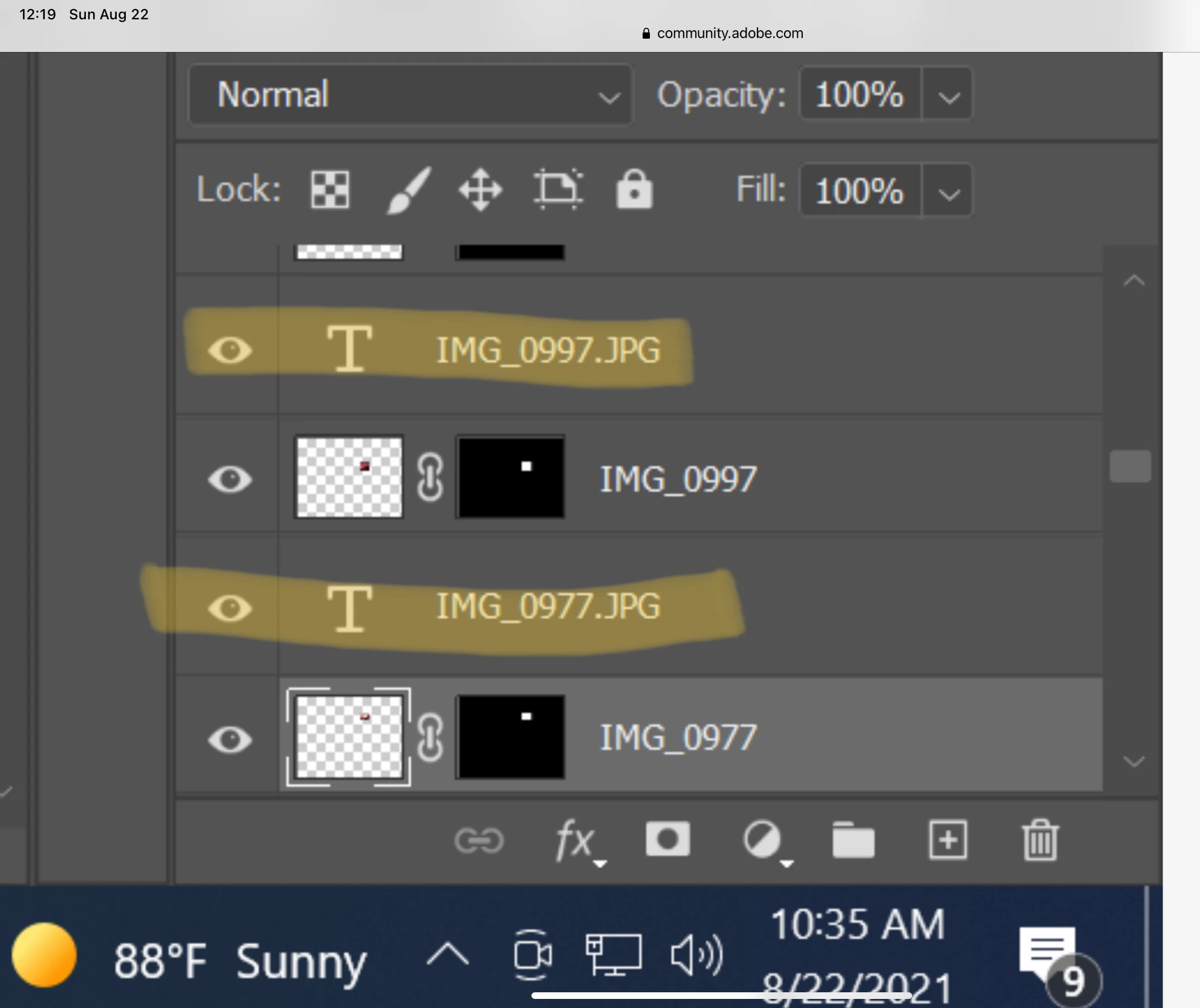
If you want to remove the text instead of creating the Contact Sheet a second time, look at your layers panel and you will see a Type layer for each filename. You can:

  • Hide the layers (click the eyeball
  • Edit the text (double-click the "T" icon)
  • Delete the layers (trash can)


~Jane


2 replies

jane-e
Community Expert
jane-eCommunity ExpertCorrect answer
Community Expert
August 22, 2021

@Sir Walter wrote:

Any help on removing this...?


If you want to remove the text instead of creating the Contact Sheet a second time, look at your layers panel and you will see a Type layer for each filename. You can:

  • Hide the layers (click the eyeball
  • Edit the text (double-click the "T" icon)
  • Delete the layers (trash can)


~Jane


Participant
August 22, 2021
Thanks Jane! I was able to work through it and believe that I might be
successful at this lol
jane-e
Community Expert
Community Expert
August 22, 2021

You're welcome @Sir Walter !


~ Jane

Kukurykus
Legend
August 22, 2021

If you use 'Contact Sheet II' then probably uncheck 'Use File Name as Caption' box.