
janb5
Participant
November 5, 2022
Answered

photo opening in PS much brighter than in Raw opening dialogue

  • November 5, 2022
  • 1 reply
  • 210 views

Since the latest udpate, i cannot seem to be able to open a photograph in Photoshop in a state that i adjust in

Raw before opening:
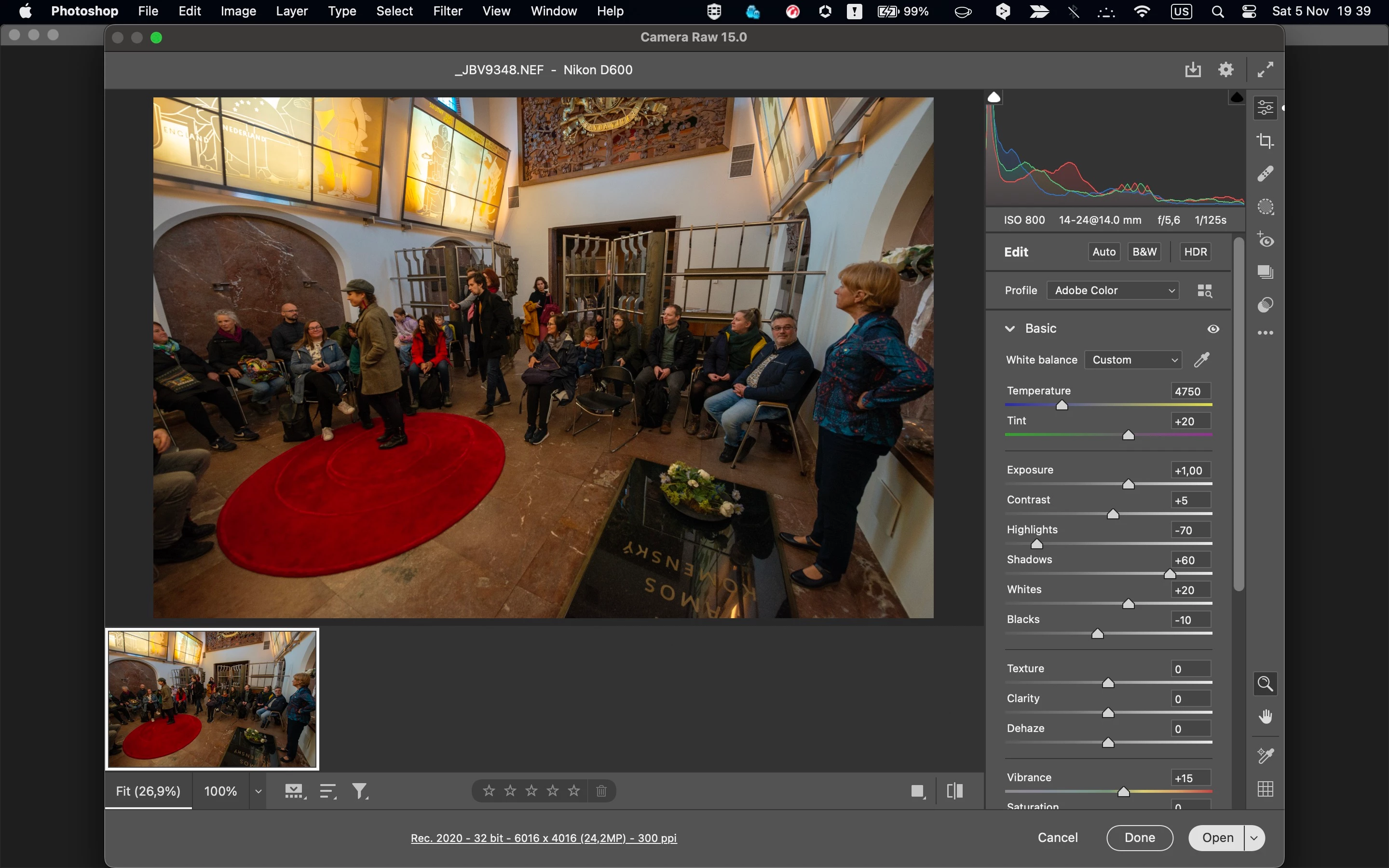
then when i open it in PS:
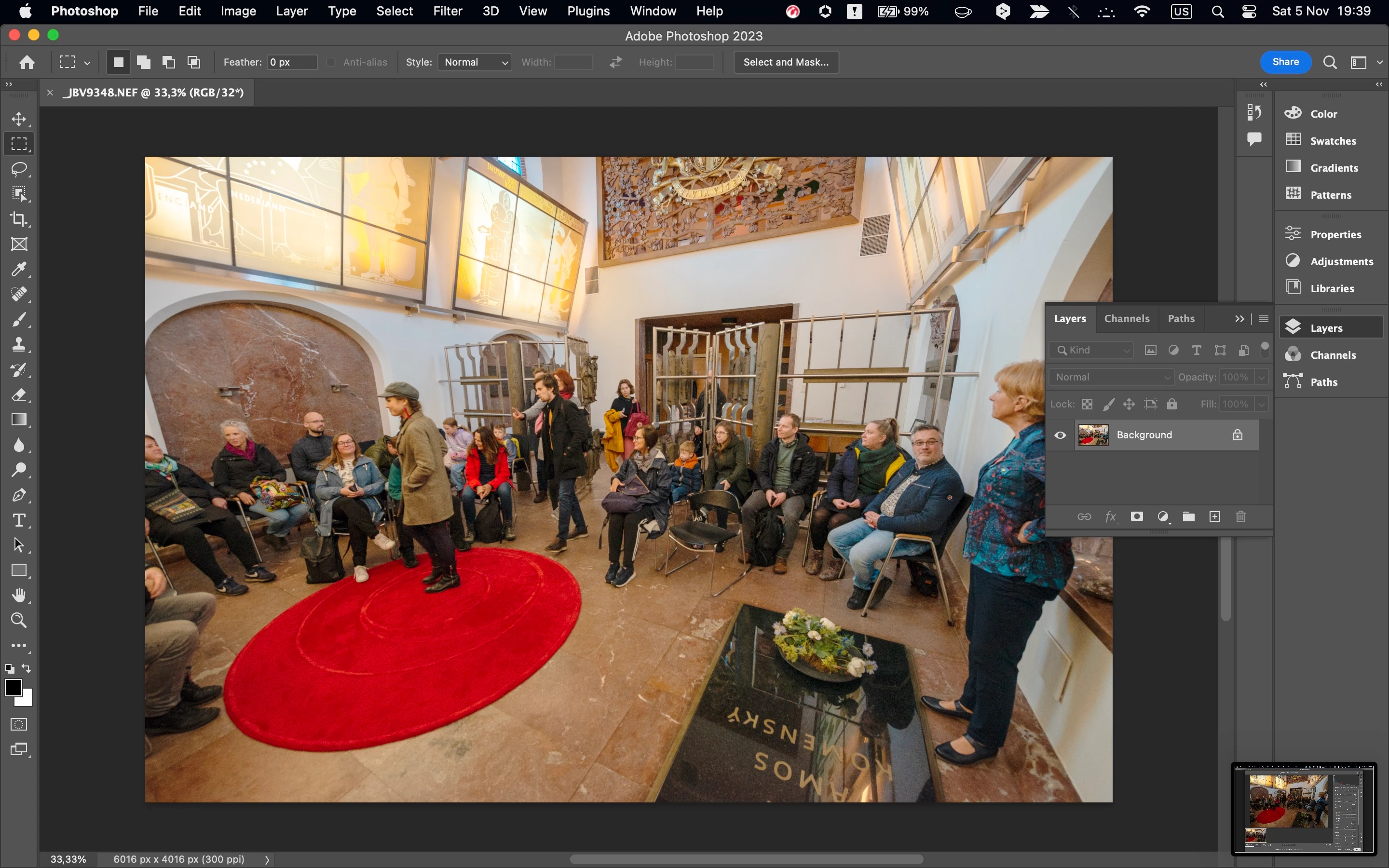
seems much brighter and maybe even the colorspace shifted 😞

Any advice?

Also, i can't save the photo in JPG, not even through Save a Copy

What's wrong?

This topic has been closed for replies.
Correct answer janb5

Okay, had a chat with the online support. Issue was that the color space of my raw photo (Adobe RGB) did not match the one of my MacBook (sRGB). I must have changed it on my camera by accident... 😕😕

1 reply

janb5
janb5AuthorCorrect answer
Participant
November 5, 2022

Okay, had a chat with the online support. Issue was that the color space of my raw photo (Adobe RGB) did not match the one of my MacBook (sRGB). I must have changed it on my camera by accident... 😕😕

D Fosse
Community Expert
Community Expert
November 13, 2022
quote

Issue was that the color space of my raw photo (Adobe RGB) did not match the one of my MacBook (sRGB).


By @janb5


That's absolute nonsense; color spaces don't need to match. That's the whole purpose of color management. One is remapped into the other, so that general appearance remains unchanged.


Is there a particular reason you have set ACR to Rec.2020 and 32 bits/channel? That's a pretty specialized workflow, and it doesn't sound like you're aware of the implications.


The camera setting for color space is irrelevant and doesn't apply for raw files.