
janb5
Participant
November 5, 2022
Answered

photo opening in PS much brighter than in Raw opening dialogue

  • November 5, 2022
  • 1 reply
  • 210 views

Since the latest udpate, i cannot seem to be able to open a photograph in Photoshop in a state that i adjust in

Raw before opening:
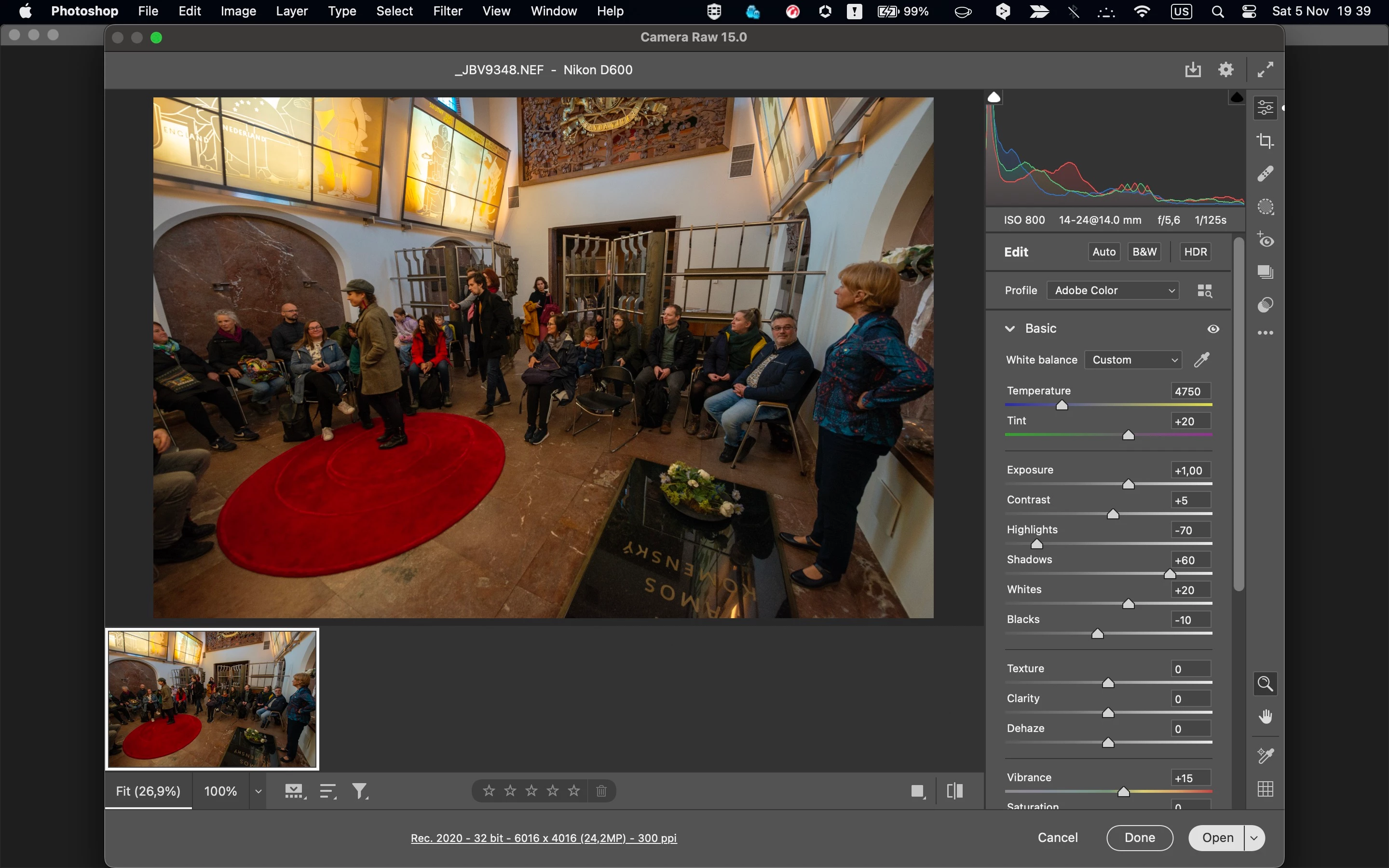
then when i open it in PS:
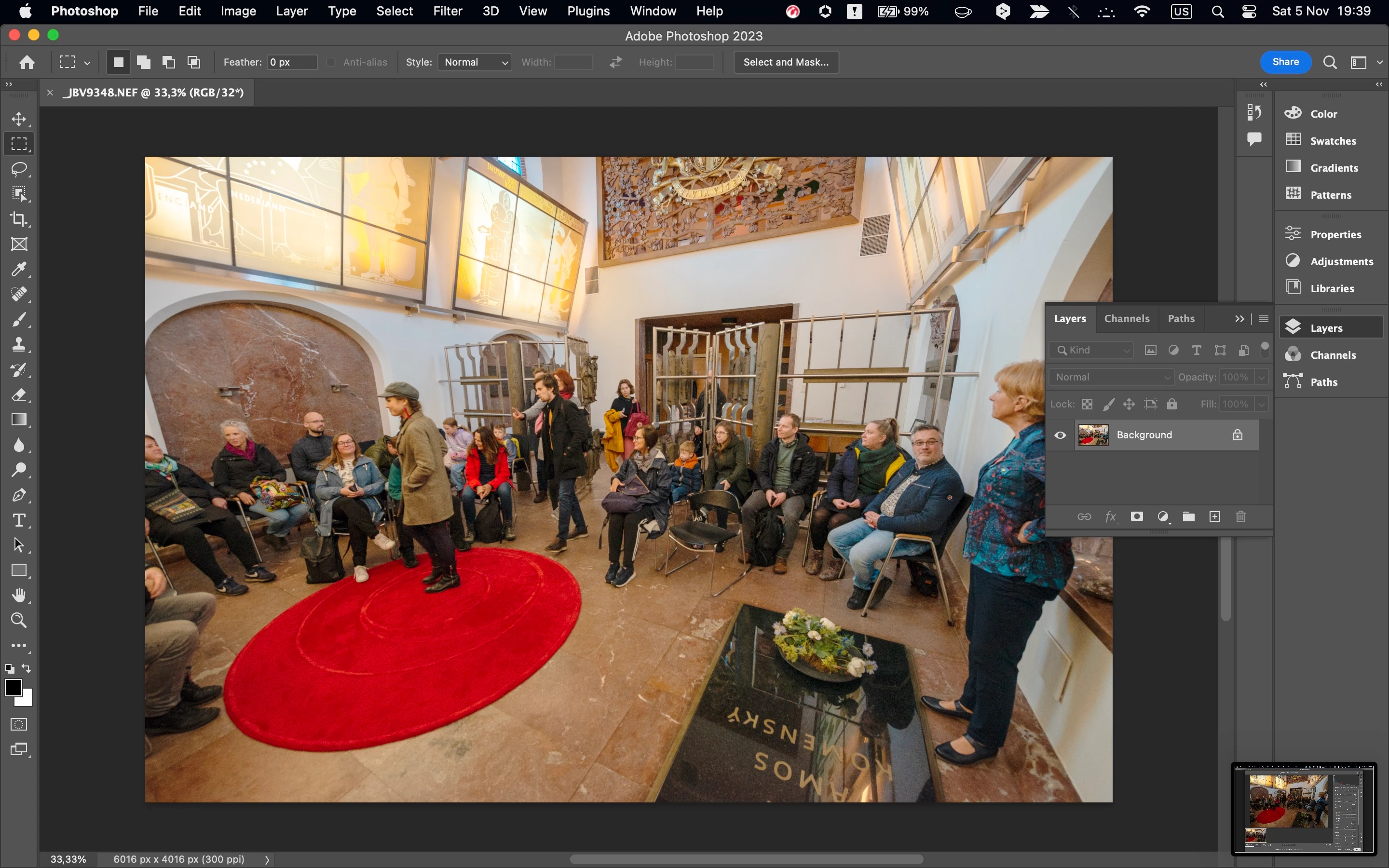
seems much brighter and maybe even the colorspace shifted 😞

Any advice?

Also, i can't save the photo in JPG, not even through Save a Copy

What's wrong?

This topic has been closed for replies.
Correct answer janb5

Okay, had a chat with the online support. Issue was that the color space of my raw photo (Adobe RGB) did not match the one of my MacBook (sRGB). I must have changed it on my camera by accident... 😕😕

1 reply

janb5
janb5AuthorCorrect answer
Participant
November 5, 2022

Okay, had a chat with the online support. Issue was that the color space of my raw photo (Adobe RGB) did not match the one of my MacBook (sRGB). I must have changed it on my camera by accident... 😕😕

georgep12858306
Participant
November 13, 2022

Hi I am having the same problem, my camera ( Fuji XT3 ) is set to sRGB... Using a MacBook Pro.

Any more ideas ?