June 11, 2018
Answered

Photocopy filter changes colors

  • June 11, 2018
  • 2 replies
  • 4987 views

Hi there,

I wanted to put the photocopy-filter over a black-white-picture. When clicking the photocopy-filter option the background of the picture becomes cyan and the lines dark-red. Can anybody tell me what I have to change to keep the original colors? I could not find anything online. Thanks a lot!


This topic has been closed for replies.
Correct answer Rob de Winter

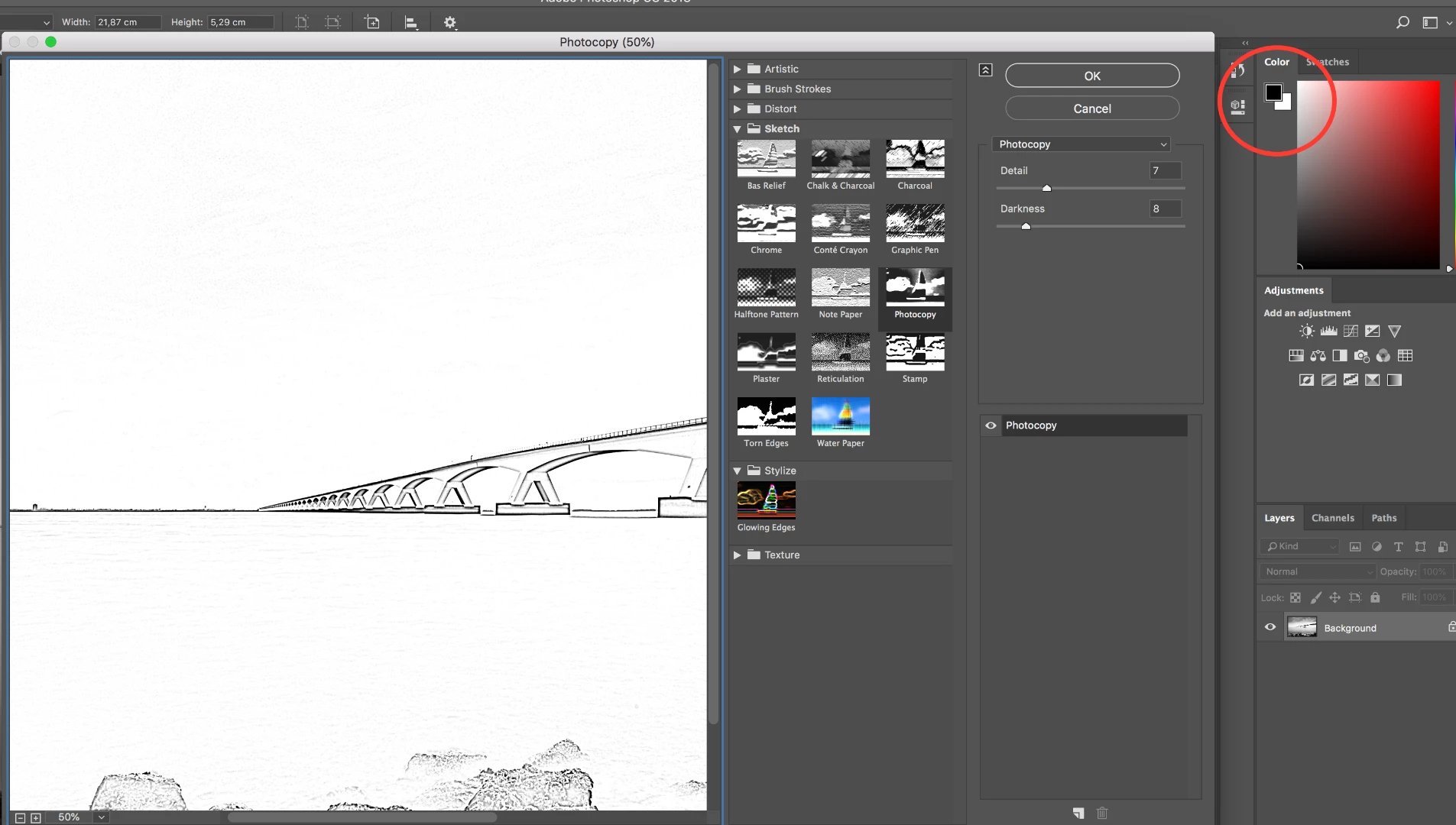
Hey! Some effects (like the Photocopy effect) use the Background and Foreground colours. So, when you change them to black and white (like the screenshot below), you've got the colours you like. I hope this works for you.

2 replies

Rob de WinterCommunity ExpertCorrect answer
Community Expert
June 11, 2018

Hey! Some effects (like the Photocopy effect) use the Background and Foreground colours. So, when you change them to black and white (like the screenshot below), you've got the colours you like. I hope this works for you.

June 11, 2018

Perfect, thanks a lot!

Community Expert
June 11, 2018

You're welcome!

kglad
Community Expert
Community Expert
June 11, 2018