October 4, 2019
Answered

photographic image tear effect

  • October 4, 2019
  • 4 replies
  • 2427 views

How do you create this effect?

This topic has been closed for replies.
Correct answer Chuck Uebele

Use "Clouds difference" NOT "Clouds."

4 replies

Chuck Uebele
Community Expert
Chuck UebeleCommunity ExpertCorrect answer
Community Expert
October 4, 2019

Use "Clouds difference" NOT "Clouds."

October 4, 2019
Thanks for letting me know!
c.pfaffenbichler
Community Expert
Community Expert
October 4, 2019

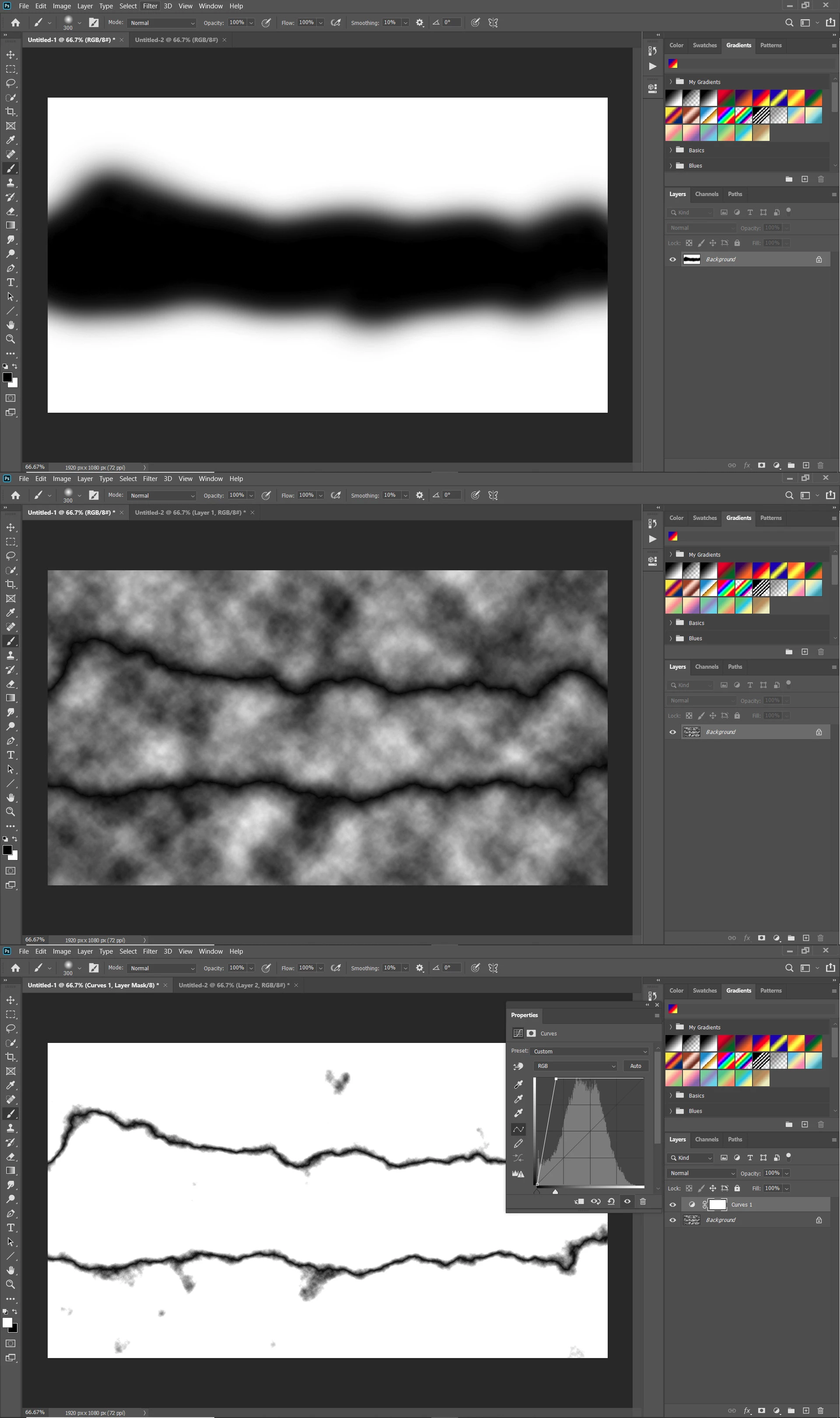
Filter > Render > Clouds can be used to create a synthetic rough edge (see the two screenshots). 

October 4, 2019

Thanks a lot. But there's a problem.Did I do something wrong?

c.pfaffenbichler
Community Expert
Community Expert
October 4, 2019
Try the Blend Mode »Hard Mix«.
Bojan Živković11378569
Community Expert
Community Expert
October 4, 2019

Among many other solutions you can also find tear image/vector on Adobe Stock.

Once you have image or vector you can use Photoshop to mask image and create final effect with black and white part in the middle. For this particular effect I will recommend to you use layer or clipping masks. If you need more help please do not hesitate to ask more question in this thread.

Chuck Uebele
Community Expert
Community Expert
October 4, 2019

Lots of ways to create the tear. You could actually photograph a torn paper - a dark coated white paper would be best to then isolate the tear. You could use the pen tool or the polygon lasso tool to draw the shape of the tear, or you could create a brush with a rough shape and jitter to create the tear. The rest is just standard masking and desaturating one of the layers.