
Participant
July 6, 2018
Answered

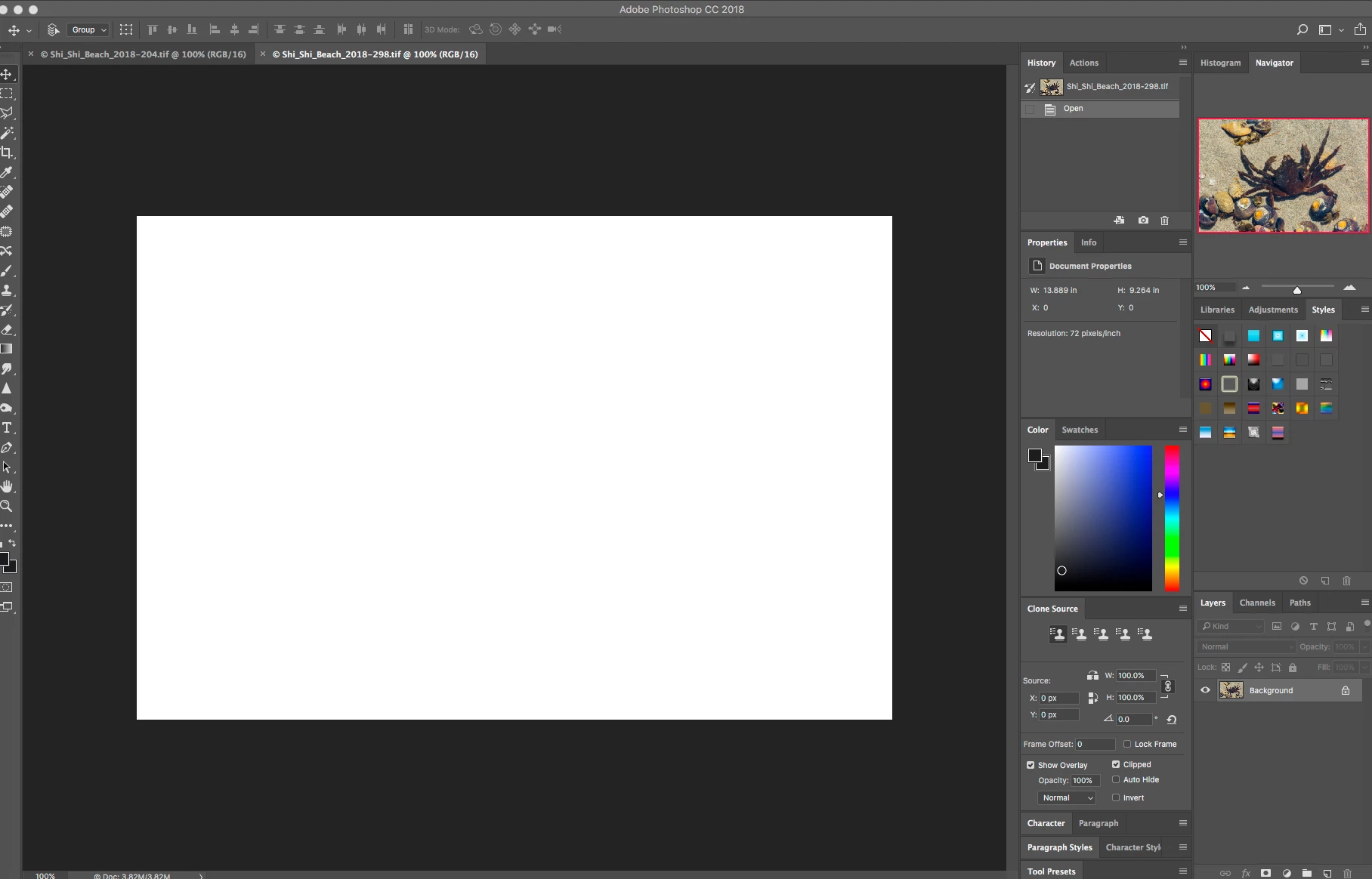
Photographs showing up as all-white rectangles

  • July 6, 2018
  • 1 reply
  • 272 views

As a Photoshop user for nearly 20 years, I am suddenly having a problem with photographs showing up as all-white when I open them, even though the Navigator shows the correct photograph. I just did an update to Photoshop CC 2018 on my Mac OS 10.11.6 El Capitan, but that didn't fix the problem. I am under a time deadline and need help. Thank you.
This topic has been closed for replies.
Correct answer c.pfaffenbichler

Does turning off »Use Graphics Processor« in the Performance Preferences (Photoshop > Preferences > Performance > Graphic Processor Settings) and restarting Photoshop have any bearing on the issue?

What have you done for trouble-shooting so far?

Restoring Preferences after making sure all customized presets like Actions, Patterns, Brushes etc. have been saved might be a good starting point:

https://helpx.adobe.com/photoshop/kb/basic-trouble-shooting-steps.html

1 reply

c.pfaffenbichler
Community Expert
c.pfaffenbichlerCommunity ExpertCorrect answer
Community Expert
July 6, 2018

Does turning off »Use Graphics Processor« in the Performance Preferences (Photoshop > Preferences > Performance > Graphic Processor Settings) and restarting Photoshop have any bearing on the issue?

What have you done for trouble-shooting so far?

Restoring Preferences after making sure all customized presets like Actions, Patterns, Brushes etc. have been saved might be a good starting point:

https://helpx.adobe.com/photoshop/kb/basic-trouble-shooting-steps.html

cedar509Author
Participant
July 6, 2018

Turning off the Use Graphics Processor seems to be working. I have never run into this before; thank you so much!

c.pfaffenbichler
Community Expert
Community Expert
July 6, 2018

Unfortunately this is no proper solution as it invalidates GPU dependent features (like the Rotate View Tool and some Filter acceleration for example) but it indicates problems with the GPU driver or the OS.