- Home
- Photoshop ecosystem
- Discussions
- Re: Photomerge CS5 doesn't work
- Re: Photomerge CS5 doesn't work
Photomerge CS5 doesn't work

Copy link to clipboard
Copied
Just try the Photoshop CS5 Trial after working with the CS3 ver.
When I try to merge images with the photomerge workflow, it seems that everything working just fine, but after the processing bar shows that the photomerge finished - nothings happen.
The process just ends & there is no panorama, only the same 3 source images I used.
Any suggestions ?




Explore related tutorials & articles
 43
Replies
43
43
Replies
43


Copy link to clipboard
Copied
It was worth a try.
Is your Photoshop updated to the latest version (12.0.3 as of this writing)?
-Noel

Copy link to clipboard
Copied
Yes it is 
I don't think the issue is with anything basic like that. Photomerge had work perfectly couple of months ago, but now it doesn't 
I haven't installed any crappy programs either - it still might have something to do with program x I have installed after it last worked, or updates made by microsoft / other parties..
I think we all should report this bug to adobe somehow..
Copy link to clipboard
Copied
It can take a really long time to finish... Does it actually return to Photoshop or just seem to hang? If the latter, give it more time.
I did some testing with making HUGE panos just about a week ago and had no problems whatsoever, except that above a certain size Photoshop went virtual and used over a hundred gigabytes of my scratch disk (yes, you read that right, gigabytes) and took near an hour to finish. Do you a LOT of available scratch disk space?
If you want to report a bug, here's the form:
https://www.adobe.com/cfusion/mmform/index.cfm?name=wishform
-Noel
Copy link to clipboard
Copied
Photoshop doesn't hang or freeze or anything like that, it rolls the photomerg as it should but when it should give a merged photo as an result, it gives absolutely nothing. It looks like you have just started photoshop but haven't had the time to open even one photograph for editing. It doesn't show any files from the [WINDOW]-menu. It doesn't do any change if I have other files opened, or if I run photomerge from opened files. It just doesn't give any result after running the task.
Biggest pictures I have made are with slower and clumsier computers are over 45.000pixels wide. Combining two 21mpx photos (yes, you read that right, two = 2) with photomerge should be a task that my casio calculator from highscool times could accomplish.
I have reserved 5,7GB's of memory for Photoshop, and the main scracth-disk has 9GB space at this moment, and the second Scratch-disk has 650GB's.
I totally believe, it works for you - it has worked for me also, several times. Hell, I have done big panoramic photos for kitchen interiors, shipping companies, for artcanvas "paintings" and just for fun to make some color to my Win7's desktop - it has always worked, but not anymore.
I reported the bug what other people also seems to have encountered, in mac & pc enviroments.
Copy link to clipboard
Copied
I don't doubt you're seeing the problem either.
Karo Holmberg wrote:
the main scracth-disk has 9GB space at this moment
Just for fun, try removing that one from the list, so the first scratch disk is the one with hundreds of GB free. Make sure and close and re-open Photoshop before trying. Hey, just a shot in the dark, but who knows?
-Noel
Copy link to clipboard
Copied
BucketCAT Has A SOLUTION!! 
I am laughing with this matter... the solution is far more simplier than I could have expected....
I found out, that making a panoramic picture can take up loads of space from your hard drive while Photoshop processes the photos together. I'm currently working on a picture that has three leves and ten 21mpx photos on every level - just making one level takes 11GB of harddrive space :I
I just emptied my hard drive to free up some space.. and it works..
The funny thing is, that photoshop doesnt give anykind of warning about running out of HD-space...

Copy link to clipboard
Copied
Adobe may ban me for this , but honestly the photomerge automation in photoshop can't really compete with the best tools for making panoramas. There are some great tools, even free ones or offered at a very low price, that will vastly improve your panorama making results and giving you absolute control over the process (as opposed of crossing your fingers with photoshop and hoping for the best). I won't "market" a particular software on this forum, but if you are shooting panoramas on a regular basis It is well worth it looking into other applications for this kind of job. A good, independent place to start is http://wiki.panotools.org/Software
Copy link to clipboard
Copied
Different software certainly has different strengths, but please cite or show an example of where Photoshop's Photomerge falls down in any substantial way by comparison to another package... Are you shooting scenes with water or moving subjects?
Maybe I just shoot the right kinds of stuff, or with the right kinds of lenses, but I'm personally getting great results out of Photomerge. I'll say this: It takes a powerful computer with lots of free space, because Photomerge is not hugely efficient, but the results are second to none in my opinion.
-Noel
Copy link to clipboard
Copied
Hi!
I hate to bash Photoshop as I think 95% of it's functionality is practically unrivaled. However Photomerge is one of the places I think it really falls short to it's competition. Here are a few examples to illustrate why I think so:
Anyone who shoot panoramas on a regular basis (at least without a tripod) have experienced flaws in the stitching, meaning blurry and unaligned segments. Photoshop gives you no control over the control points on the images to fix these kind of problems. You just have to go with the way it chooses to align the images.
PS have no real control of distortion, this especially becomes a big problem when shooting multi-row panoramas.
And what irritates *me* the most in ps: no way of achieving a basic thing like getting straight horizons. Of course you could do these things post processing the flattened image, but the results arent optimal.
Limited amount of stitching methods, I won't go into details. Photoshop gives you 5 options, others 15.
No efficient way to create .hdr panoramas and also there are other tools that are way superior in speed.
No preview available in ps. Other gives you low res previews of the final results. Also enables you to preview things like different sticthing methods on the fly. In ps you have to process the entire image all over again if, say for example you want to switch from cylindrical to whatever.
Furthermore there are of a number less important 'speciality differences' I won't go into here. But of course if you do pay careful attention to the use of lenses, focal length, ps photomerge may be a ok choice for many because of it's ease of use.
Copy link to clipboard
Copied
NoCoolNamesLeft wrote:
Anyone who shoot panoramas on a regular basis (at least without a tripod) have experienced flaws in the stitching, meaning blurry and unaligned segments.
That's odd, because I do personally shoot a lot of panos (never using a tripod) and I just don't experience those flaws. I wonder if differences in subject material, workflow, or even resource shortages could cause the software to fail in minor ways and produce less than perfect results. I've just not had the kinds of problem with the thing you describe, and I'm fairly critical about my results.
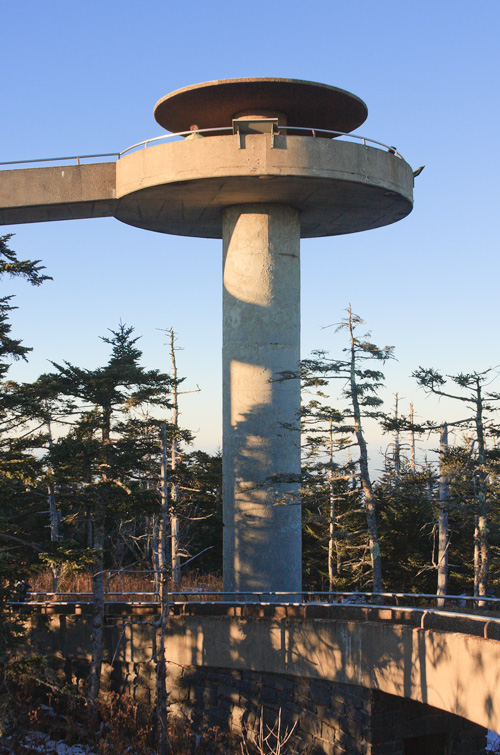
Just as a challenging example, late last year I took photos from all around the observation tower at Clingman's Dome in Smoky Mountains National Park. I wasn't even standing in the same place for each shot, and every shot was handheld - 14 in all, with maybe 1/3 overlap. Camera and lens: Canon EOS-40D at ISO 100, 1/125 second, Canon 28-135 zoom at 28mm, f/7.1.
Photoshop did a remarkable job making a nearly all the way around pano out of these shots just now.
This is the observation deck from which I shot the photos:
Here's a small version of one of the photos:
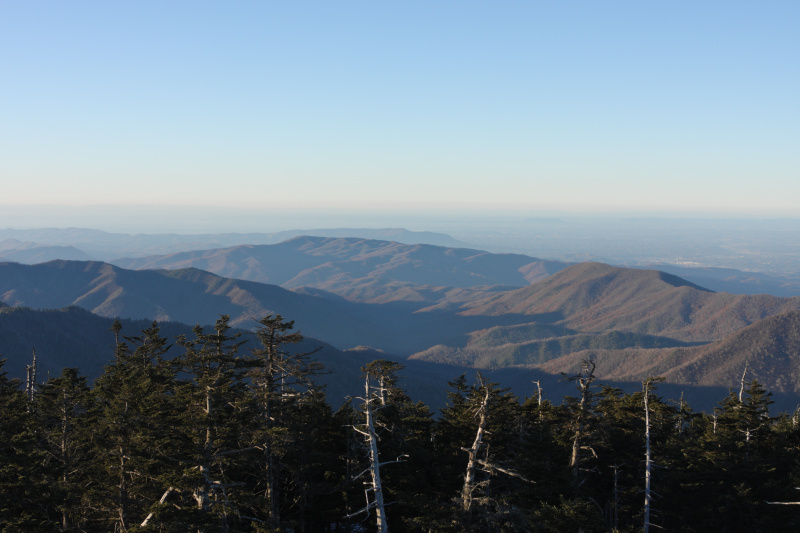
The full resolution result, right out of Photoshop (just flattened, downsized to 30000 pixels width, and saved as JPEG), can be found at the link below (warning, large file). I'm having trouble finding any defects such as those you describe in it, which is a bit surprising since some of the same treetops should have overlapped different parts of the distant scenery because of my moving between shots.
http://Noel.ProDigitalSoftware.com/ForumPosts/ClingmansDomeRawPano.jpg
Here's the detail of the workflow I used:
1. Open all CR2 images in Camera Raw.
2. Select All images, make color temperature identical, boost Fill Light a little to lighten shadows.
3. Set to convert to upsampled 6144 x 4096 resolution, sRGB, 16 bits/channel.
4. [Save Images] as .psd files in folder C:\TEMP\Pano, which I use for staging panoramas.
5. Click [Done] to get out of Camera Raw.
6. File - Automate Photomerge. Select all 17 files, and choose settings as shown below.
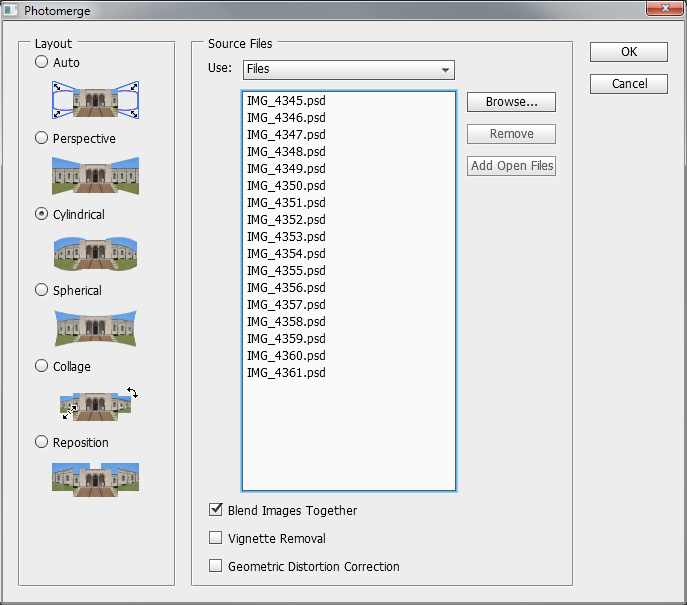
7. [ OK ] to run Photomerge.
8. Layer - Flatten, downsize to 30000 pixels to enable saving as JPEG.
9. Save the result, which can be seen at the link above.
-Noel
Copy link to clipboard
Copied
Another several examples I just ran with PS 12.0.4 / Camera Raw 6.5, with no processing after Photomerge completed other than downsizing as needed and Save As JPEG.
Please help me find defects in these because I'm just not seeing them... All seem quite suitable for further processing into a final result.
Again, note that all the JPEG links below will download huge full-sized files. Right-click and Open In New Window usually works best for these.
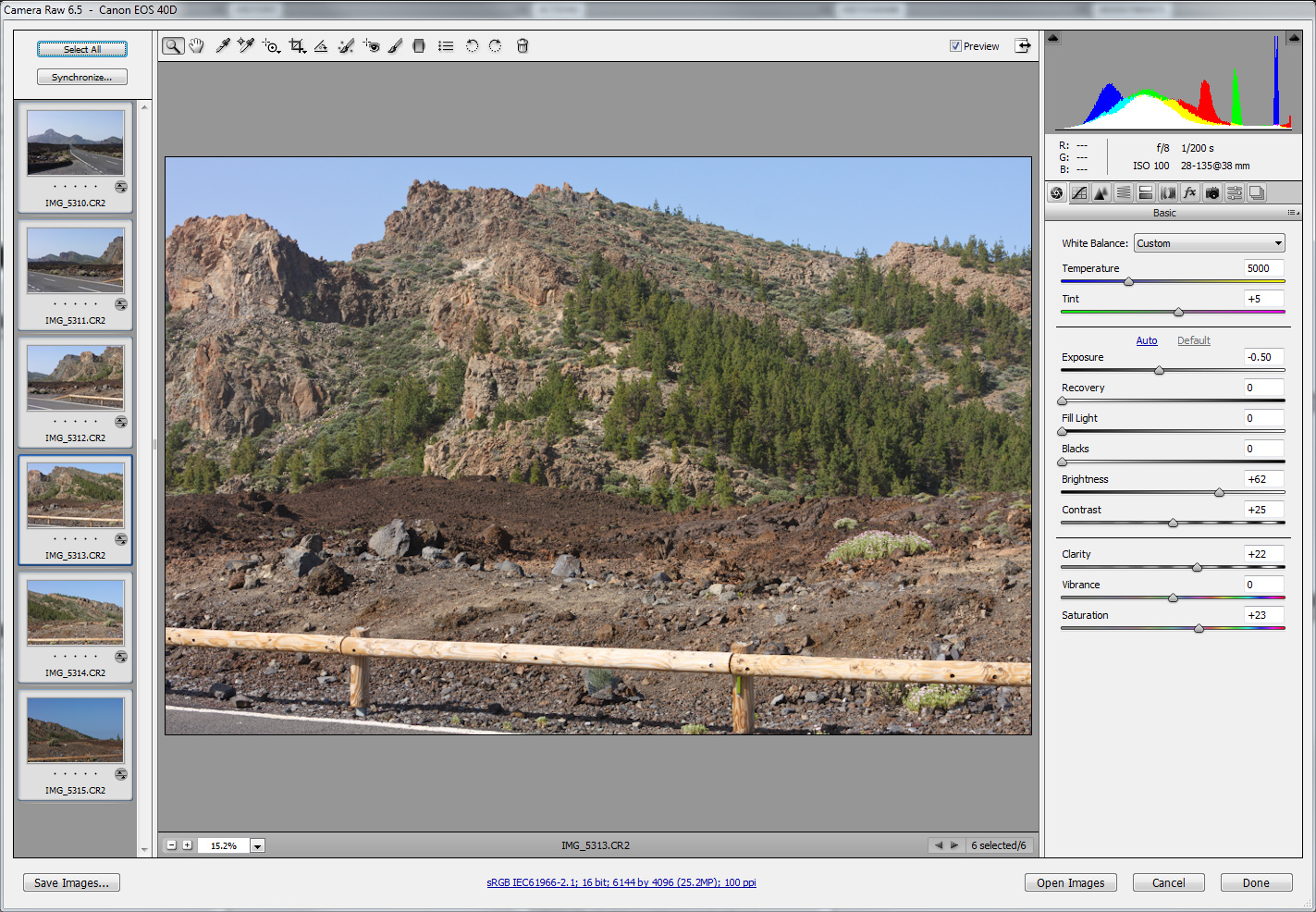
Result: http://Noel.ProDigitalSoftware.com/ForumPosts/VolcanicPano.jpg
-------------------------------
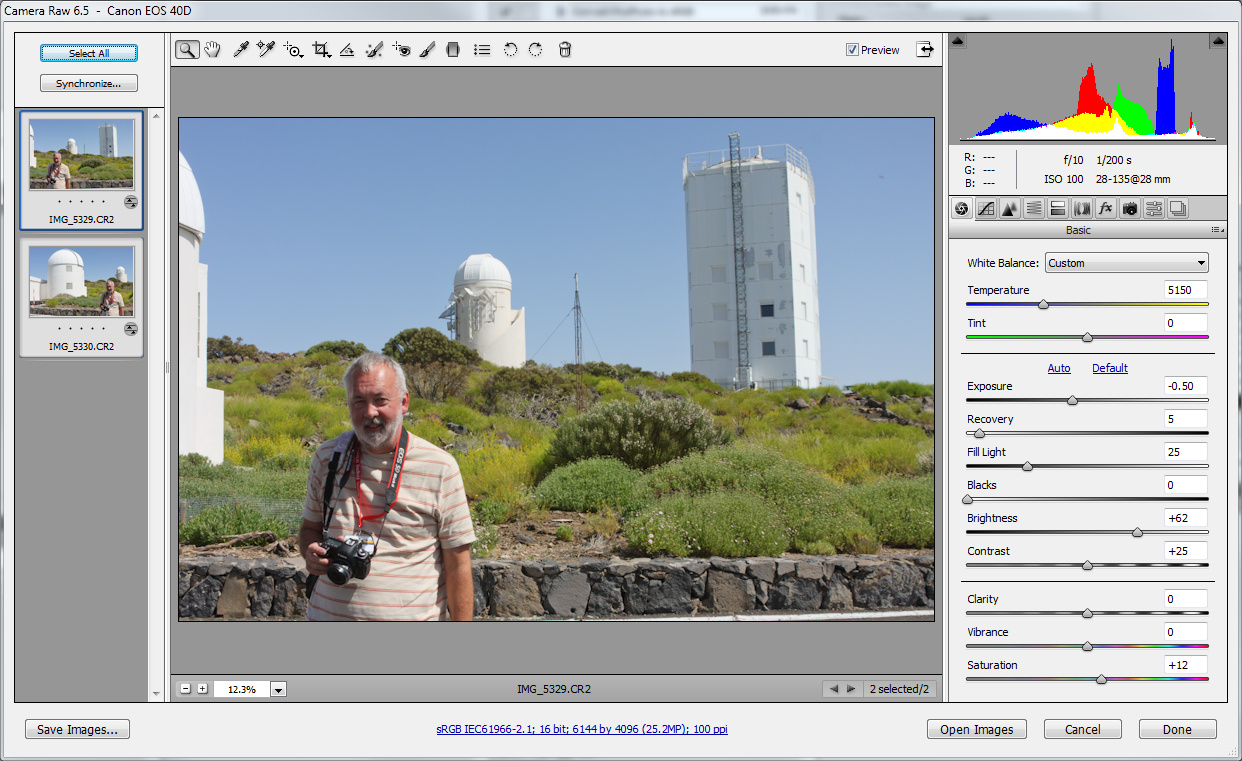
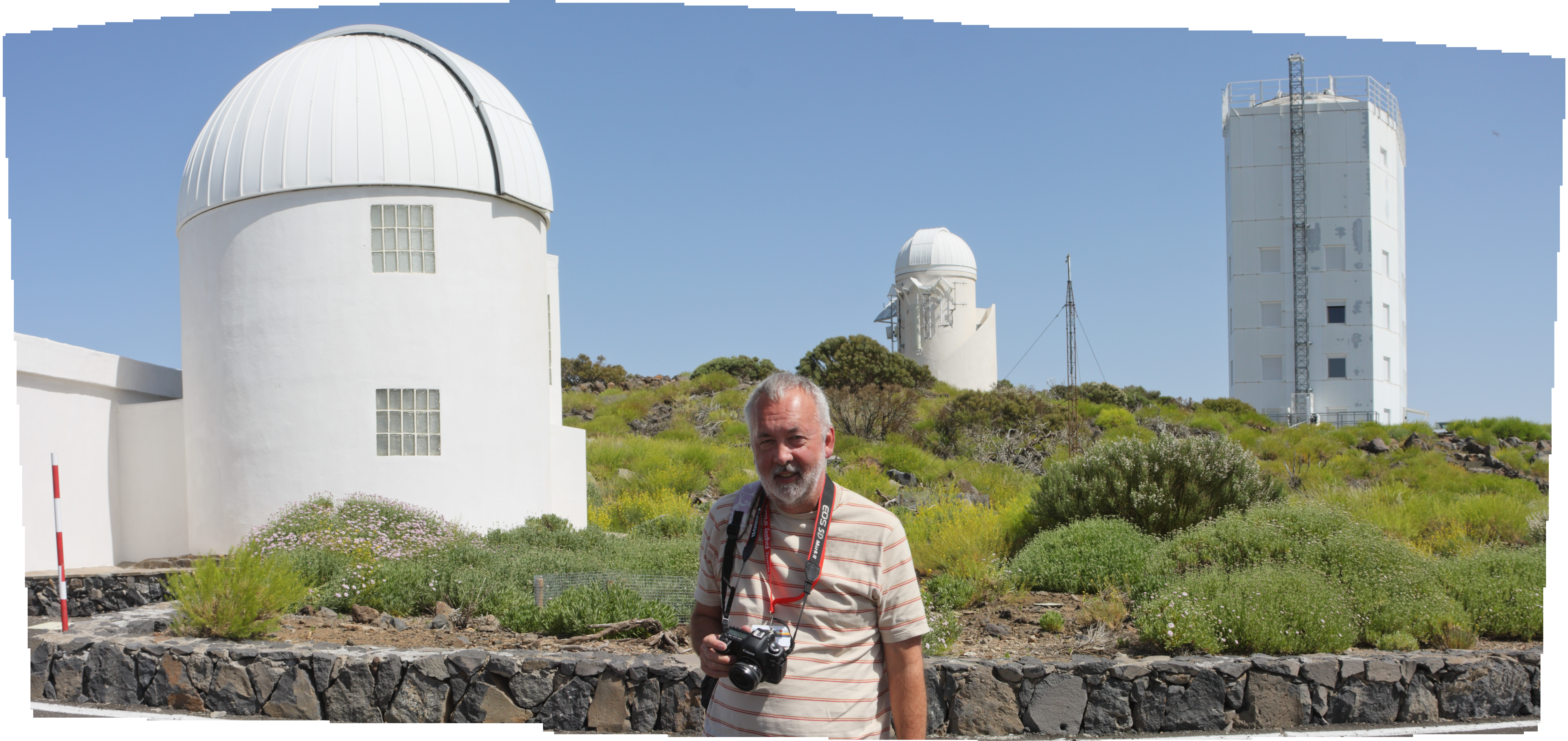
Result: http://Noel.ProDigitalSoftware.com/ForumPosts/ObservatoryPano.jpg
(no, that's not me)
-------------------------------
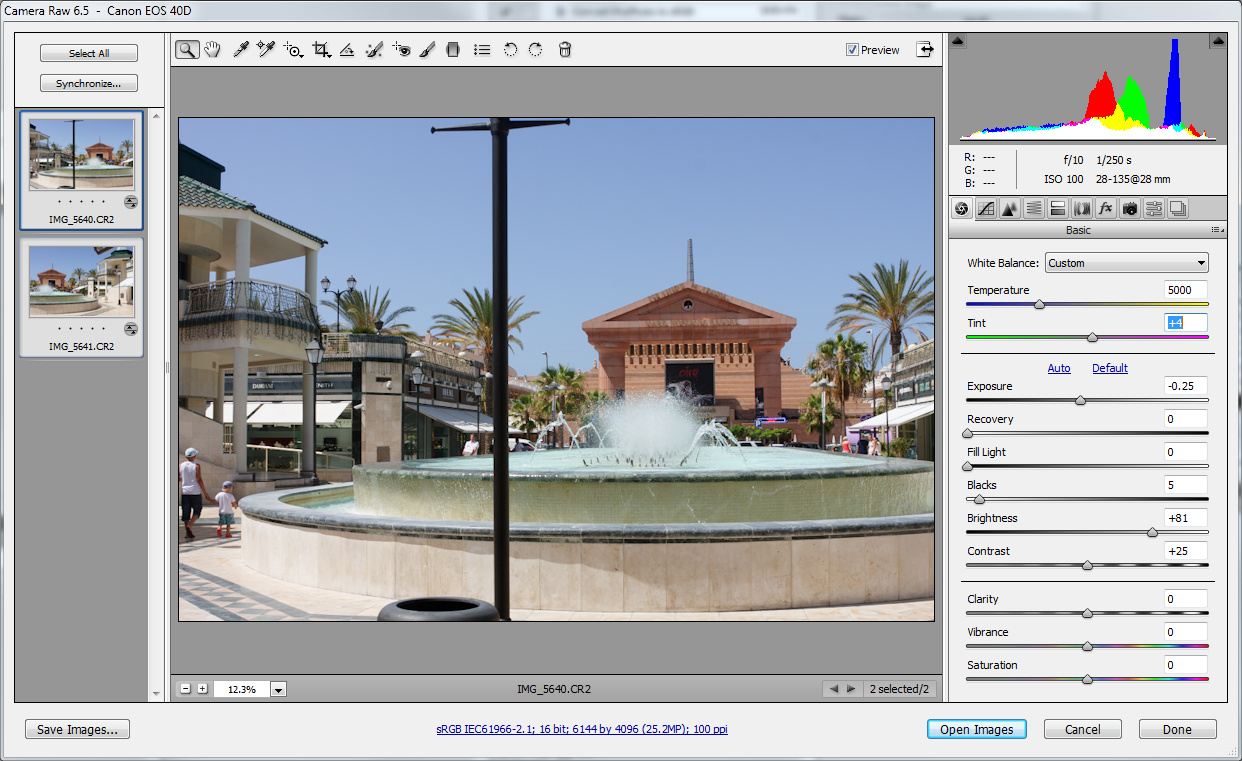
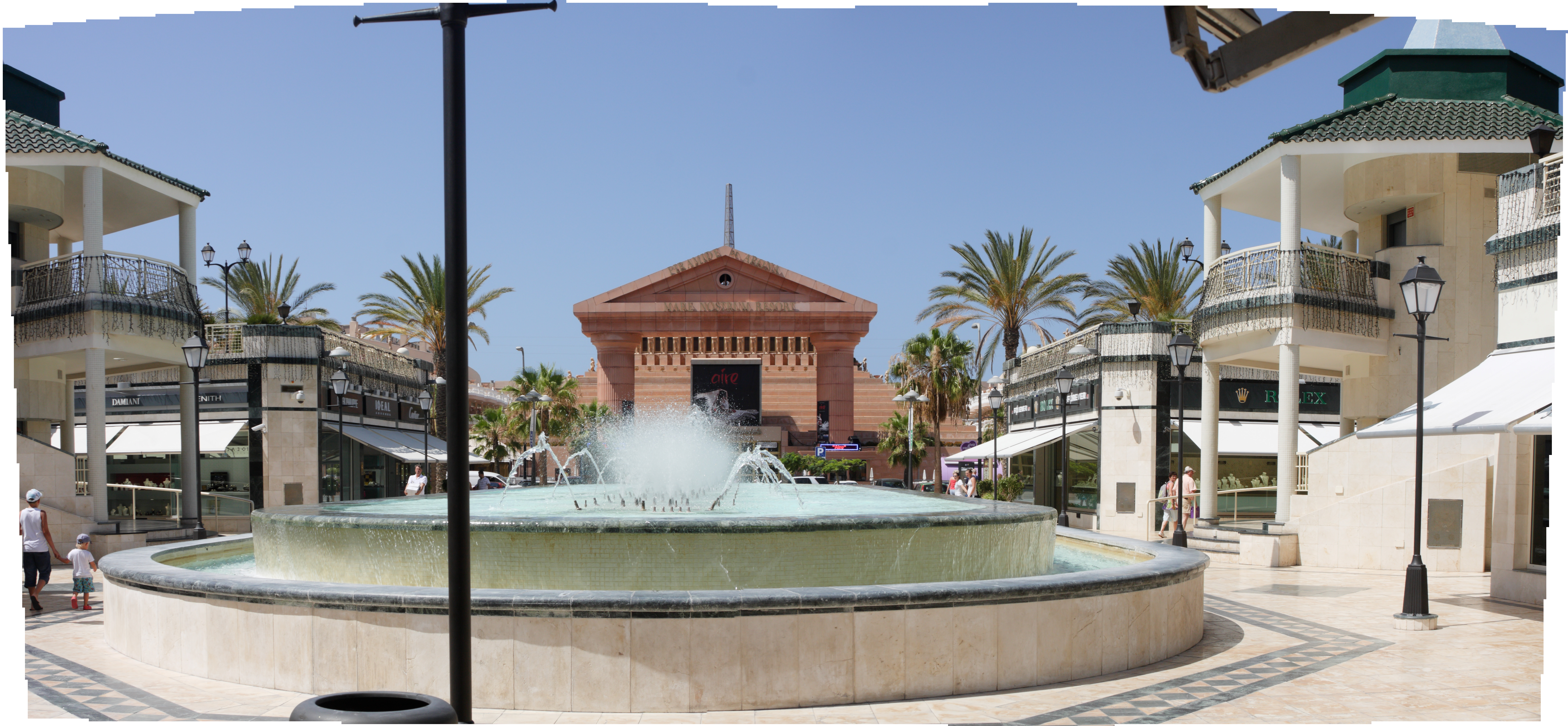
http://Noel.ProDigitalSoftware.com/ForumPosts/PlazaPano.jpg
-------------------------------
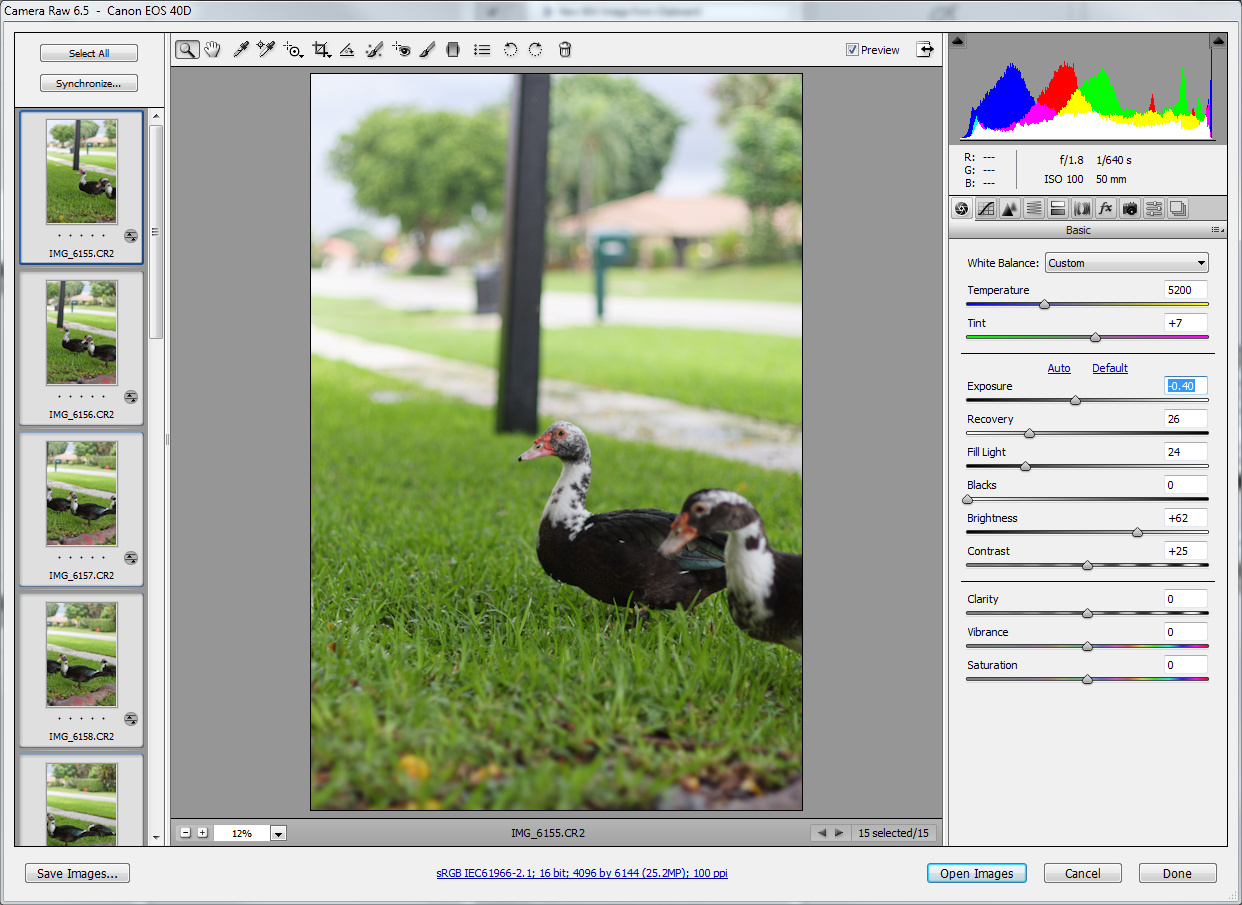
http://Noel.ProDigitalSoftware.com/ForumPosts/DuckPano.jpg
-------------------------------
I've even experimented with Brenizer method panos where the shots overlap in both dimensions, also with fine results...
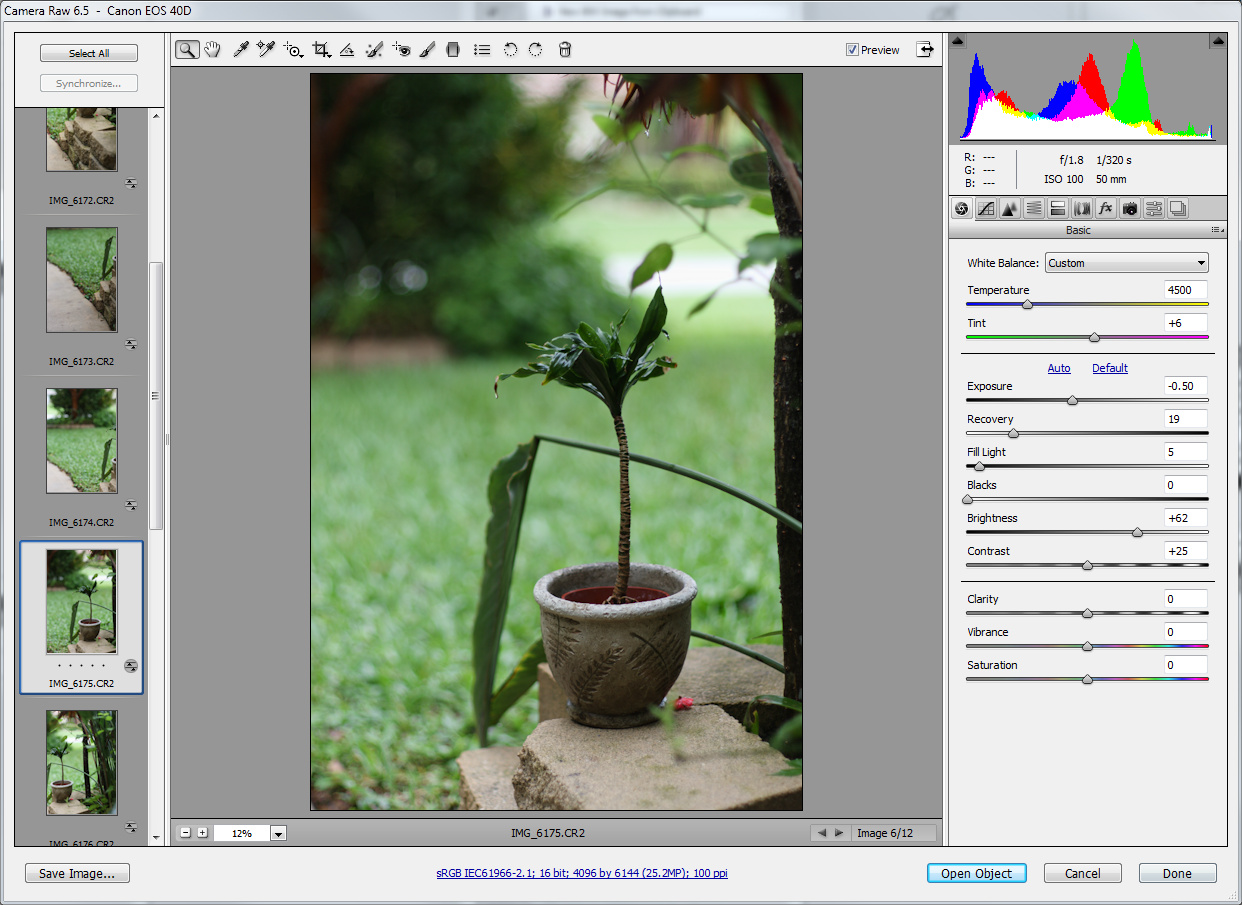
http://Noel.ProDigitalSoftware.com/ForumPosts/BrenizerMethodPano.jpg
-------------------------------
Perhaps you now see why I don't agree that Photoshop Photomerge is in the habit of delivering faulty results... Am I doing something particularly right to get good results every time?
-Noel
Copy link to clipboard
Copied
Hi again Noel
More often than not, I don't get defects when using photomerge. But from time to time this does happen, and when it does there is no
way of correcting it. I am not saying photomerge consistently produces faulty images.
I looked around my hdd to find some examples of this occuring, i tend to delete these files but here is one example i found still lying around:
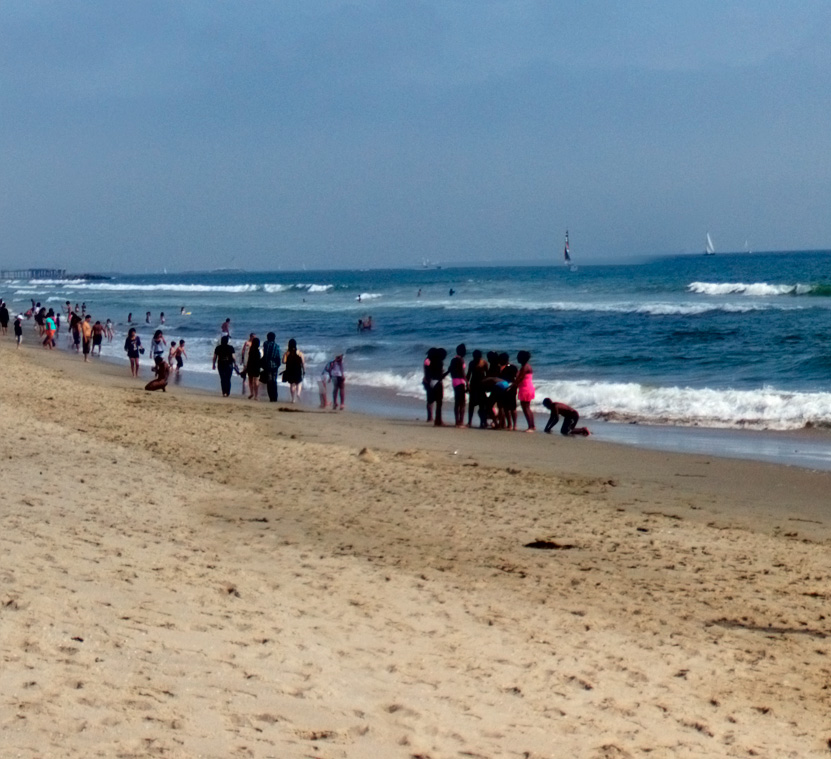
On this image from santa monica beach you can clearly see a problem with the horizon. This is a small crop from a larger image.
(The defects where the people are can be ignored, this can easily be masked out).
All right, so I am not going into a whole discussion about this. If it works for your use, then why fix it. But hey, even if it stitches
the panorama correctly you still have very little control over it as opposed to with alternative tools, as in the features I listed in my
previous post.
And by the way, if you always use the 28mm on a crop camera to shoot panoramas, this is a good starting point for making panoramas,
if you try using a wider lens on a full frame camera you will run into stitching problems more often (b/c of distortion). This is
probably a important reason as to why you are successful with photomerge.
Copy link to clipboard
Copied
Think about the error in the above image...
You're asking Photomerge to stitch two images that contain completely different data... Unless you use two cameras to capture overlapping images of the water at the exact same instant there are significant differences in the waves from moment to moment. I find it no great surprise it couldn't get things right, though it does make your point that if you had more control over the process you might be able to make them match. That said, I've successfully stitched a number of shots with water that meets up with distant scenery (e.g., mountains vs. clear sky), so it's not impossible to have it work.
Yes, I can also easily see how using appropriate lenses and giving Photoshop a less than superhuman job of distortion correction can be important. So you could consider taking more overlapping shots at a higher focal length if you're seeing failures to correct distortion.
I guess what you're saying is that when given particularly challenging jobs Photoshop may not fare as well as other software. I can't dispute that.
One could make the argument that if your intent is good results, there are things you have to consider to improve the odds, and perhaps you need to change your workflow some to get there. If your intent is to show how Photoshop falls down on the job, well, then I suppose there are particular things you can do to get there too.
-Noel
Copy link to clipboard
Copied
All right Noel. I am not on a mission to convince you of one thing or another, nor call out your methods. Just sharing my experiences
using different tools for the job.
Happy panoramaing
Copy link to clipboard
Copied
I appreciate the discussion, and I'm sorry if I'm coming across as argumentative. I'm really only trying to understand how things are working for others like yourself, and maybe offer some tips on making things work better myself. I'm always curious - when someone seems to have a very different experience with something than I do - what's up. In this case it sounds like a combination of factors and expectations.
What I'm coming away from this discussion with is a renewed interest in the competive panorama making tools. You're not the first to say there are good alternatives to Photoshop. Failures in Photoshop (lack thereof) are not going to drive me away from it, but I do want to find some time to try some of the others for what they might add to my image prep capabilities.
-Noel

Copy link to clipboard
Copied
Noel, I use Photomerge in CS5 (64 Bit) to create panorama images. I noticed a problem in a clear blue sky where I could barley see where the image stitch was located. I could see it easier if I opened curves and moved the left end of the curve to the center which increased contrast. I was able to solve this problem by clicking on the "vignette removal" box in the panorama setup screen. Have you noticed any of these type problems?
My flow is a little different. I run Photomerge from Bridge with NEF files selected. I select the nef files in Bridge, then click "Tools > Photoshop >Photomerge". This will give you the Photomerge box in Photoshop. I then select cylindrical, check all three boxes at the bottom, and click OK. Photoshop will then open the NEF files into Photoshop and proceed with the panorama. When the panorama is complete, I click on "merge visible" which removes the thin white lines, use image rotation if necessary, crop, and flatten. With this approach you do not have to save large files of the individual shots.
Copy link to clipboard
Copied
I've seen cases where the Vignette Removal option would help, though now I do all my vignette removal in Camera Raw, so I don't check it in the Photomerge function.
I used to make panos directly from raw files, but I saw some instability and found I got more consistent results by converting to intermediate files first. I have a workstation with a lot of excess capacity so there's no real downside to doing it that way.
-Noel
Copy link to clipboard
Copied
I also do vignette removal in Camera RAW and did not expect to see a problem, but using vignette in photomerge solve the issue.
Copy link to clipboard
Copied
I used to use Vignette Removal all the time as well, as I noticed the same thing you're pointing out - better blending. A while back I had a set of photos that repeatably caused Photomerge to crash until I UNchecked the Vignette Removal option. I didn't see any blending problems, and the Photomerge completed successfully. I'd forgotten about that until just now.
I think Photomerge (and Photoshop in general) tax a computer system more than almost any other program (note: I don't do video; that may well be worse). If anything is the slightest bit unstable - e.g., if the display driver has an obscure bug - it WILL fail under load by Photoshop. This may be a big reason why so many graphics people use Macs, even though the general market is like 9:1 PCs to Macs.
-Noel

-
- 1
- 2

Get ready! An upgraded Adobe Community experience is coming in January.
Learn more
 AdChoices