Participant
December 4, 2016
Answered

Photomerge does not work in PS CC 2017

  • December 4, 2016
  • 2 replies
  • 4309 views

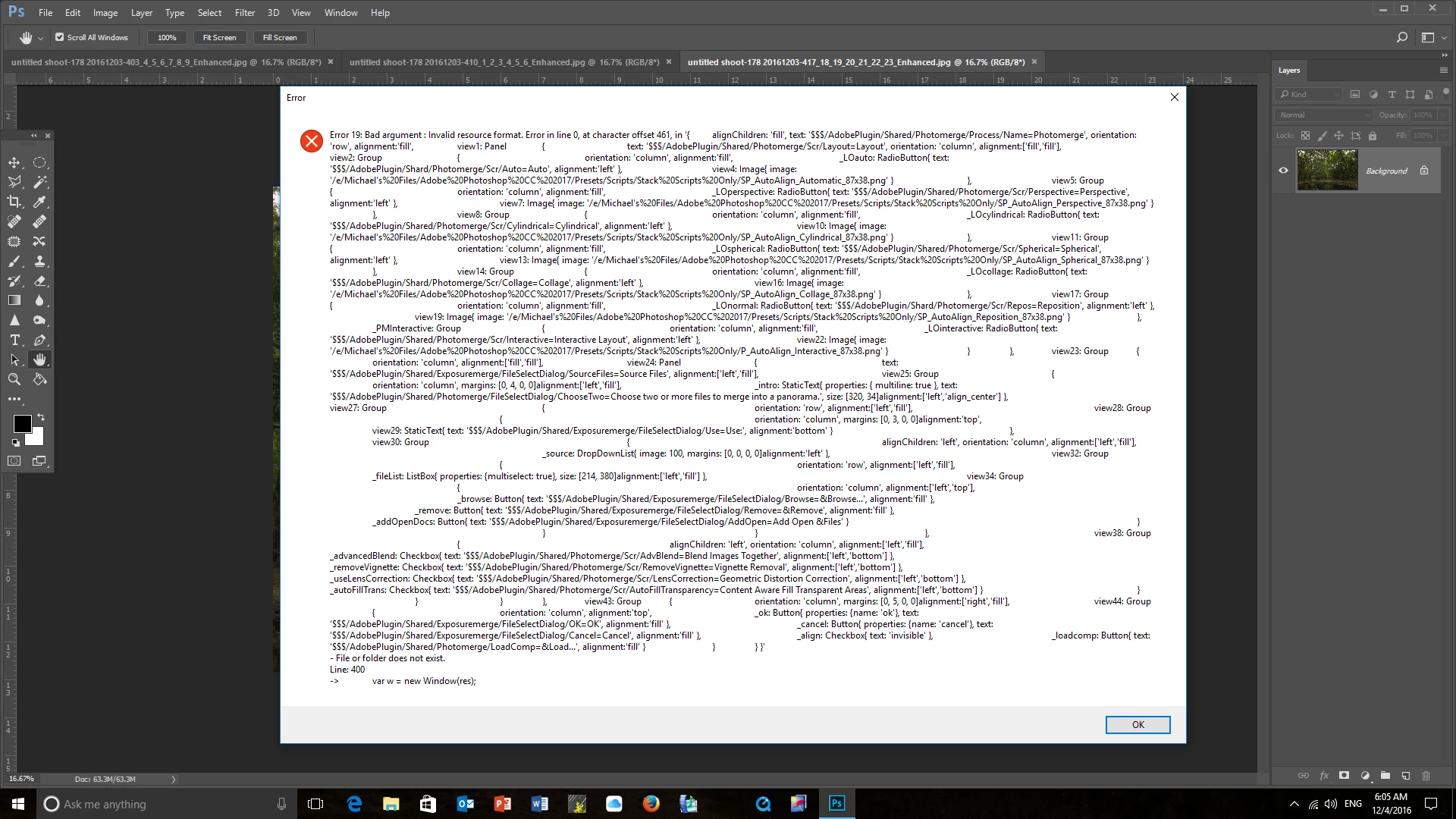
Could you please advise why Photoshop CC 2017 will not automate (File-Automate-Photomerge) Photomerge? I have three file.jpg images for a panorama but every time I try to activate this script (photomerge) an error message (refer attached) pops up.

Could you please advise what this gobblygook means?

But more to the point how can I create a panorama using Photoshop. O yes, I have deleted and reinstalled photoshop.

Your advice would be appreciated.

Thank you

Mike
 

    This topic has been closed for replies.
    Correct answer JJMack

    Mike how are you trying to run the PhotoMerge script.  The is a very strang scripr error message about a line 0 in sie script. The line displayed is very long and has data the indicates there pard gokders like  AdobePlugin,   Shared, Photomerge, Src.

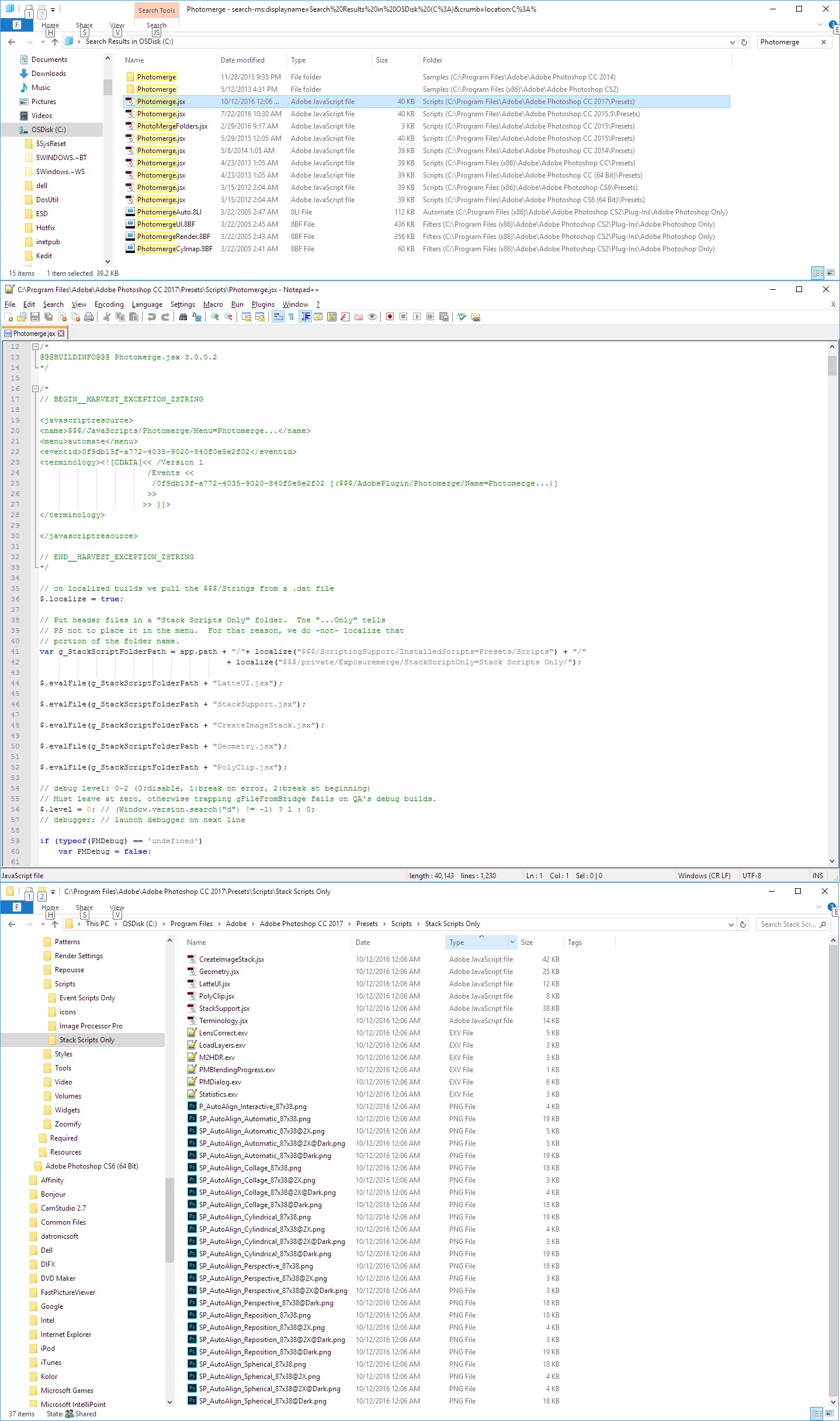
    What is strange is I do not have a folder path like that on my system.  I have CS2, CS6, CC, CC 2014, CC 2015, CC 2015.5 and CC 2017 installed. So I have many  version of Photonerge installed.  The onle Photonerge folders are in CS2 and CC 2014 and they just contain sample image files.  The CC 2017 Photomerge script uses othet scripts in its process but they all seem to be in folder "C:\Program Files\Adobe\Adobe Photoshop CC 2017\Presets\Scripts\Stack Scripts Only"

    I have no idea what script is being run on your system.

    2 replies

    davem77065280
    Participant
    August 3, 2017

    Why is photomerge now so much more difficult than it use to be? Before CC, I was able to select images in Bridge, go to tools, Photoshop, Merge and, poof, it was done.

    Also - and most frustratingly  - I don't have Automate under File and I don't have Photoshop under Tools. When I type in Photomerge in the help window, it takes me to a commercial for Adobe Stock images of merge signs and merged images. That's it.
    I'm very confused (but that's nothing new).

    nancyp53658219
    Participant
    October 22, 2020

    Well Dave or anyone, have you figured out the Photomerge problem with Photoshop I'm on v 21.2.4 .

    Long long ago before "subscription" Photoshop, when all aspects of PS worked reliably and much better, I could photomerge from 2 or 3 images easily, it never failed. Now, same images, I ask them to merge and they don't.  Anyone?

    Yes I've asked PS help desk and they're, typically, pretty useless.

    JJMack
    Community Expert
    JJMackCommunity ExpertCorrect answer
    Community Expert
    December 4, 2016

    Mike how are you trying to run the PhotoMerge script.  The is a very strang scripr error message about a line 0 in sie script. The line displayed is very long and has data the indicates there pard gokders like  AdobePlugin,   Shared, Photomerge, Src.

    What is strange is I do not have a folder path like that on my system.  I have CS2, CS6, CC, CC 2014, CC 2015, CC 2015.5 and CC 2017 installed. So I have many  version of Photonerge installed.  The onle Photonerge folders are in CS2 and CC 2014 and they just contain sample image files.  The CC 2017 Photomerge script uses othet scripts in its process but they all seem to be in folder "C:\Program Files\Adobe\Adobe Photoshop CC 2017\Presets\Scripts\Stack Scripts Only"

    I have no idea what script is being run on your system.

    JJMack
    Trevor.Dennis
    Community Expert
    Community Expert
    December 5, 2016

    To get you past this while waiting for the fix, you can select the files in Bridge, and go

    Tools > Photoshop > Load into Photoshop layers.

    Then select all the layers, and go

    Edit > Auto Align layers

    Followed by

    Edit > Auto Blend layers with seamless tones and colors checked.

    This bypasses the script so might work.  I've always thought that when scripts won't work, then reinstalling Photoshop is the way to go, but JJ knows heaps about scripts than I do.  Try running the Cleaner Tool and reinstalling again.

    Use the Creative Cloud Cleaner Tool to solve installation problems

    Good luck

    Participant
    December 5, 2016

    Thank you very much......it works!.