

Photomerge not creating blending masks
Hi everyone,
I've been taking a few panoramic photos to test out the photomerge function and I'm running up against a problem. Sometimes photomerge works wonders and sometimes it does what you see pictured here. I cranked the clarity and contrast to highlight the edges of the problematic, unblended layers.
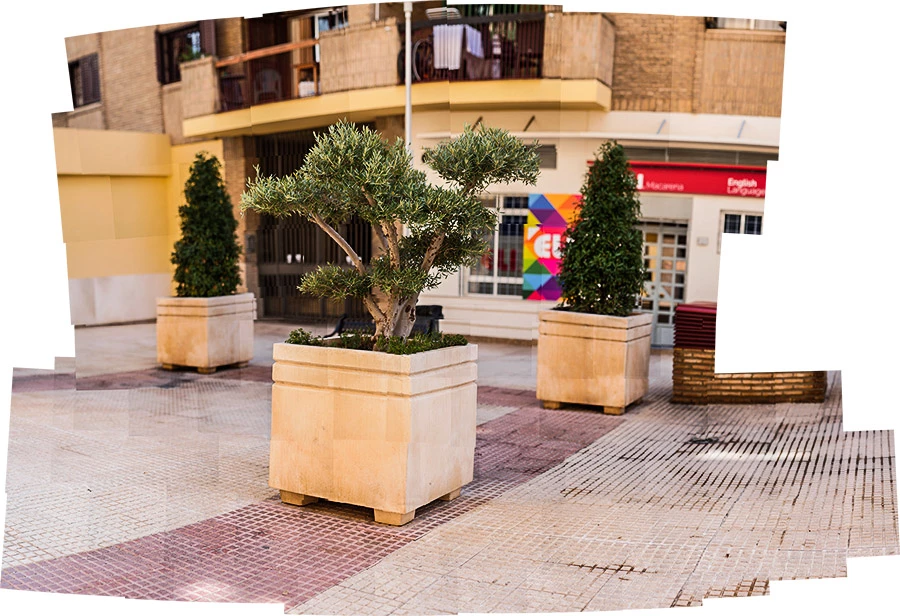
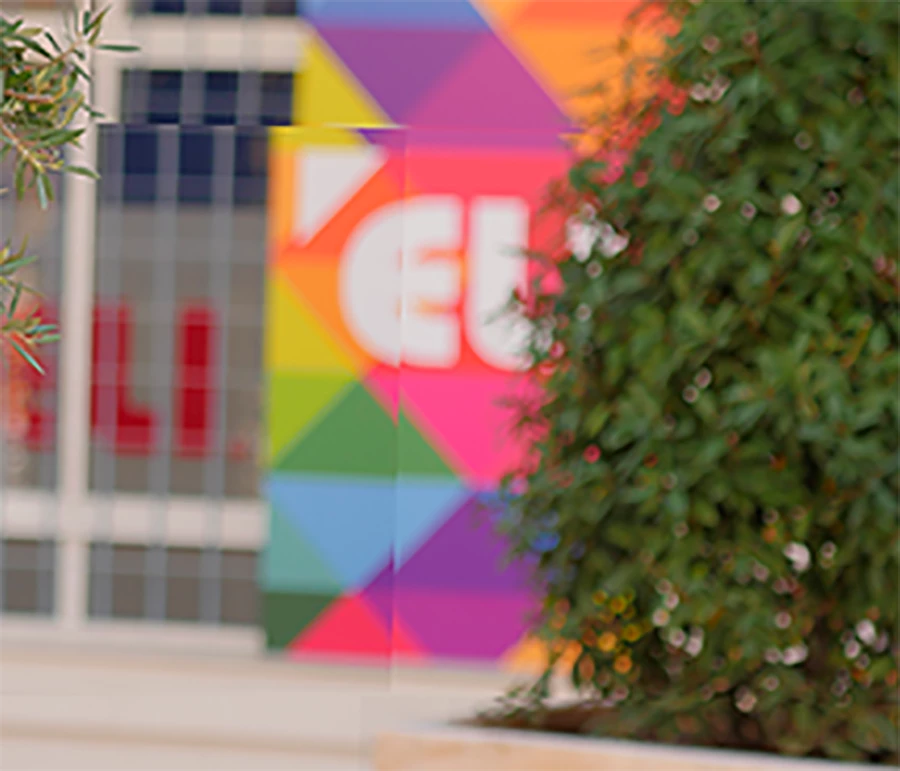
No masks are being created, despite "Blend Images Together" being selected. Also, the alignment between the photos is off. I thought that maybe it was because it was too much processing so I contacted a render farm and they had the same problem with the files. No blending masks were created. Just an assembly, and a bad one at that. It looks like Photoshop just stops working on the merge after a given period of time for some reason.
I acknowledge that I'm stitching together a lot of images here, but that's not the problem because I've stitched more photos together successfully dozens of times. My camera is on manual, with no auto-ISO, auto-shutter, anything. Everything in-camera is the same for every shot. Now, the sunlight appears to have changed slightly between shots, but nothing so drastic as to cause problems - I know this because once I accidentally DID have auto-ISO on and photomerge corrected those files amazingly even thought the light difference was extreme. The difference in light here is much smaller than it was with that photo.
I don't know what the factor here is. I've read the manual on photomerging and I'm following it to the letter, including overlapping the images by 40%.
There's something about some of these pano projects that is defeating Photoshop. The ones that it does this on tend to take longer to process than the others. It feels like it strains a long time and then gives up.
Any thoughts?
 AdChoices