
cameronl31863532
Participant
October 22, 2017
Question

Photomerge problem

  • October 22, 2017
  • 5 replies
  • 3627 views

[Moderator moved from The Lounge to Photoshop General Discussion.]

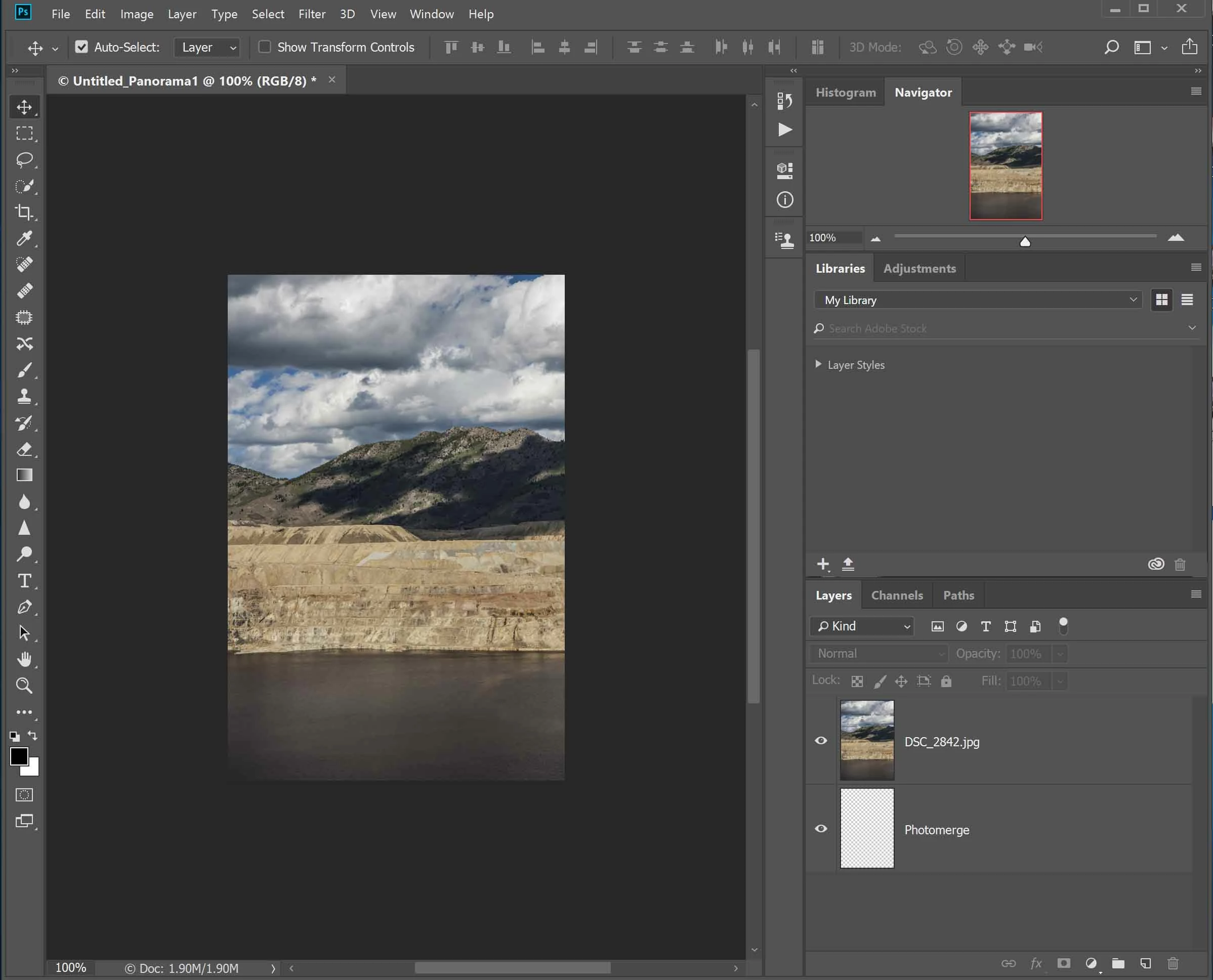
Hi there I am having a problem with photomerge making a panorama.

I select the images and then try to run but it stops with only one picture not

completing panorama

here is a screenshot of where it gets to

I am using photoshop cc 2018 on a dell xps 15 9560 with 32 gig ram
This topic has been closed for replies.

5 replies

cameronl31863532
Participant
November 18, 2017

I've just done the latest update and all is working well now :-)

cameronl31863532
Participant
November 4, 2017

Thanks for your feedback everyone in answer to the things raised, I have used sample sets of images from various sources on the net and 2 sets of my own images from different cameras with the correct amount of overlap all of which stitch successfully in previous versions of photoshop. So for the moment I do not have a fix  

Theresa J
Community Expert
Community Expert
October 31, 2017

Do you have another set of images to try it with? You need to determine if the problem is with the images not overlapping enough, or with Photoshop not performing correctly.

D Fosse
Community Expert
Community Expert
October 31, 2017

How do your initial frames look? You need about 40% solid overlap.

Water or sky don't count as overlap. Both are moving. Psychologically you see water as a "thing", but in reality there's nothing for the algorithm to work with.

Also make sure you don't have too much parallax error. Ideally you should mount the camera on an adjustable rail (on a tripod), so that the camera rotates around the optical center of the lens.

Mohit Goyal
Community Manager
Community Manager
October 31, 2017

Hi cameronl,

Please refer the below article to follow the steps to create panorama in Photoshop CC 2018

Create and edit a panorama in Photoshop

Let us know if that helps.

Regards,

Mohit

odinsayson
Participant
April 3, 2018

it still doesn't work for mine.. it shows exactly like what one of the image looks like in layer 1 and an invisible ​Photomerge ​labeled layer