
Known Participant
August 23, 2022
Question

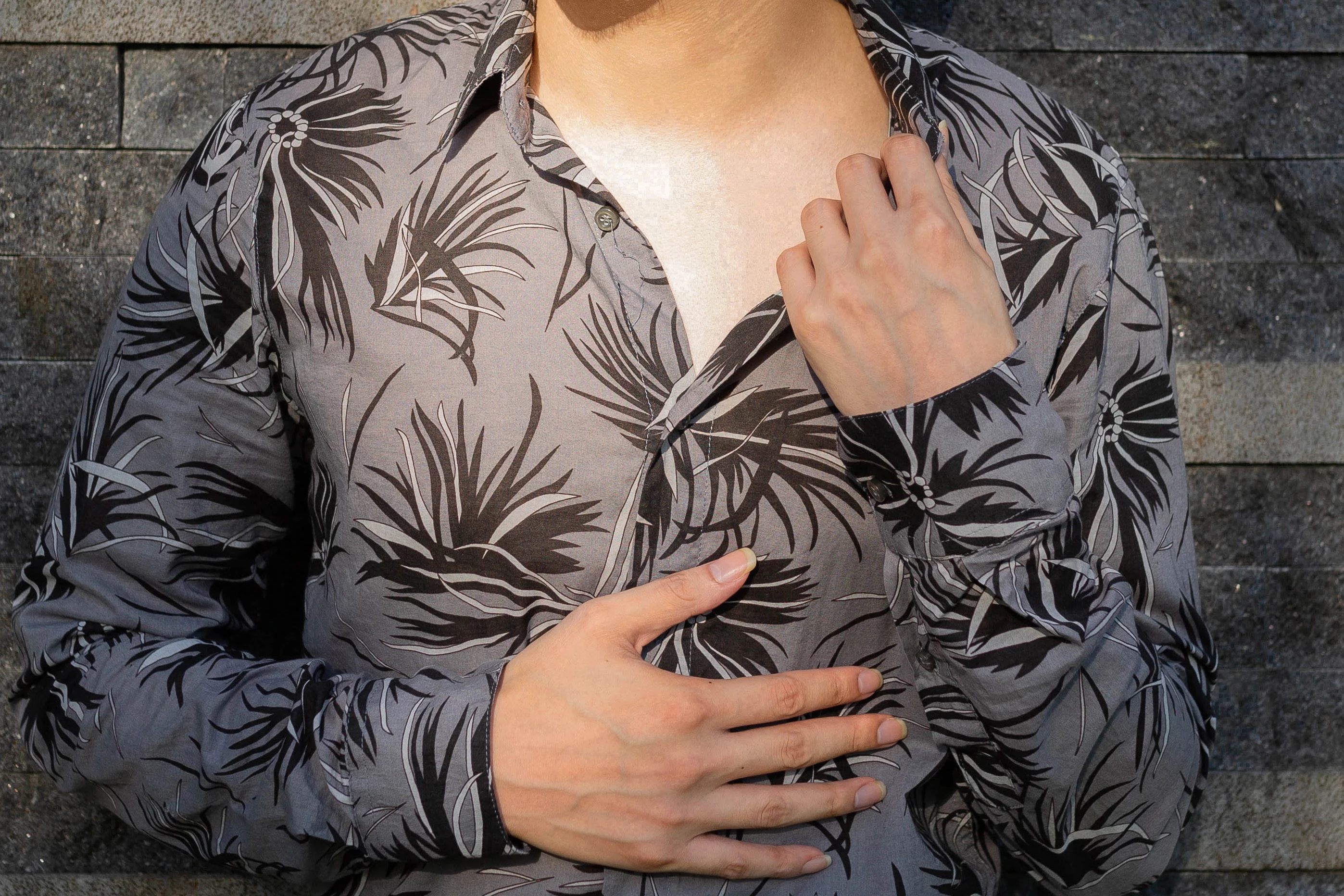
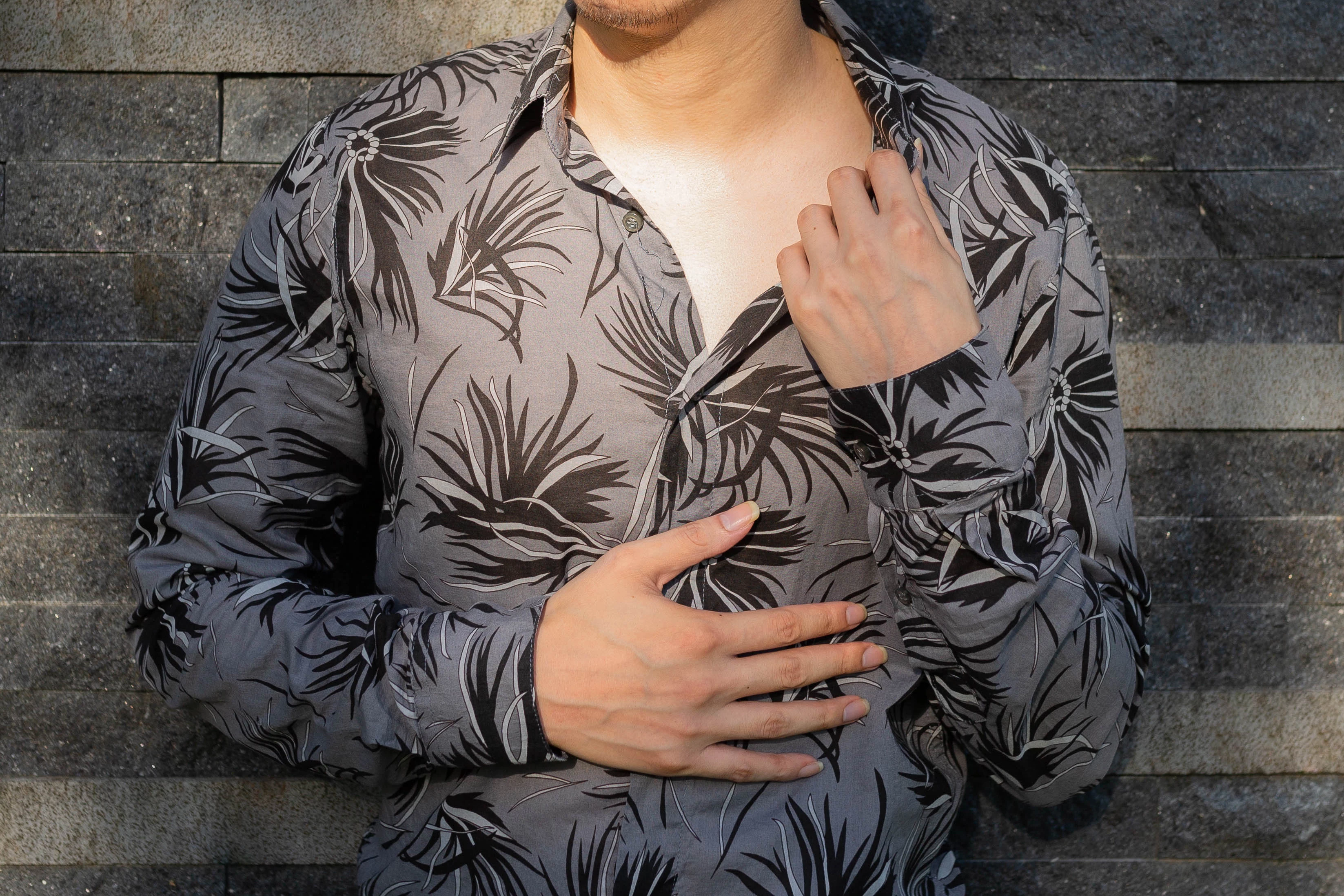
Photos show loss of detail

  • August 23, 2022
  • 6 replies
  • 996 views

Please take a closer look at the loss of detail on the neck. The first photo is a white spot where the details have lost most of the details. The second photo is the original image. The photo is post-processing.

I have been in contact with the advanced technical department of adobe to deal with this problem for more than half a year, and the technical personnel have not been able to solve this problem. Can anyone suggest a solution?

Discussion is welcome
This topic has been closed for replies.

6 replies

davescm
Community Expert
Community Expert
August 23, 2022

You are obviously not interested in giving either the system info that has been requested or the detailed processing steps, also requested twice, that may allow people to help you.

For that reason, I'm out of this one.


Good luck

Dave

Known Participant
August 23, 2022

I don't know what kind of system information you want me to provide? Computer system? What kind of information about the software?

jane-e
Community Expert
Community Expert
August 23, 2022

@冠穎0101 wrote:

I don't know what kind of system information you want me to provide? Computer system? What kind of information about the software?


@davescm wrote:

If c. helps then please supply your information by going to Help >System info and clicking on Copy. Then paste the info here.


Known Participant
August 23, 2022

Those white dots aren't just on the neck it's on every photo I post-process I don't quite understand if this happened to you? I've never had it before


Leslie Moak Murray
Community Expert
Community Expert
August 23, 2022

The white area looks to me like it's just blown highlights, which is a lighting issue. The details were never there.

Known Participant
August 23, 2022

When you zoom in on the photo you'll see the white dots it's of course important

jane-e
Community Expert
Community Expert
August 23, 2022


@冠穎0101 wrote:

The first photo is a white spot where the details have lost most of the details. The second photo is the original image. The photo is post-processing.


Two people have asked you how you processed the file. Can you tell us that? 


Jane


Earth Oliver
Legend
August 23, 2022

You've scaled the image down, so of course there's going to be a loss of detail. 

Known Participant
August 23, 2022

He didn't lose details because of cropping, the original image itself had white spots

D Fosse
Community Expert
Community Expert
August 23, 2022

Post-processing what? You need to tell us what we're looking at.


You need to view both at 100% to compare. In Photoshop, 100% has nothing to do with size. It means one image pixel is represented by exactly one screen pixel. It's the only way to see an entirely correct representation of the pixel structure. 

Known Participant
August 23, 2022

The details on the neck If you look carefully, you will find that the details of the first picture appear white spots\


Known Participant
August 23, 2022

I didn't say it was a cropping problem, it looks like a GPU tiling issue. 100% view has nothing to do with cropping and everything to do with the way Photoshop calculates previews.


Can you supply your System info as per (c) above


Dave


I updated the GPU through the adobe team, tried different Photoshop versions, and did some other additional processing, please forgive me some professional processing methods I don't quite understand, because I'm not too technically minded clear


Freddie

Known Participant
August 23, 2022

in photoshop