
Participant
May 23, 2025
Answered

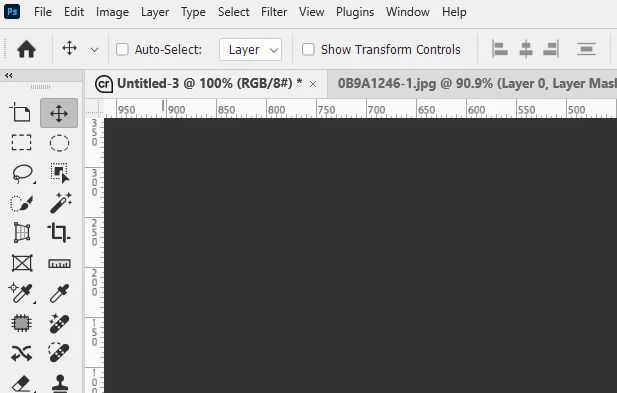
Photoship background is black.

  • May 23, 2025
  • 2 replies
  • 263 views

I really hate it. I "know" it can be changed to white, but I can't NOT find a place in the software to do it! Can anyone else tell me how to get this done. I can not tell you how I hate opening up that software to it all being black.
Correct answer Trevor.Dennis

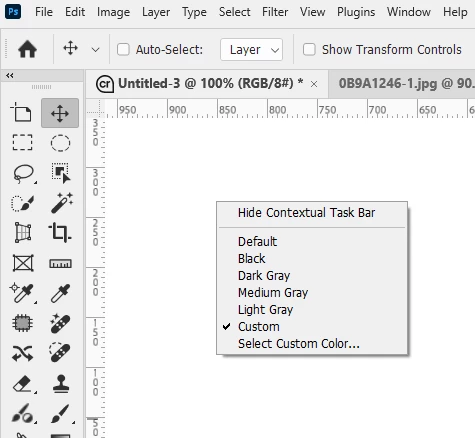
You can also control it with Shortcuts, and a right click menu.


For the User Interface  

Ctrl Shift F1 — make darker

Ctrl Shift F2 — make lighter 


For the background Right click anywhere on the background


If Donald Trump used Photoshop, this is how he would (get a minion to) set his UI and background.

2 replies

Trevor.Dennis
Community Expert
Trevor.DennisCommunity ExpertCorrect answer
Community Expert
May 24, 2025

You can also control it with Shortcuts, and a right click menu.


For the User Interface  

Ctrl Shift F1 — make darker

Ctrl Shift F2 — make lighter 


For the background Right click anywhere on the background


If Donald Trump used Photoshop, this is how he would (get a minion to) set his UI and background.

CMass
Community Manager
Community Manager
May 23, 2025

Hey @DonalieB


  • Open Photoshop.

  • Go Edit > Preferences > Interface (on Windows).

  • Under Color Theme, choose the lightest swatch (usually far left).

  • Click OK to apply.


^CM