

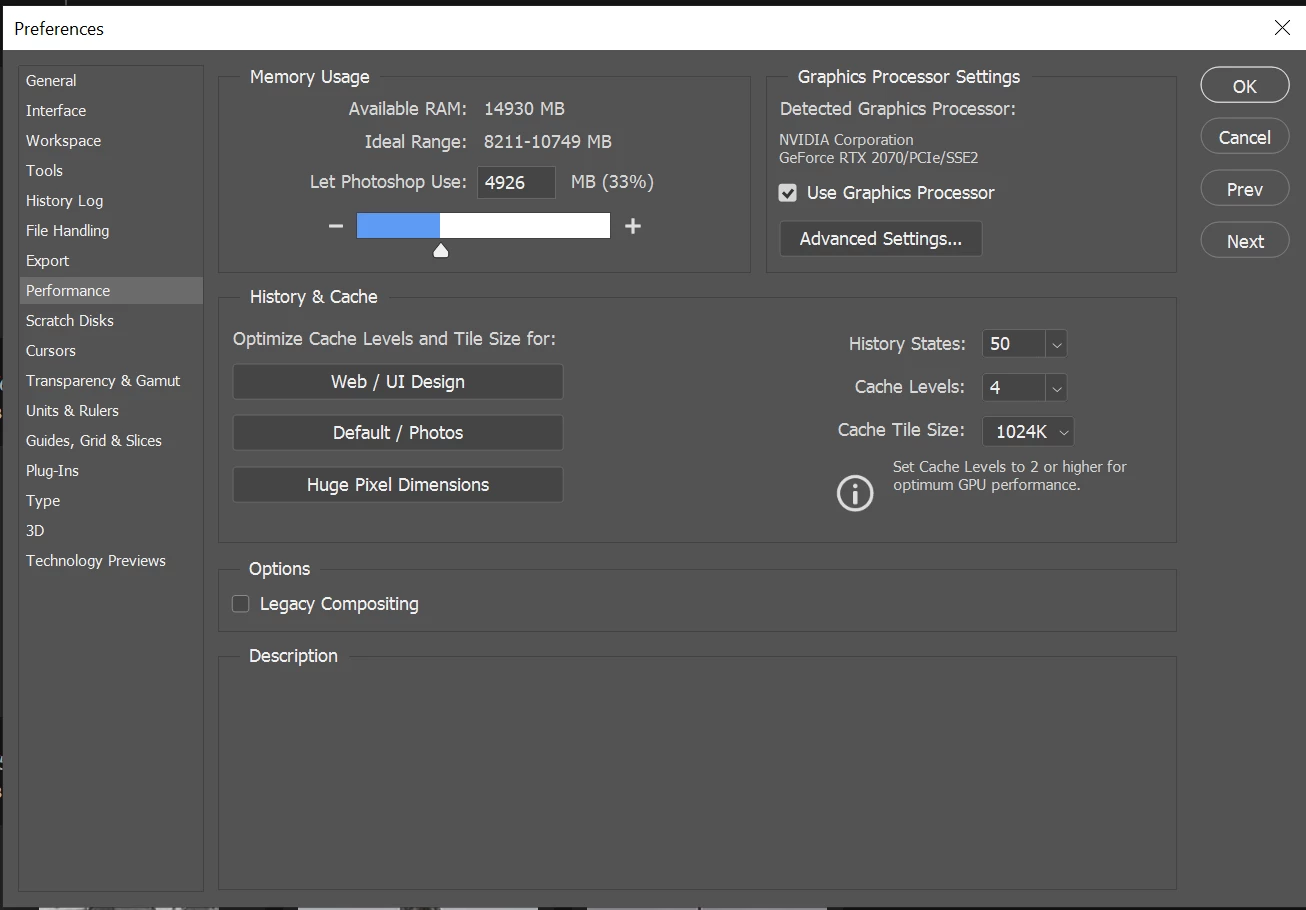
Photoshop (20.0.5) uses more Memory than specified in Preferences
Hey
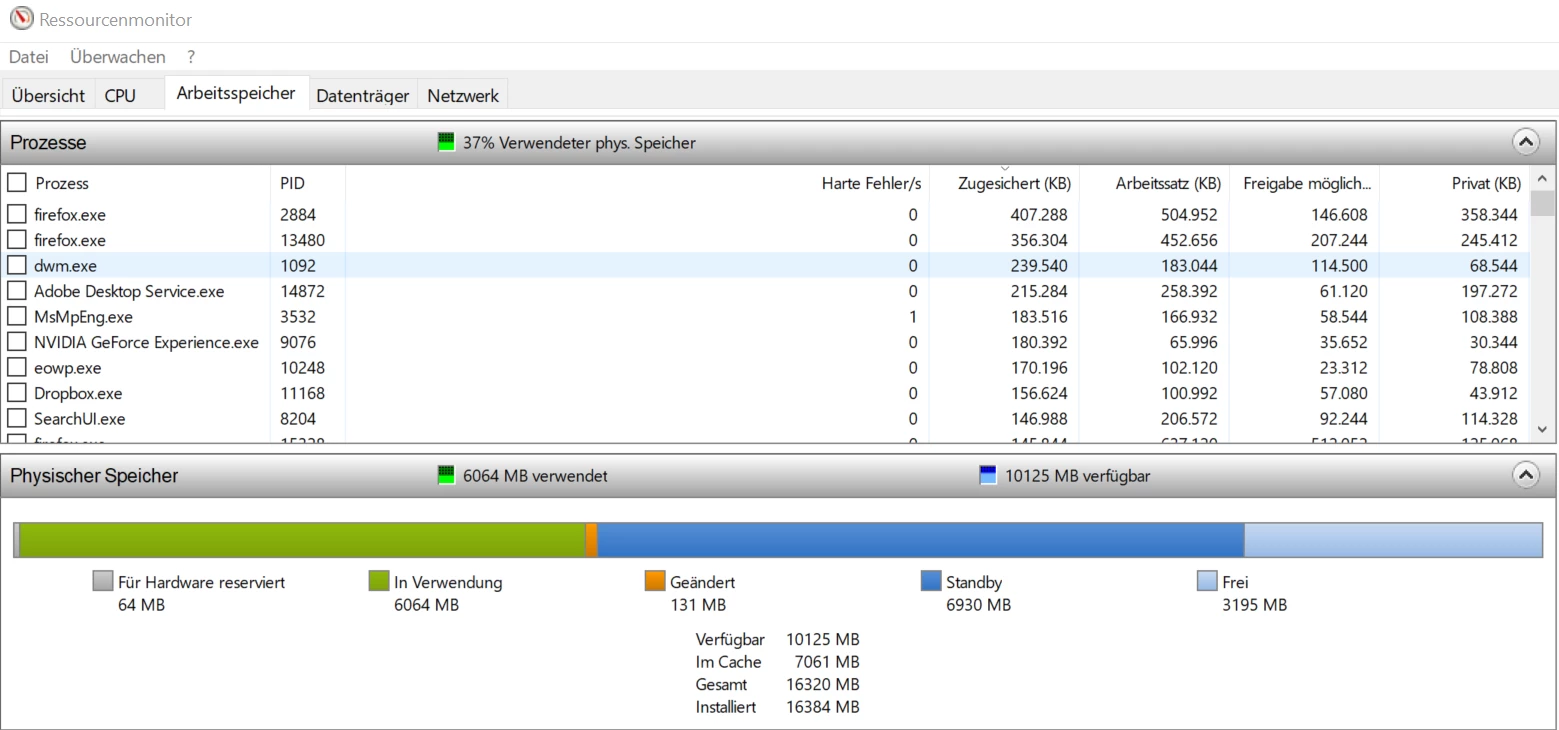
I regularly use Lightroom + Photoshop to edit pictures. I shoot with a Lumix G85 (raw-files are around 19MB). Today I noticed that Lightroom run slower than normal. So I investigated and saw that the ram usage was at 88%. After some tests I found that Lightroom and Phtoshop reserve all the ram until there isn’t any left.
(Sorry, use Windows in German):
Idle RAM-usage:
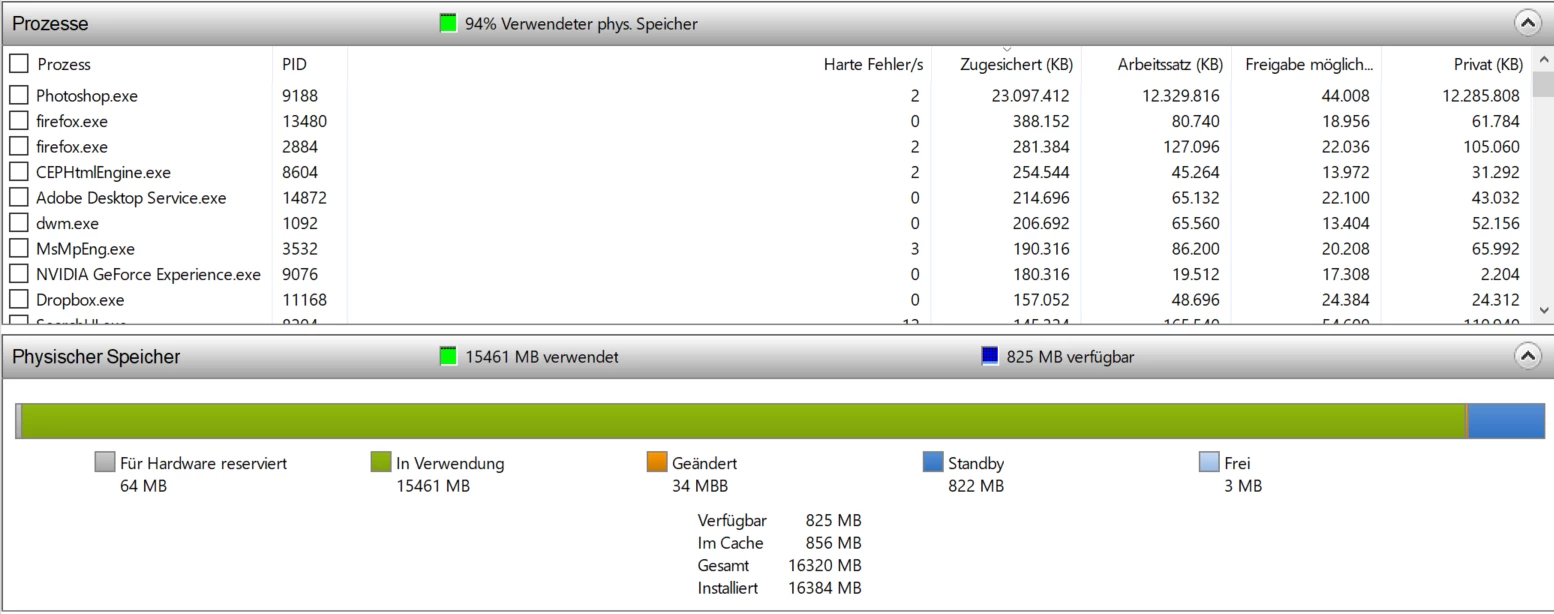
Opening Photoshop:

Opening a bunch of pictures in Photoshop:
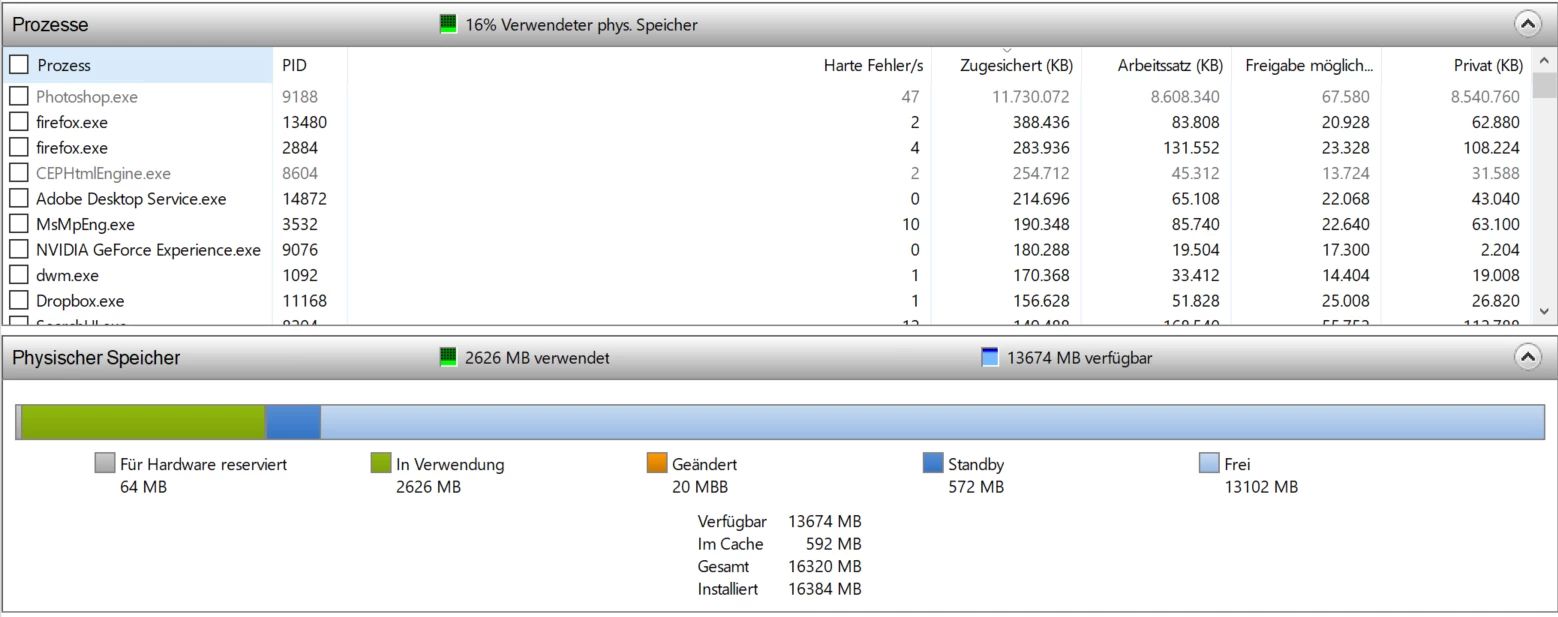
Closing Photoshop again:
Is this normal behavior? I thought that when I set the „Let Photoshop use x MB“ and I set it for example to 5000MB Photoshop gets to use a max of 5gb ram and if it reaches this amount it would either crash or get painfully slow.
Lightroom is doing the same. So the longer I am using Photoshop and Lightroom the more ram is being used up. I’m not so much concerned by the amount the programs actually use but rather by the amount they reserve for themselves. Because mainly I have a max of 16gb ram and Photoshop saves 23gb for itself?!?
Hardware:
CPU: Intel Core i7 4771
Mainboard: Asus Maximus VI Formula
Memory: 16gb DDR3 (2x8gb)
GPU: MSI RTX 2070 Gaming Z (8gb)
SSD: 500gb Samsung (C:)
HDD: 2x 3tb WD red (one for games and photos, one for backup)
Tested the CPU with Cinebench. Run it 4 times and the max temp was 75°C (100°C max)
Tested the GPU with the Superposition Benchmark (4k optimized). GPU Utilization: Max 99% FPS: Avg 55.62 GPU °C: Max 71.0
Tested the SSD and the two HDDs and Windows didn’t find any problems
Tested the ram and Windows didn't find any problems
If this is normal behavior: Why is there a "Let Photoshop use x MB" option if it isn't doing anything?
If it isn't normal behavior (Photoshop reserving more ram than available): Do you have an idea why this could be?
Thanks for any help!
 AdChoices