Known Participant
November 21, 2018
Answered

Photoshop 2019 cutting pixels off text and shapes

  • November 21, 2018
  • 2 replies
  • 5051 views

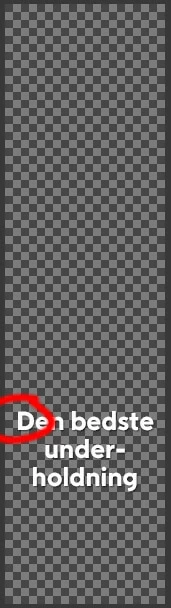
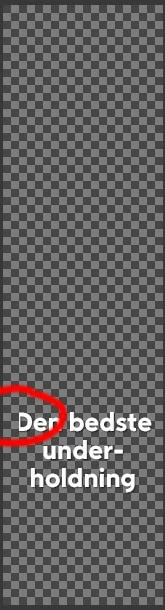
I experience strange behavior with Photoshop 2019... pixels are cut off at random sides. Sometimes from the left, sometimes from the top - sometimes a single pixel, sometimes several. I don't believe, bitmaps are affected; only text and shapes.

If I export it directly or via a third party plugin like TinyPNG, the image is exported as seen on the screen, so it's not just a display-problem.

I can remedy this by moving the layer to either direction; just one pixel and back - but often, the issue will reappear if I turn on/off an arbitrary layer.

It wasn't a problem in the previous version. Have any of you had the same problem?
This topic has been closed for replies.
Correct answer

Hi

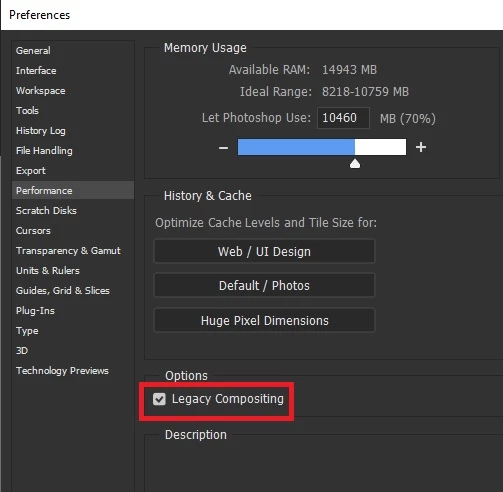
Try enabling this option in preferences and restarting Photoshop

2 replies

Inspiring
October 29, 2021

I am having this issue in V22.5.1. The Legacy Compositing checkbox has been removed. 

Correct answer
November 21, 2018

Hi

Try enabling this option in preferences and restarting Photoshop

Inspiring
October 29, 2021

I am having this issue in V22.5.1. The Legacy Compositing checkbox has been removed.


I created these number images in PhotoShop. They are 24px x 24px which includes a 2px red border. Sometimes when I place or drag them onto another image [layer] in Photoshop, they come over just fine. Other times one row (vertical or horizontal) of the red border pixes randomly shift to the other side of the image. They are not cropped, just moved. I am currently using v 22.5.1. Any ideas why this might be happening?