
Question
Photoshop 2020 glow bug / weird square in corner
Hi all,
I found a weird bug in Photoshop 2020 on Mac. Under certain conditions a square appears in the upper left corner when you use an outer glow on a group. Here is a screenshot:
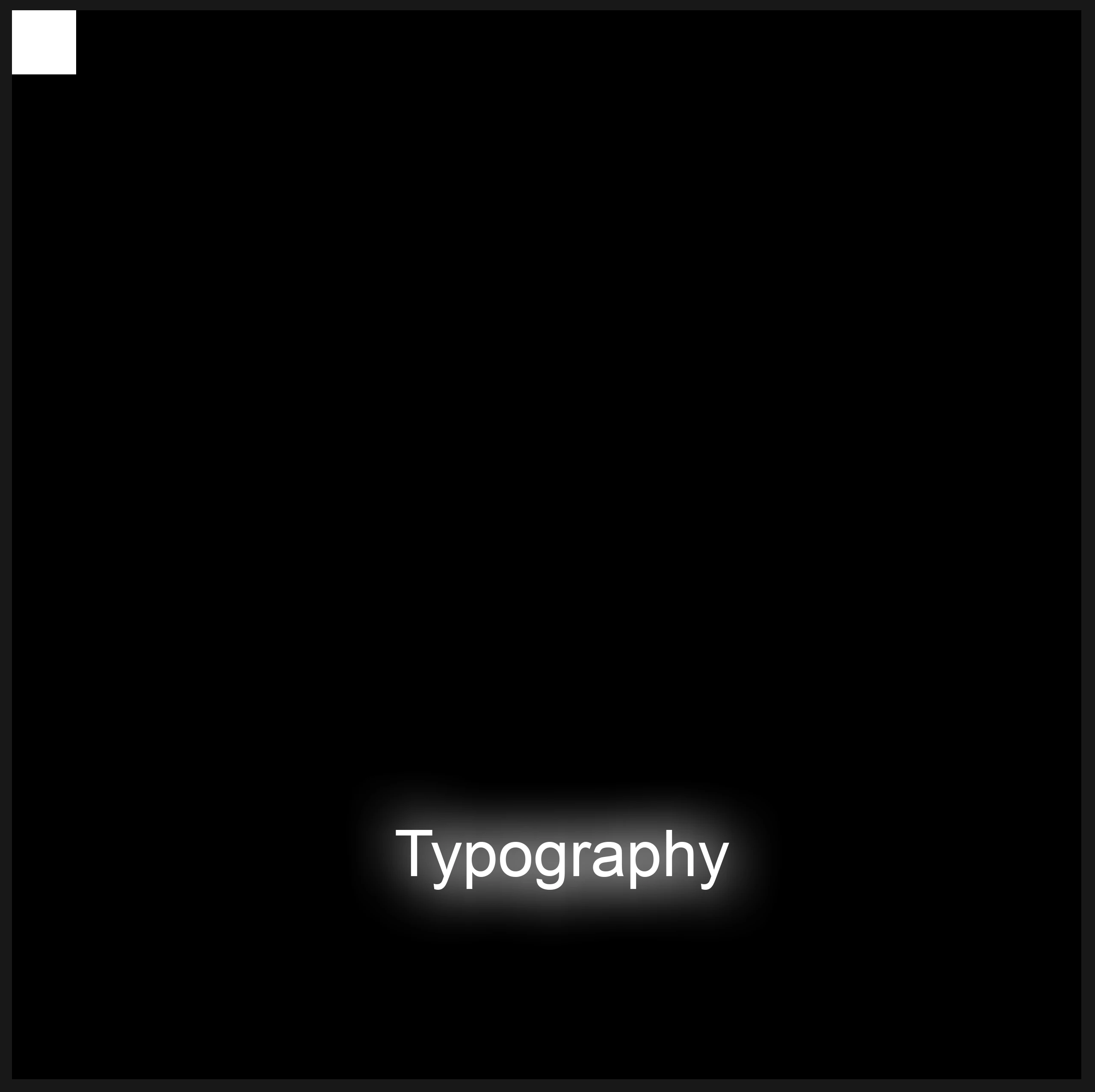
To reproduce, do the following:
- Create a new document with these settings:
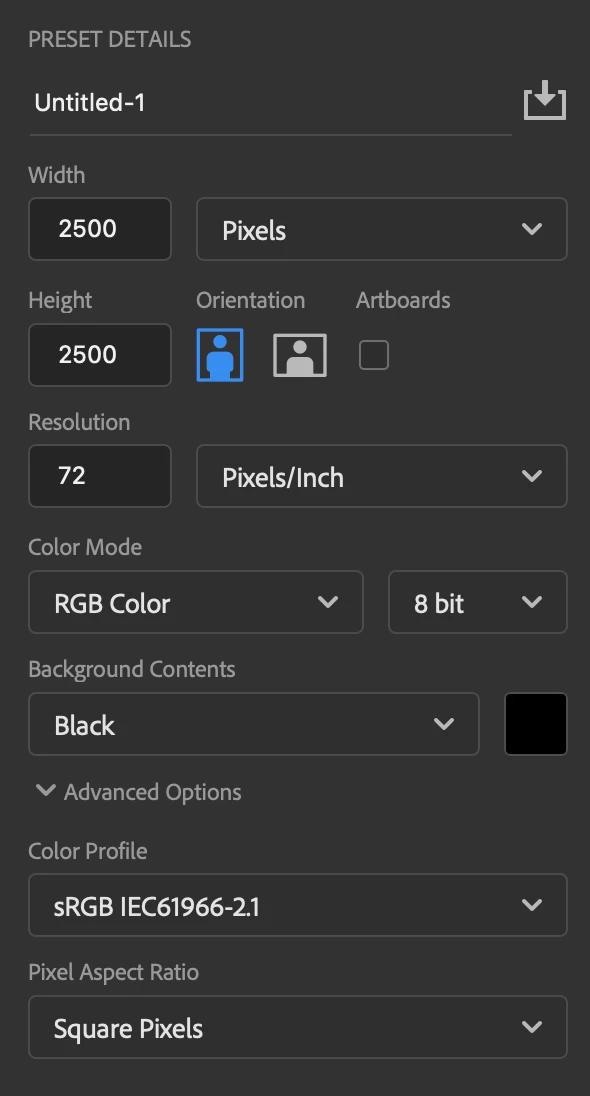
- Using the 'Horizontal Type tool' write a single word, e.g. "Typography" with a font size of 150 pt
- Group that type layer by pressing Command+G
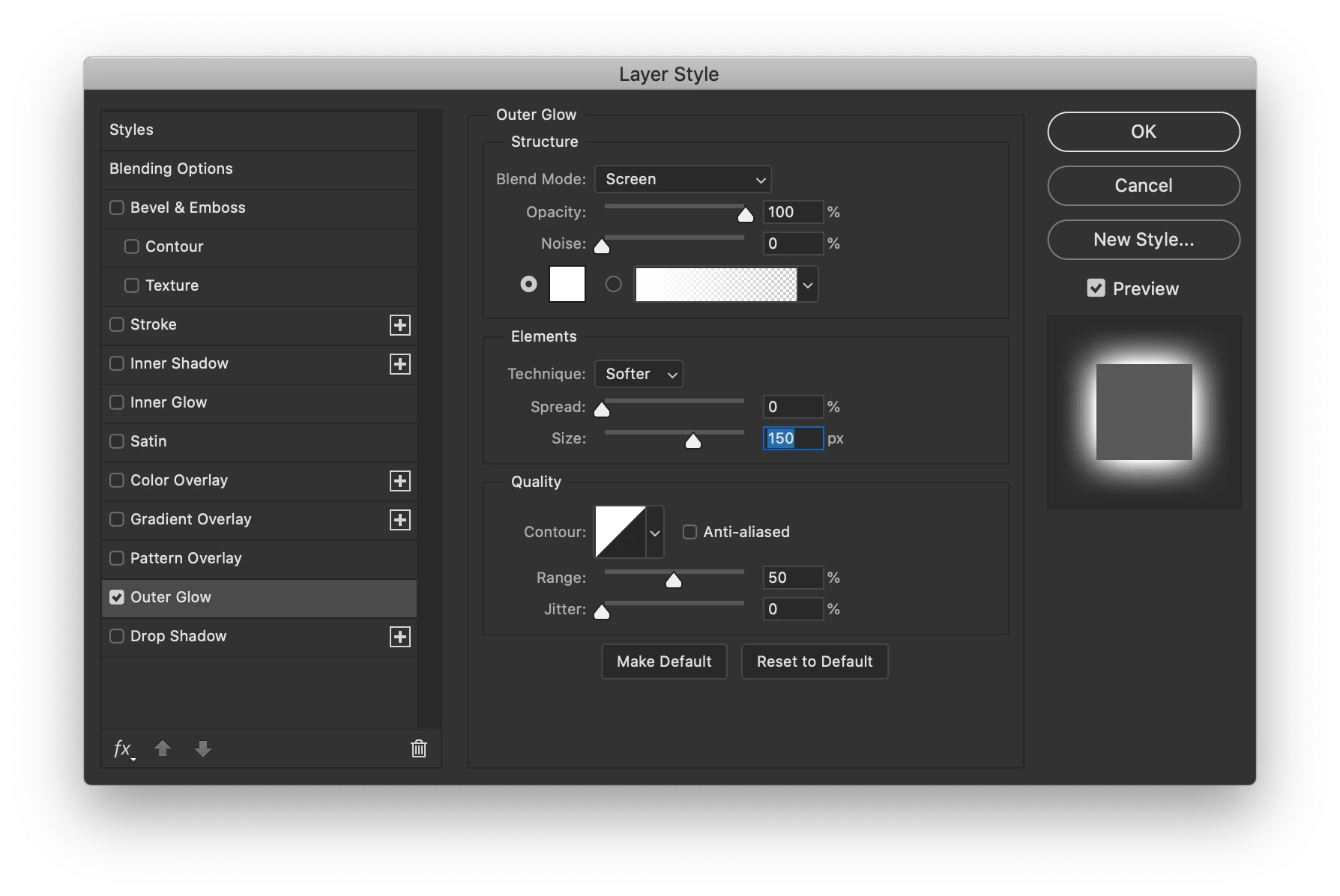
- Double-click the group to open the Layer Style panel and choose 'Outer Glow' with these settings:
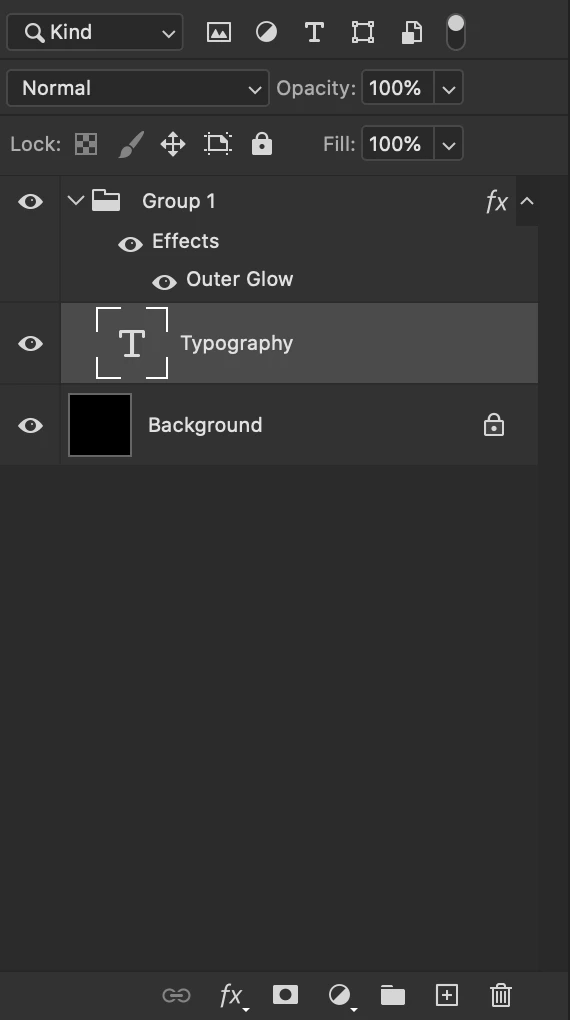
- Select the type layer in the layers palette. Your layers palette should look something like this:
- Now, using the 'Move tool' (Shortcut: V), move the word you typed into the lower half of the image. As soon as you cross the halfway point a square will appear in the upper left corner.
- You can customize the look of the square by changing the glow parameters (i.e. size, color, opacity). Be sure to view the image at a zoom level of 100%. If you zoom out far enough, the square will disappear. But even if it is not visible at low zoom levels, if you flatten your image, the square will be rendered into the upper left corner permanently.
 AdChoices