
agusfich
Participant
November 19, 2020
Question

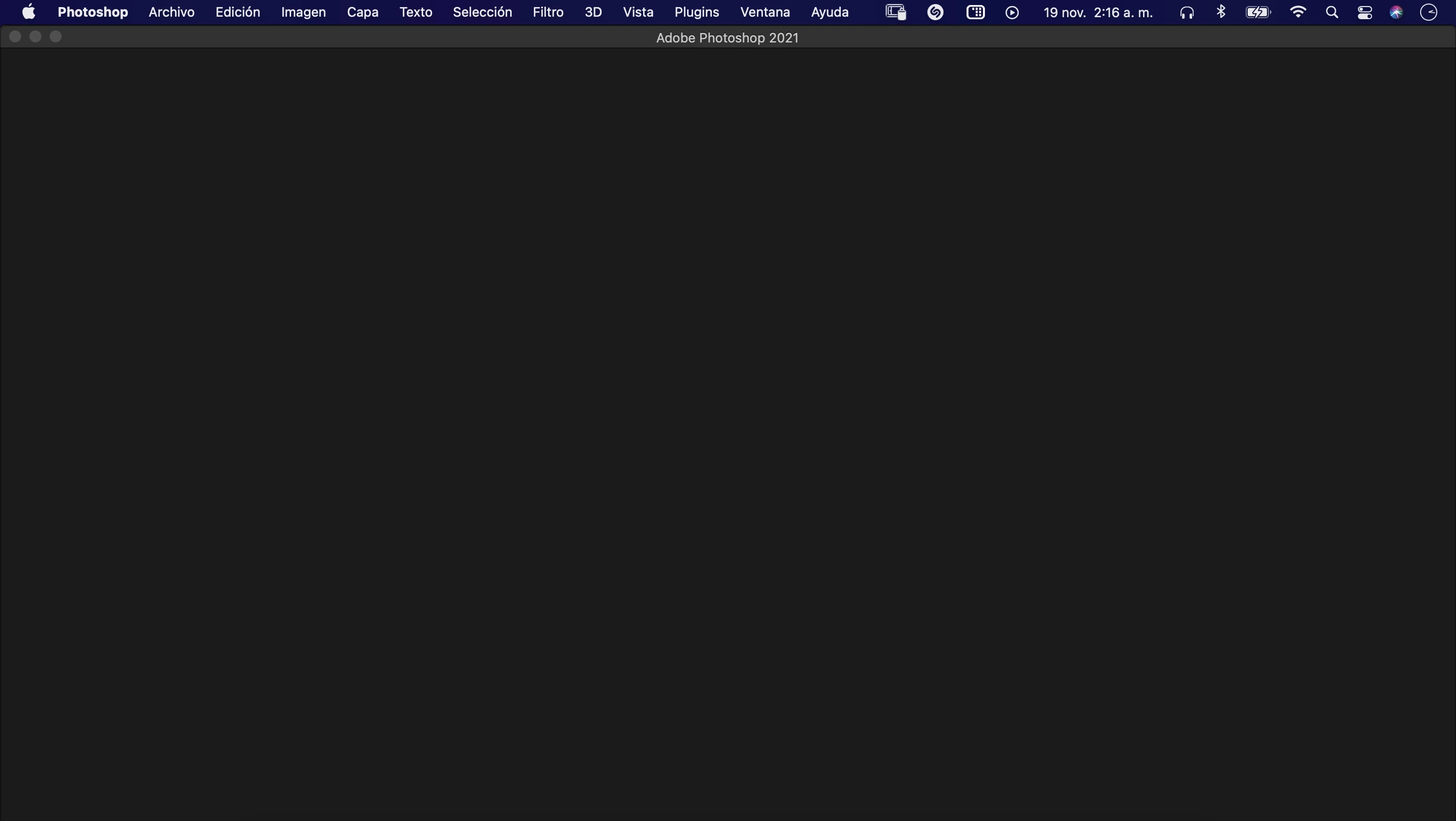
Photoshop 2021 black screen on macOS Big Sur

  • November 19, 2020
  • 8 replies
  • 3157 views

I've updated my macbook pro to the newest OS, Big Sur. But when I tried opening Photoshop, Premiere or Illustrator I only see a black screen (check the picture attached). I have the latest update of each software (2021). Please help me 😞
This topic has been closed for replies.

8 replies

Omar.Fathy
Community Expert
Community Expert
January 31, 2022
DaveGink
Participating Frequently
July 23, 2021

I am having virtually the same problem. Only it's sporadic. Sometimes resizing the window refreshes it and it appears. Sometimes all I get is a black screen even though in the layers thumbnails you can see there's data on the layers. Sometimes I get a few little squares of the file showing, but mostly black. It's driving me nuts! I'm on a 2021 iMac running Big Sur,  using the latest version of Photoshop. 

kglad
Community Expert
Community Expert
July 24, 2021

disable gpu acceleration and see if that resolves the problem.

Participant
June 9, 2021

I have same problem as well, I just noticed when I move bridge window to my second monitor (which is not Apple monitor) I start to see bridge window however thumbnails are not properly seen. It was bad idea to upgrade OS.

miraluka
Participant
April 30, 2021

I have the same problem. Have you found any solution? 😕😕

kglad
Community Expert
Community Expert
November 23, 2020

reset your preferences (https://helpx.adobe.com/photoshop/using/preferences.html) and/or using a browser that allows popups and cookies, contact adobe support during pst business hours by clicking here, https://helpx.adobe.com/contact.html

click contact us (in the lower right)
in the chat field, type AGENT
be patient, it can take quite a while to reach a human

Legend
November 19, 2020

What computer do you use?

jeroencprs
Participant
November 23, 2020

I have the same issues. Also the same problem with illustrator. I hav ea 2018 macbook pro and im running Big Sur also...

John T Smith
Community Expert
Community Expert
November 19, 2020

You should always wait to update your Mac operating system until you verify that the non-Apple programs you use are going to work properly... not only Adobe programs, the 2nd link below is about Avid... aimed at video editing, but it is a warning for ALL non-Apple program users
https://community.adobe.com/t5/download-install/can-i-run-my-adobe-applications-in-macos-11-big-sur/td-p/11586901?page=1
https://ymcinema.com/2020/11/15/premiere-pro-and-avid-editors-do-not-upgrade-to-macos-big-sur-yet/
https://tidbits.com/2020/11/13/big-sur-is-here-but-we-suggest-you-say-no-sir-for-now/

I do NOT know if these links will work with sur
https://macpaw.com/how-to/downgrade-from-catalina or
https://www.macworld.co.uk/how-to/mac-software/downgrade-macos-3581872/

agusfich
agusfichAuthor
Participant
November 20, 2020

I wish I had read that before... sadly now its too late. Thanks for the links - I found this user has the same problem as me: https://feedback.photoshop.com/conversations/photoshop/ so it seems that there's not a solution yet besides waiting for a new update. Anyways, I will try to downgrade to Catalina.


Thank you again!

kglad
Community Expert
Community Expert
November 19, 2020

what happens when you try to open a file or start a new one (eg, archivio>...)?

agusfich
agusfichAuthor
Participant
November 20, 2020

Nothing happens. I tried clicking every single button but the screen remains the same 😕😕