
Photoshop 2022 Scratch Disk not showing all hard drives
Hi,
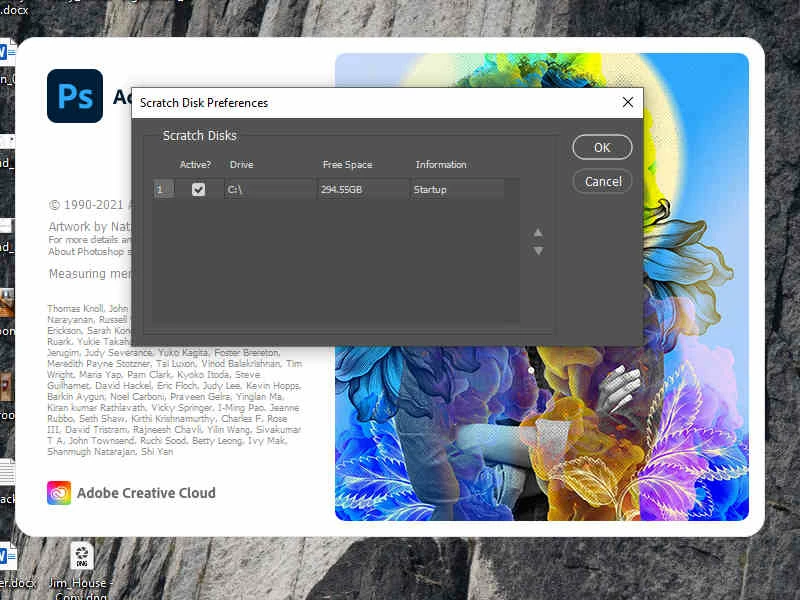
I am experiencing an issue with Photoshop 2022 (Ver 23.0.1) in configuring my scratch disk. I currently have 3 hard drives, 2 are internal SSD drives (C:\, D:\) with 1TB each. The other (E:\) is an external 1TB backup drive. All drives have 200+ GB of space. The only drive recognized is C:\. I have restarted several times holding CTL + ALT to try and make changes. As shown in the below photo, the only drive recognized at startup and Preferences is C:\.
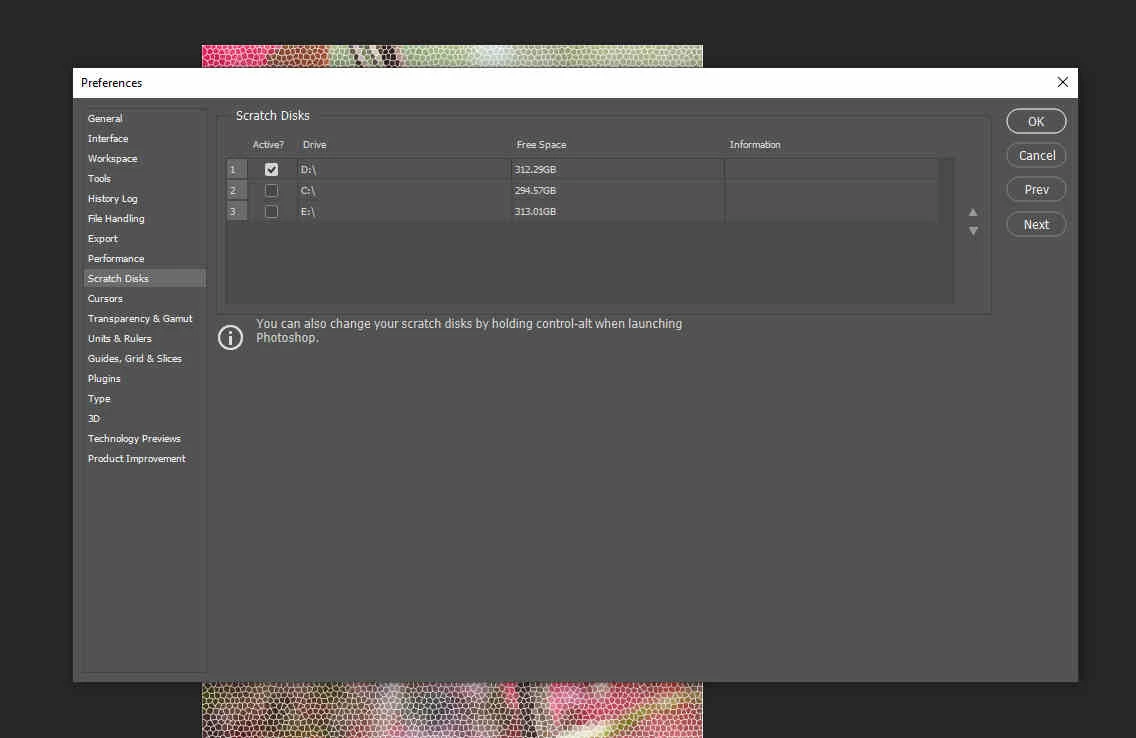
A screenshot from PS 2021 shows all three drives with D:\ configured as the scratch disk drive, along with displaying the other 2 drives.
Not sure what is causing this. Any thoughts?
My current configuration consists of: an AMD Ryzen 3600x with an Nvidia Quadro K5000 (4GB VRAM), Win 10 Pro, and have 16 GB RAM.
 AdChoices