

Morta Plyciute
Participant
February 2, 2024
Answered

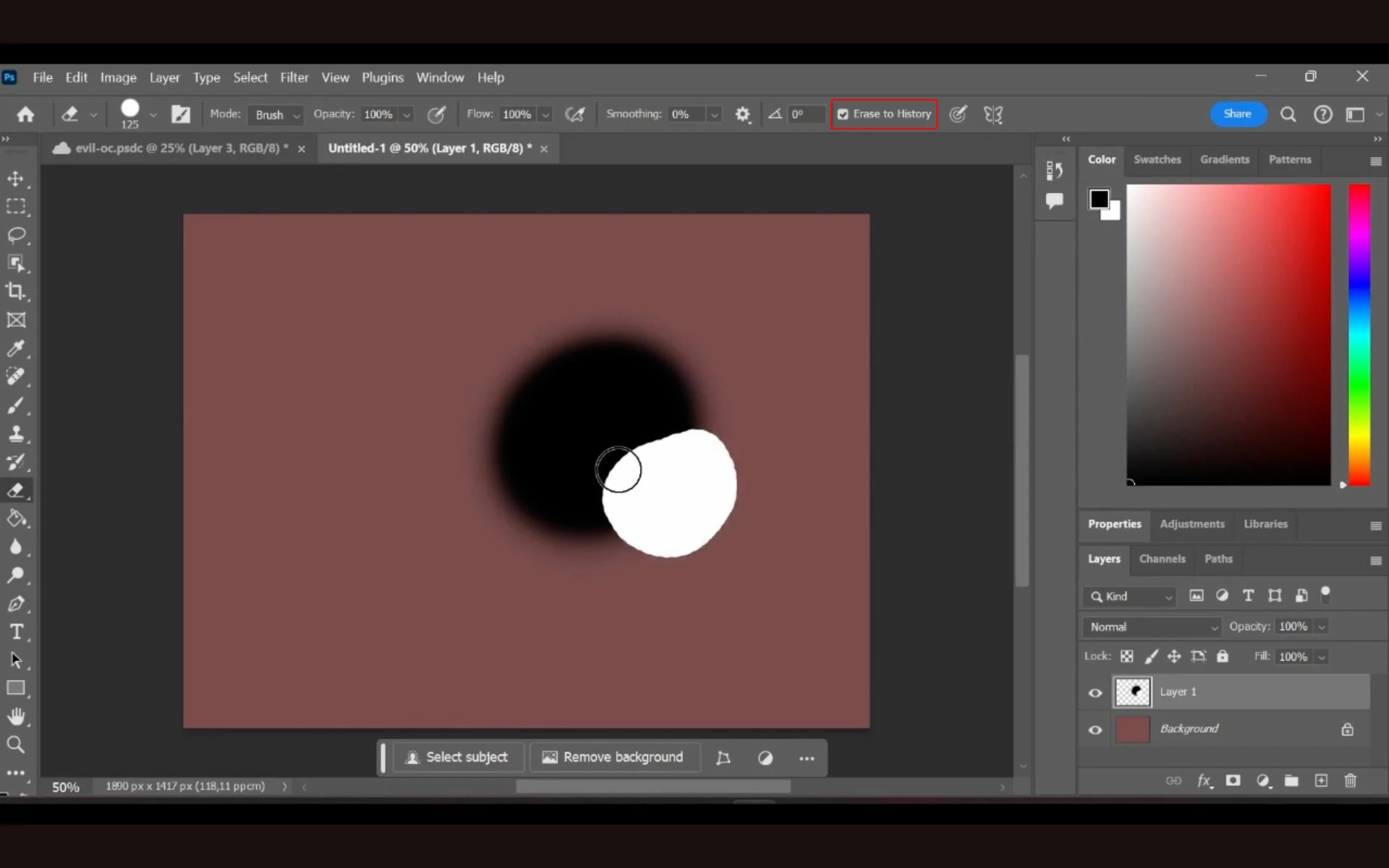
Photoshop 2024 - eraser draws on layer instead of erasing

  • February 2, 2024
  • 2 replies
  • 314 views

Version: Photoshop 2024 25.4.0

OS: Windows 11 Home
Steps to try repro:

  1.  paint  the background (otherwise white painting lines of the eraser will not be visible on the white background)
  2.  create a new layer
  3. draw some colour blob on it
  4. try to erase a part of it

Expected result: Several weeks ago, eraser would just erase that part of the blob and the coloured background would be seen.

Actual result: Now it just draws another blob, just white.
Youtube video showing what is happening: https://youtu.be/qBP6V28zNUA
This topic has been closed for replies.
Correct answer Jeff Arola

For the Eraser Tool uncheck Erase to History in the tool options bar

https://helpx.adobe.com/photoshop/using/erasing-parts-image.html


2 replies

Morta Plyciute
Participant
February 3, 2024

Thank you! It works!

Jeff Arola
Community Expert
Jeff ArolaCommunity ExpertCorrect answer
Community Expert
February 2, 2024

For the Eraser Tool uncheck Erase to History in the tool options bar

https://helpx.adobe.com/photoshop/using/erasing-parts-image.html