
Known Participant
January 5, 2024
Question

Photoshop 2024 uses lots of memory - weird colors

  • January 5, 2024
  • 10 replies
  • 1903 views

I just subscribed to LR & PS and PS 2024 (25.3.1) uses a lot of memory. I have 32GB of memory on my system and have rarely gone over 45% even when I am rendering video. And with this new version of PS, I have one photo open, not really doing anything intensive and it is using 8,160.7 MB of memory. 77% of my memory is being consumed and all I have open are a few apps as I am working on my website, stores and in PS working on new products. 
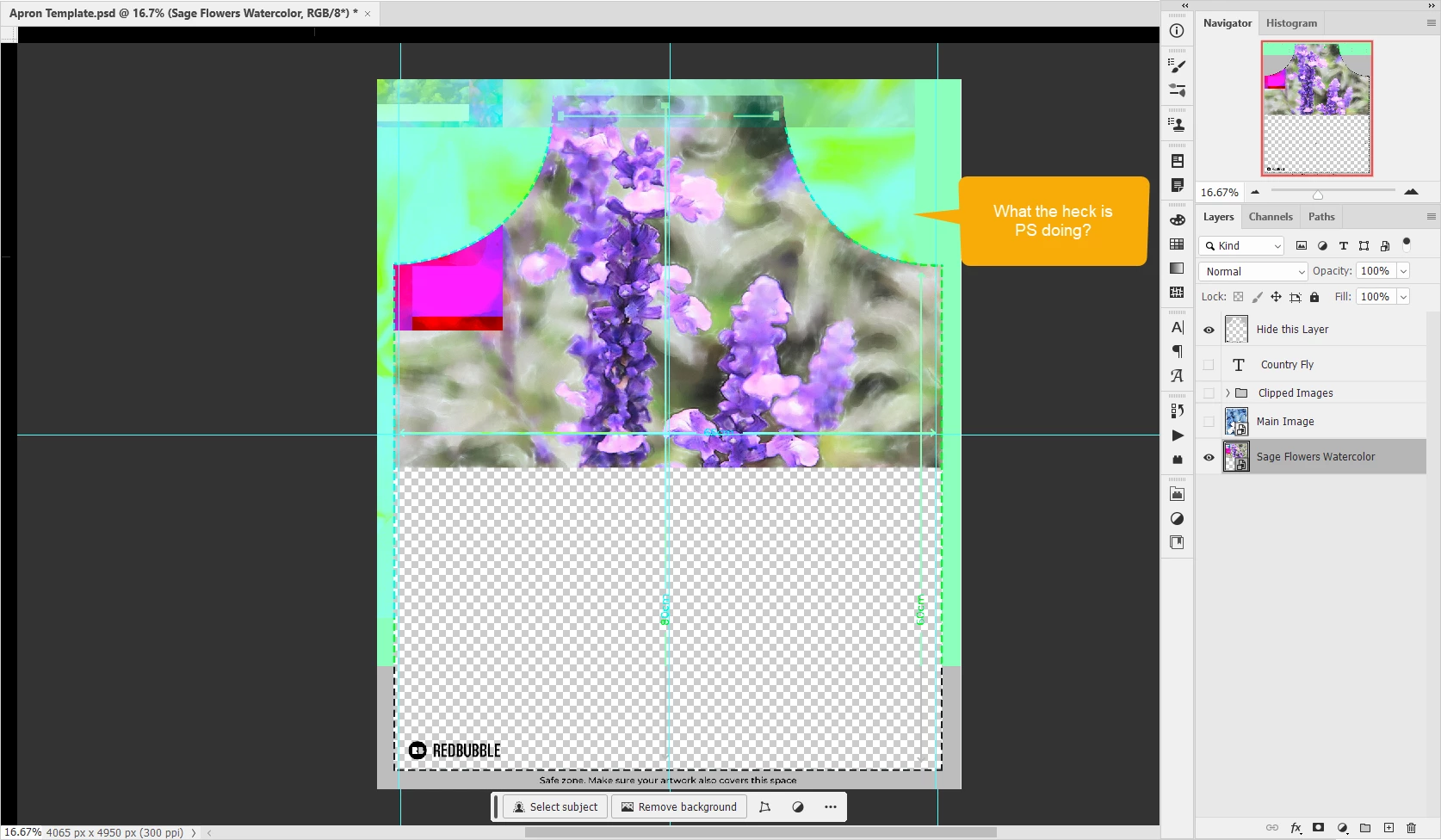
I closed PS 2024 and my memory dropped to 43%


I opened the same file in PS CS5 and the max my memory went to is 51% and it displays the file correctly
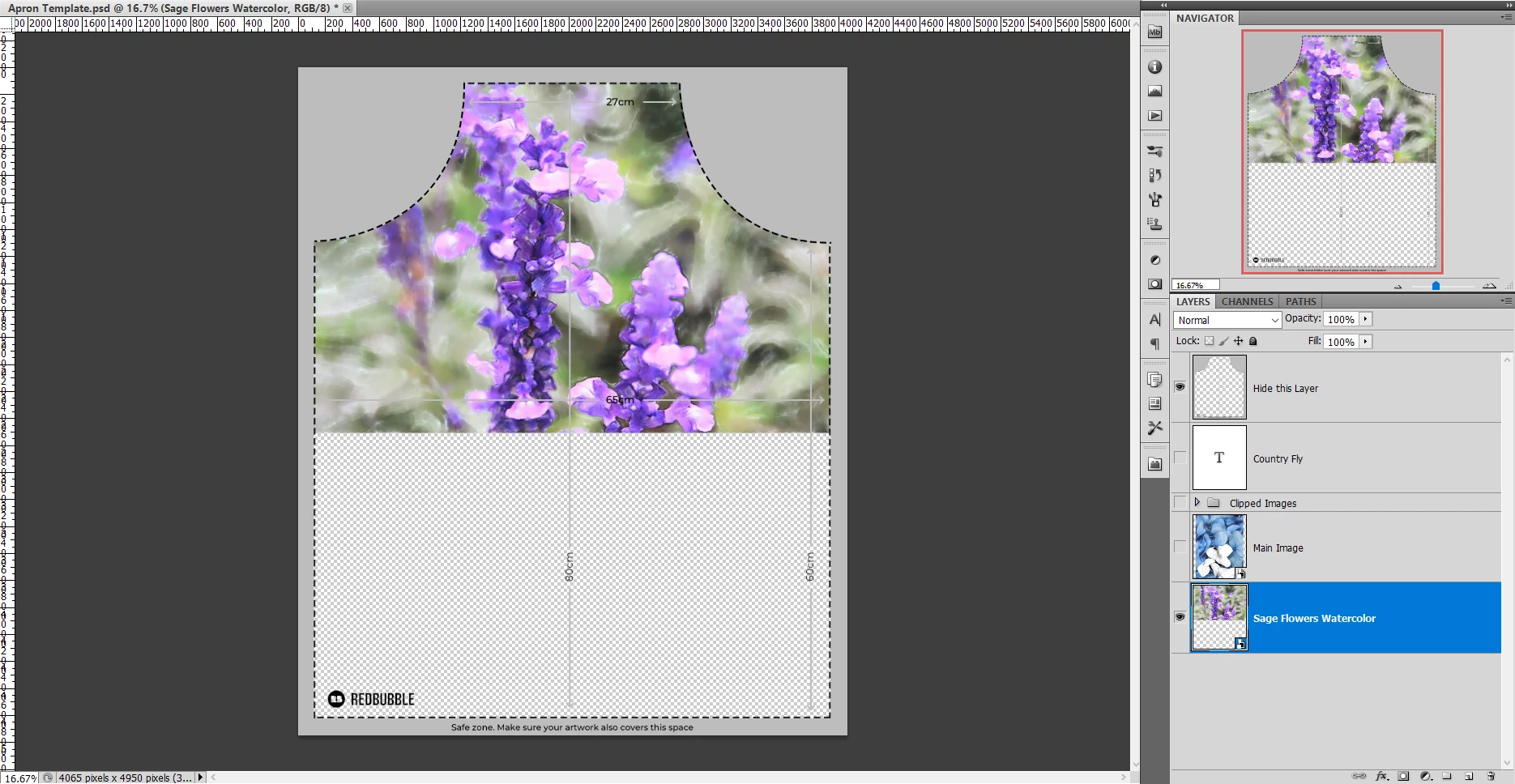
What is going on in PS 2024, why are those weird colors there and why is it using so much memory?

This topic has been closed for replies.

10 replies

Participant
September 27, 2024

I seem to be experiencing the exact same issue. I've a much beefier setup with 64 gigs of ram and an RTX 4090. I still get random freezes, with Photoshop saying not enough memory along with GPU related not enough video memory crashes. The last one shows that in the camera raw editing section and I cant go any further without shutting off the software.

Known Participant
January 5, 2024

It is interesting that LrC is listed under the GeForce Games & Apps and PS isn't.

Ged_Traynor
Community Expert
Community Expert
January 5, 2024

@That Girl There just as a test, try enabling this option in preferences and restarting Photoshop to see if it helps, also do you use the Studio or Game Ready Nvidia driver, Adobe recommends the Studio version.

Known Participant
January 5, 2024

Not the GPU driver. Nvidia just updated it this week

Known Participant
January 5, 2024

D Fosse, I would agree with you regarding the memory, if I was actually doing intense work in the app. But basically I opened a file and placed an image. CS5 handles memory better. Yeah, I know how the scratch disks work. I have 3 drives on my system. And I set up the scratch disks on two of those drives.

Should I drop the PS memory use down to 50%


D Fosse
Community Expert
Community Expert
January 5, 2024

It is the GPU/driver. Please post Help > System Info.

Known Participant
January 5, 2024

Not the GPU. I have a Nvidia RTX 2060. 

D Fosse
Community Expert
Community Expert
January 5, 2024

Yes, the colors is a GPU issue. Post Help > System Info so we can see your GPU configuration.


The memory usage is normal. Most people don't realize how memory-intensive advanced raster image editing is.


There is no such thing as "enough memory". Photoshop will need more, no matter how much RAM you have installed. That's why Photoshop uses a scratch disk, to write temporary working data to disk. Think of the scratch disk as Photoshop's main memory, with RAM as a fast access cache.


It is very much normal for Photoshop to saturate available RAM very quickly.

Ged_Traynor
Community Expert
Community Expert
January 5, 2024

@That Girl There for the weired colour issues, this is more than likely GPU driver related, what GPU do you have in your system and is the driver up to date

c0untryg1rl
Participating Frequently
January 5, 2024

Have you tried saving your project, closing everything, and restarting your computer?