
Question
Photoshop 22.3.1 crashes shortly after starting (black screen) on Windows 10
I just recently updated my Windows 10 Pro and since I made these Updates my Photoshop is not really working anymore. When I start it, it opens normally, but only after I made a few clicks it starts to freeze and I can't do anything and suddenly the screen turns black. When that happens all I can do is restart my computer.
I have already tried to adjust the performance settings, I re-installed Photoshop and my GPU drivers so everything is up to date but the problem still accurs.
My Graphics Processor is a NVIDIA GeForce GTX 1660 Ti
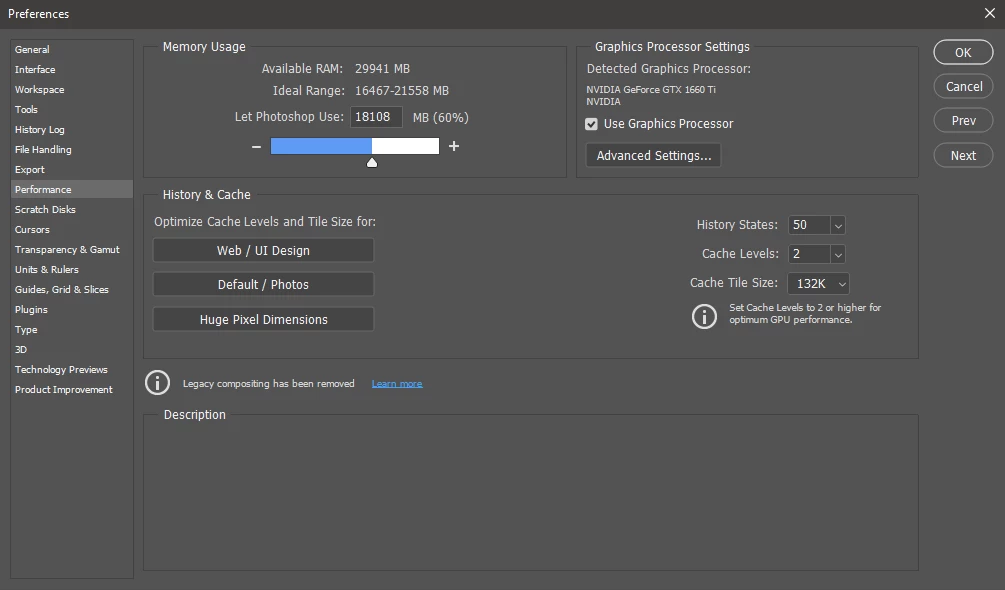
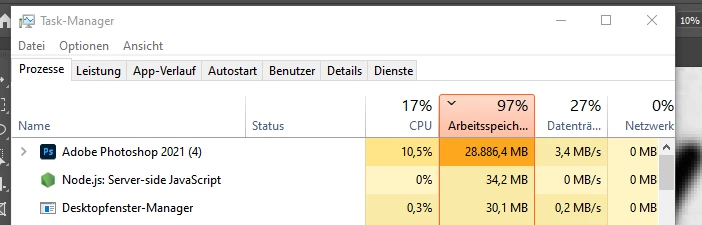
What I have noticed is that the memory usage is being awfully high, I'm no expert in this but maybe this is why it's making trouble? I hope someone can help me
{Thread title edited by moderator}
 AdChoices