
Known Participant
March 22, 2022
Question

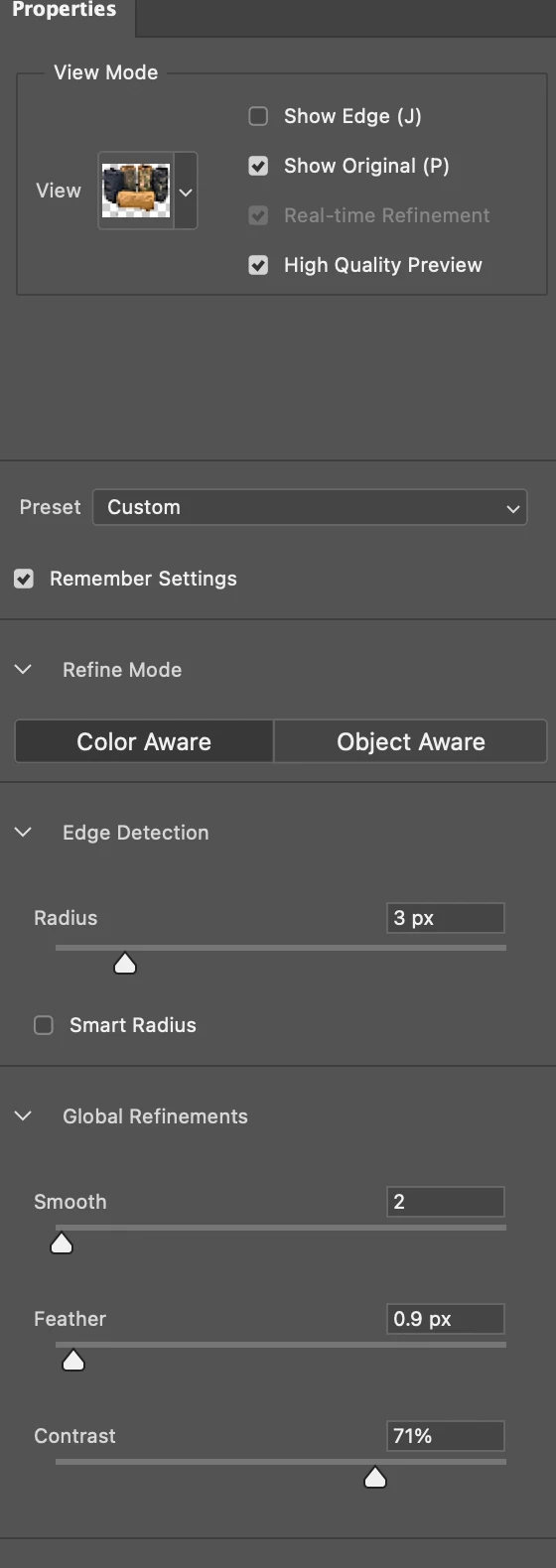
Photoshop 23.2.2 Select & Mask Preview Not Working

  • March 22, 2022
  • 4 replies
  • 328 views

Using MacOS Monterey 12.0.1

I can no longer see what I am doing with masking, but if I adjust the settings, they show up when I click okay. I am pretty much guessing at masking. High quality preview is selected. Nothing happens when I select any of the sliders within the preview. I tried both content & object aware. This was buggy in a previous version, seemed like it was fixed and now is back to buggy.


This topic has been closed for replies.

4 replies

Participant
April 2, 2022

Try COMMAND-H to show/hide extras...


I noticed after the update that when applying tilt shift blur it longer shows its maks/guides with extras hidden. Hiding extras now appears to hide more than it did. 

Legend
March 24, 2022

Let's make sure we're in a default state and there are no stale setting somewhere:
Restore your preferences using this manual method:
https://helpx.adobe.com/photoshop/using/preferences.html#Manually
Does it work correctly?
If that doesn't solve it, you can quit Photoshop and put the Settings folder back.
If it does solve the problem, I would like to get the folder of settings to try and figure out what is bad with them.

Known Participant
March 23, 2022

They are, now what? This is the latest release of photoshop, no?

Legend
March 23, 2022

Make sure Photoshop and macOS are up todate.