

Photoshop 23.5 - Graphics hardware acceleration, Scrubby Zoom, Flick Panning NOT working
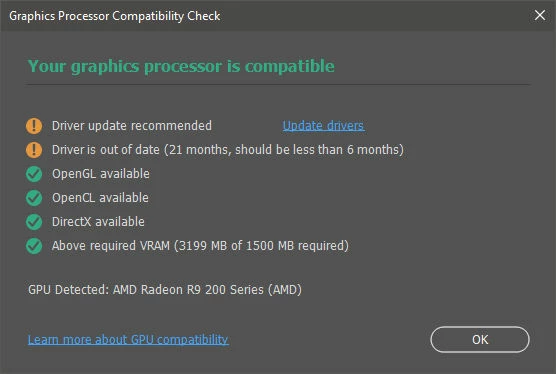
I updated Photoshop to 23.5 on Windows 10 and scrubby zoom and all hardware acceleration features (like smooth flick panning) are not working, even though "Use graphics processor" is checked under Preferences > Performance and the graphics adapter is detected as AMD Radeon R9 200 Series.
I tried all recommended fixes, like:
- enabling/disabling graphics processor and restarting PS
- resetting preferences files
- loading PS without optional plugins.
Nothing worked.
In the end, I just reverted back to 23.4.2 and scrubby zoom is back! So the problem is for sure with the 23.5 update that breaks the feature, possibly by no longer recognizing my graphics card as "capable" for graphics acceleration, all while not actually disabling graphics acceleration in Preferences.
My graphics card, although old, is still capable of playing recent games, even though AMD no longer provides driver updates for it. I don't want to spend $1k on a new card only to get scrubby zoom to work in PS. Adobe please fix it.
Here's a screenshot of the Help > GPU Compatibility check in 23.4.2., with scrubby zoom working:
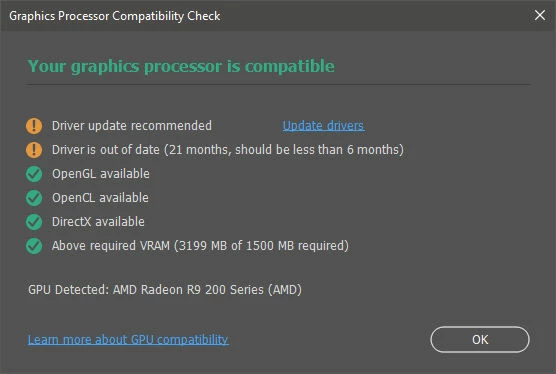
I reinstalled 23.5 a second time and the Help > GPU Compatibility window shows same info exactly as 23.4.2 (screenshot below), but scrubby zoom doesn't work.
Reverting back to 23.4.2 a second time makes scrubby zoom and flick panning functional again.
UPDATE: I borrowed and installed a new video card (GeForce 2070S) from a friend and updated Photoshop to 23.5 again. The scrubby zoom works with the new video cards and drivers. So the problem lies definitely with the way the new update recognizes older video cards and/or drivers.
But, as I said before, we shouldn't have to upgrade the video card to keep using basic features like scrubby zoom and smooth panning, features that have been working fine for forever, and still would.
If this is intentional by the Photoshop team, to no longer support older video cards and drivers, then there should be a message to the user and Use graphics processor should be set to disabled in Preferences > Performance.
 AdChoices