Participant
October 26, 2022
Answered

Photoshop 24.0 Image Size Bug with DNG Files?

  • October 26, 2022
  • 4 replies
  • 419 views

Hi! I'm using Photoshop 24.0 on Big Sur 11.7.1. I've noticed what I think may be a bug.


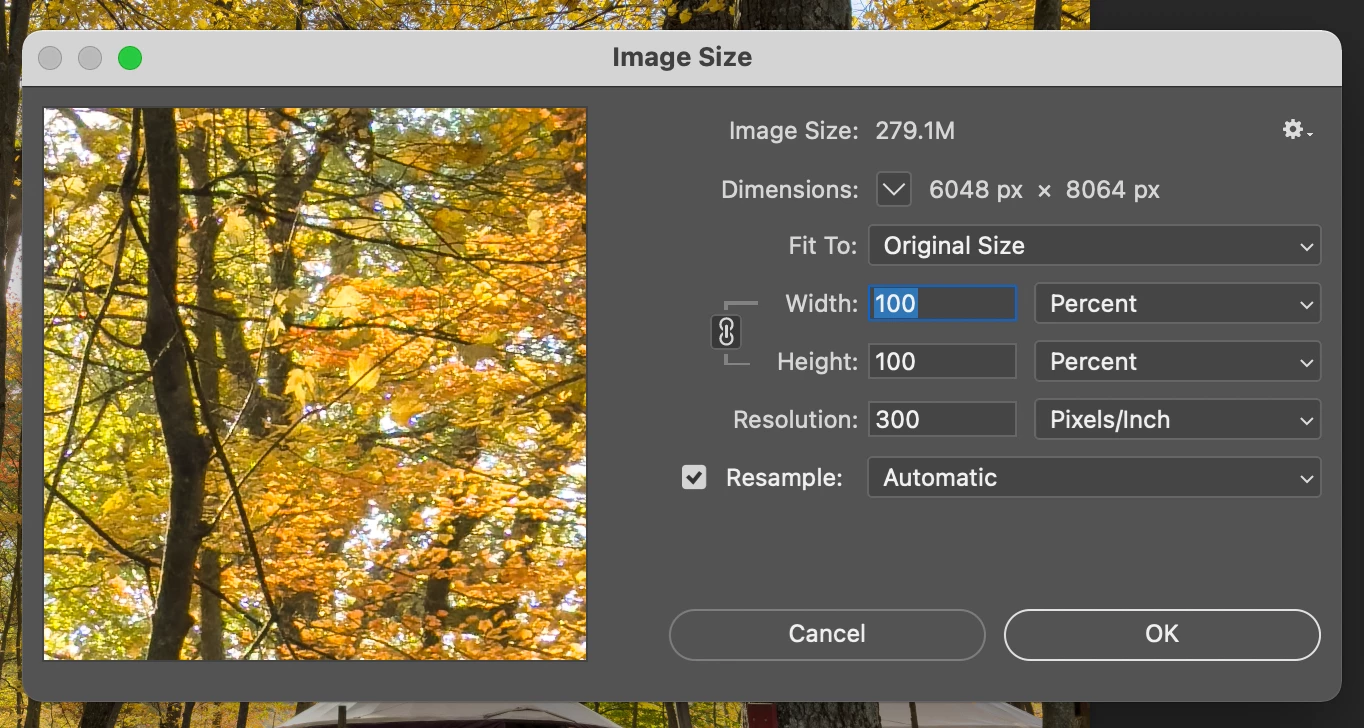
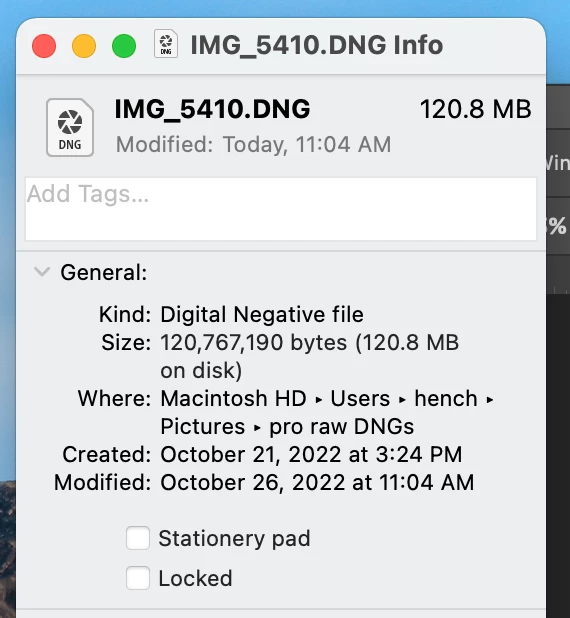
When I import 48MP ProRAW resolution photos from my iPhone into Photoshop via Lightroom, the document size appears to be much larger than the actual size of the document.


Example: The Finder file size for the image is 120.8MB. When I CMD+SHIFT+I in Photoshop, the image size appears to be 279.1MB. Screenshots attached of same.


Additionally, I have an action that exports the file as a PNG at 25% image size. When I ran this action on the image two days ago in Photoshop 2022, the resulting PNG was 7.3MB. When I ran the action today in Photoshop 2023, the resulting PNG was 17.3MB.


Thanks for reading!


This topic has been closed for replies.
Correct answer J453

Looks like your import options are different (probably within Camera Raw). If you look at your two png files. One is saved as 16bit and the other is 8bit. The save step just passes the file through as whatever bit depth it is at save time.

4 replies

zach16B8Author
Participant
October 27, 2022

Excellent catch -- thank you for solving the mystery!

J453Correct answer
Legend
October 27, 2022

Looks like your import options are different (probably within Camera Raw). If you look at your two png files. One is saved as 16bit and the other is 8bit. The save step just passes the file through as whatever bit depth it is at save time.

zach16B8Author
Participant
October 26, 2022

Sure thing, Jeffrey, and thanks for the quick response!
Here's a Dropbox link to a zipped file that contains

  • IMG_5410.DNG, 120.8MB
  • IMG_5410 copy. png, 7.3MB (this is the version that the action created in Photoshop 2022)
  • IMG_5410 copy 20221026.png, 17.3MB (this is the version that the action created in Photoshop 2023)
  • export iphone png.atn (this action was stored in the Default Actions)

Please let me know if I can provide any additional detail, and thanks again!

Legend
October 26, 2022

It's not unexpected that raw files opened and saved in the Photoshop file format to be larger than the original file.


I'd like to better understand how you're exporting your PNG files that are resulting in different sizes. Can you share your action, the original file, and the resulting PNGs of different sizes? (Zip them up and post a URL to the file(s) using CC files or dropbox, or something similar.)