

Photoshop 24.6 Display Bug
Hello,
Some community managers I work with first reported me new graphic display issues on the last version of Photoshop 24.6 a few days ago when importing logos (smart objects) into .psd templates on their side, and today the same is occurring to me.
When moving that simple color palette (see the screen attached) with the move tool on the frame, it leaves that dark monocolor mark, zooming in or out doesn't make it disappear, but turning the layer off then on does.
I think it's a graphic related bug. I was in the previous Nvidia Drivers on Windows 10 when first encountering it, I did the update to the last drivers, rebooting etc., and the problem is still here. I've tried with multiple .png same thing over and over, as both linked and embedded smart objects; same thing with rasterised layers too. If you move the element and touch the frame of the artboard it's the worse.
I haven't seen the problem with simple primitive vector shapes but with a more complex hand drawn one yes.
The CMs I work with are on windows 10 - Nvidia too.
The bug seems to only appear when using artboards in the psd or at least for now I don't have it with files that contain only a simple canvas.
Here is the screen, just a gradient in the BG and the png of the color palette :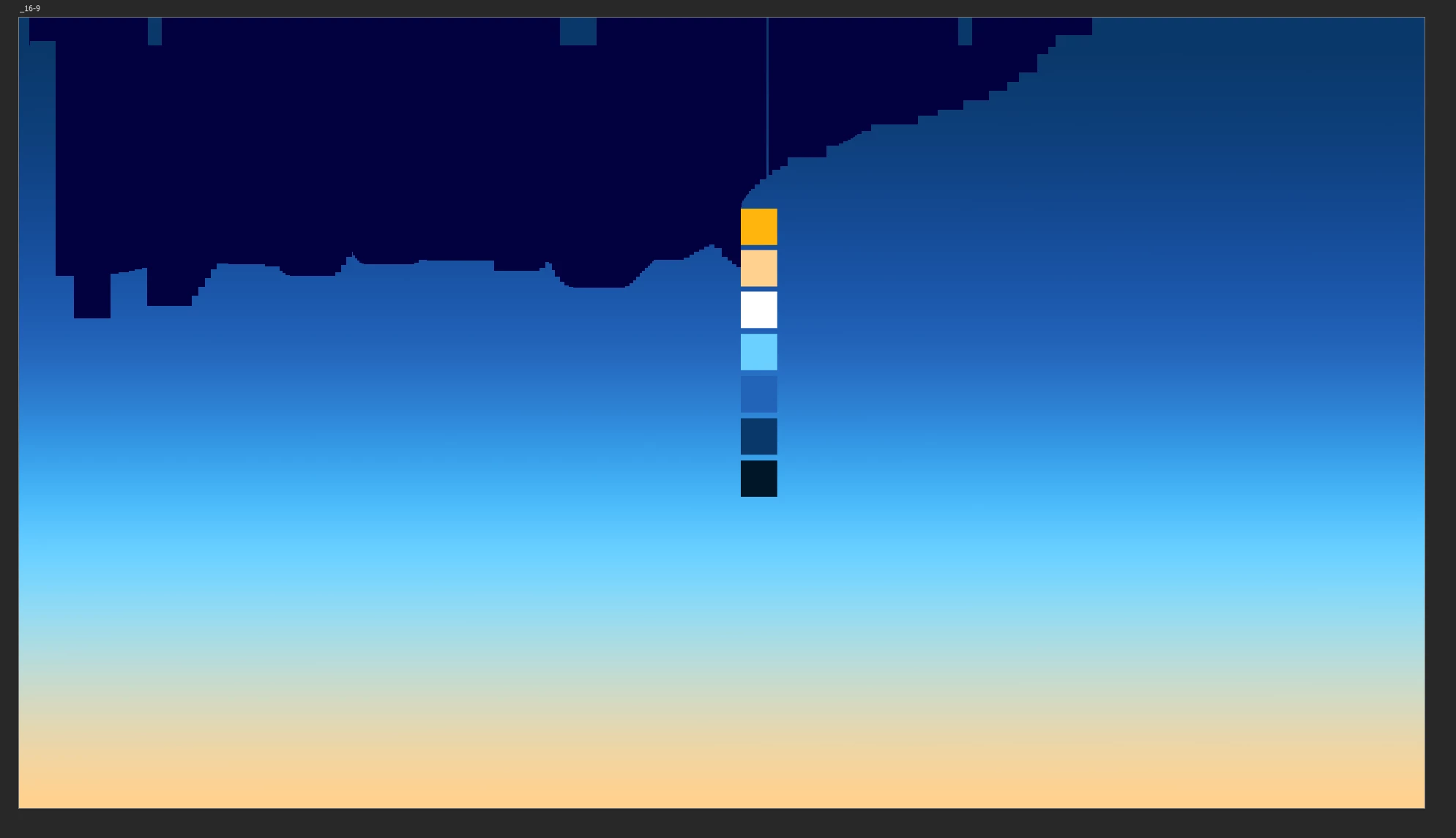
I'm hoping for a fix of some sort because I work a lot with artboards and I also like the last AI removing features for photo retouching, but I'll go back to the previous version of photoshop in the meantime.
Regards,
Romain
 AdChoices