
Participant
April 30, 2025
Question

Photoshop 26.6 Opening Slow
  • April 30, 2025
  • 3 replies
  • 410 views

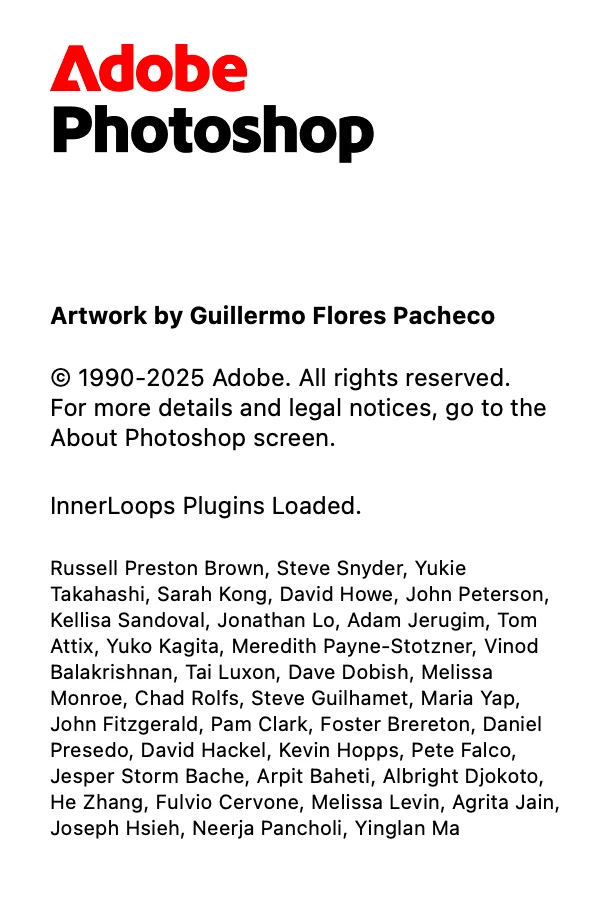
Once I get to this point of loading, program loads very slowly. I am running on a M3 Max Macbook Pro with 36GB of RAM. Have tried uninstalling and reinstalling. Removing the Adobe folder from my Application Support folder. Have seen forums suggest removing plug-ins folder, but can never locate on my device. 

3 replies

Participant
April 30, 2025

@Srishti Bali The same thing! Got to this screen, lots of loading time paired with the spinning color wheel, but then opened. 

Srishti Bali
Community Manager
Community Manager
May 14, 2025

Hi  @Mdvandiver


Apologies for the delayed response. Is the issue now resolved, or are you still experiencing the same problem? If the issue persists, please try the steps outlined in this article: Troubleshoot Photoshop freezing on launch, and let us know if that helps.

We're here to assist further if needed!


Regards,

Srishti

Participant
April 30, 2025

The same thing! Got to this screen, lots of loading time paired with the spinning color wheel, but then opened. 

Srishti Bali
Community Manager
Community Manager
April 30, 2025

Hi @Mdvandiver


As you mentioned, everything loads fine up to this screen, but it becomes slow afterward. It seems you may be using several plugins, which can sometimes affect performance. Please try the following steps to check if Photoshop loads faster:


  1. Close Photoshop completely.
  2. Hold down the Shift key while launching Photoshop.
  3. A dialog box will appear saying "Skip loading optional and third-party plug-ins."
  4. Click Yes to proceed without loading those plug-ins.


Let me know how it goes!


Regards,

Srishti