
PP_01
Inspiring
September 16, 2018
Question

Photoshop animation with Fuse: batch saving for different frames and options

  • September 16, 2018
  • 2 replies
  • 990 views

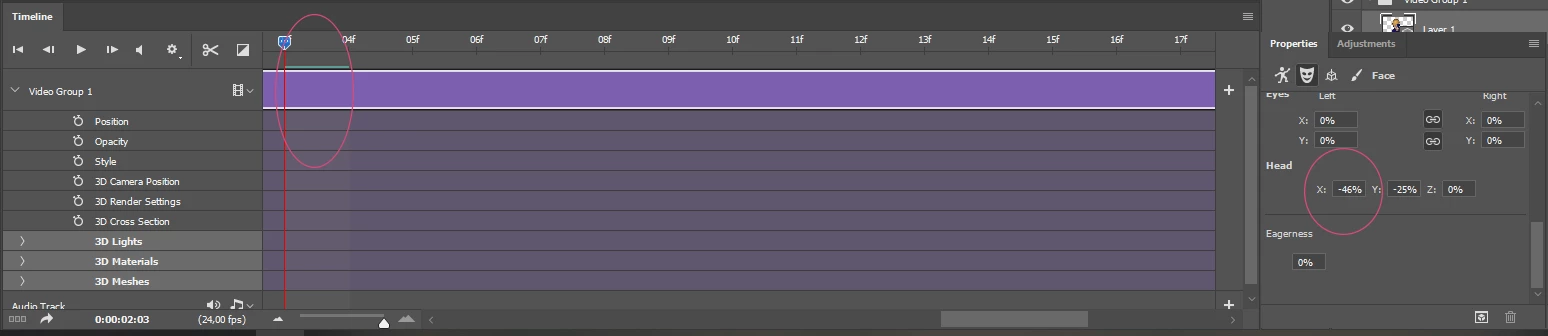
Hi! Is there a way to make a batch-script for automate saving (in .png files) each frame of the animation (Fuse character) with different character options, for example head location (as marked in the image below)? Unfortunetly, PS Actions are not working for 3d Fuse character options. The animation is made of preset body position (for example: Standard Idle). Thanks for your time!

What I would like to obtain is set of saved files for:

1st frame - Head position X=50

2nd frame - Head position X=49

3rd frame - Head position X=48 etc.
This topic has been closed for replies.

2 replies

Ussnorway7605025
Legend
September 17, 2018

the only way I see to do this would be to copy the 3D layer with [ctrl] + ajust the head +|- 10%X and run the animation... exporting it out as a png | rinse | repeat

this will allow you to automate the process as an action but imo the results will need to be analyed by a human brain for useful results so not very efficient

Ussnorway7605025
Legend
September 16, 2018

the head postion is relative to the base face animation so if you adjust it at one point in the animation then it stays that abount away from the baseline for the entire animation... in other words -10% X at the start = -10% X all the time

the eyes, head and arms are linked to the animation for Fuse characters... only the face is seperate

JJMack
Community Expert
Community Expert
September 16, 2018

Have you tried menu File>Export>Render Video and rendered out a Photoshop Image sequence of Png files? Photoshop Vieo Frames as far as I know do no support a transparent Background.  Transparency will be rendered out as Black.

So you can make of clip section of what you want. Export the png sequence and batch process the sequence to remove the black background. However. Shadows black garments and hair will also be removed.  You could have added a chromakey color Background instead of black like a white background.

JJMack
JJMack
Community Expert
Community Expert
September 17, 2018

Maybe someone know some tutorials on writing scripts in Photoshop? How to check the name of the variable inside the Photoshop, for example how to refer to this 'head position' feature or any other option inside PS?


Adobe DOM does not cover Photoshop Timeline feature.  If a script is possible it would need to use Action manager code if the Action Manager support all you do in you video timeline and Photoshop in you processing.

JJMack