
Participant
May 7, 2022
Question

Photoshop Bitmap / Halftones with transparent background

  • May 7, 2022
  • 3 replies
  • 4120 views

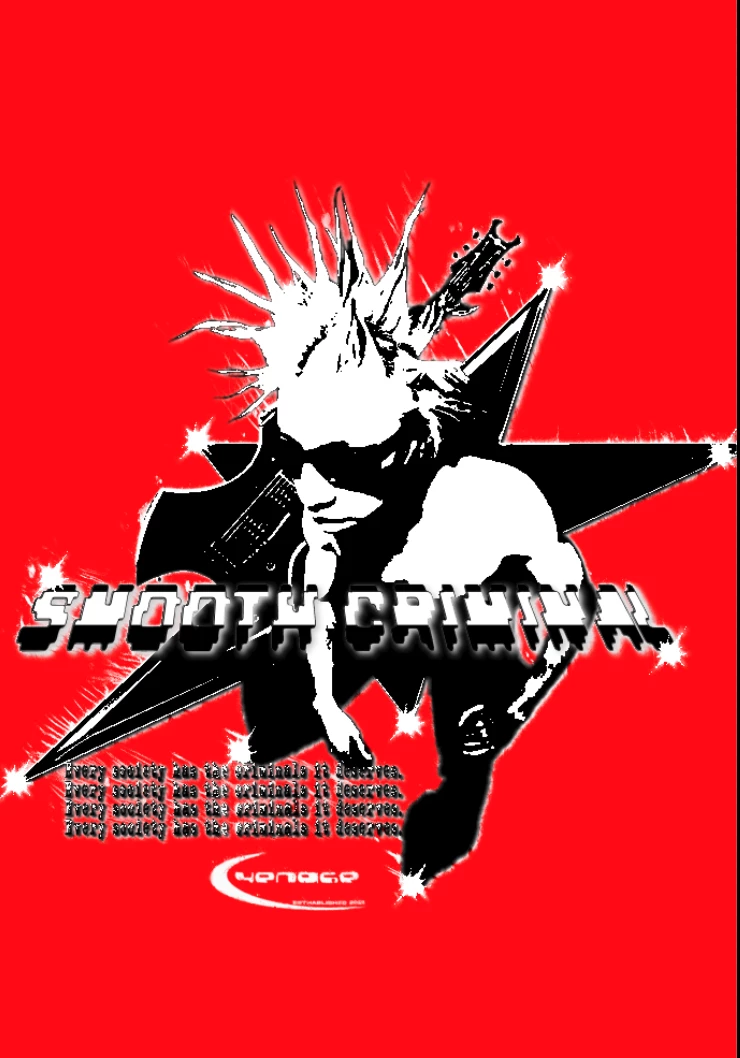
Hey guys, could you help me please? So, I got a design, and I want to bitmap/halftone it for screen printing. The design is on a transparent background. Everytime I take the design and bitmap it, the transparent background will go away... I don't want to mask out the entire design, please help me. Here's a picture of the design (Added a solid color, so u can see the design better, would be transparent normally):
 

This topic has been closed for replies.

3 replies

Earth Oliver
Legend
May 8, 2022

Halftones are automatically created when screenprinting... you don't need to make them in Ps. 
Talk to the printer and they'll show you how this works.

Semaphoric
Community Expert
Community Expert
May 8, 2022

It looks like your design is two colors, black and white, plus transparency. You could select all non-transparent areas, and save that in a new grayscale doc. This will be for your "white" ink. Select the inked areas, and save that as a new grrayscale doc. This will be for your "black" ink. Now you can convert both of those to bitmap, and overprint the "black" over the "white".

Here, I've made the two as Solid Color layers, to illustrate how they stack (over a solid gray layer):


"white":


"black":


Composite:


zKutariAuthor
Participant
May 8, 2022

Could you help me on discord? My tag is zKutari#4775

Earth Oliver
Legend
May 8, 2022

they just helped you...

Myra Ferguson
Community Expert
Community Expert
May 7, 2022

If you're looking to add a halftone effect without converting your file to a bitmap (so that you can maintain the transparency), you could either apply the Halftone Pattern filter (Filter > Filter Gallery and inside the filter gallery go to Sketch > Halftone Pattern) or install the free Comic Kit script and apply it.

zKutariAuthor
Participant
May 8, 2022

First of, thanks for the reply, second off: The script doesn't work, when trying to open the .zxp file (script), photoshop says "Could not complete your request because it's not the right kind of document". The Halftone Pattern does not work aswell, cause I can't define the LPI, which is important for screen printing.