December 25, 2022
Answered

Photoshop Brush Cursors all look pixelated
  • December 25, 2022
  • 6 replies
  • 2147 views

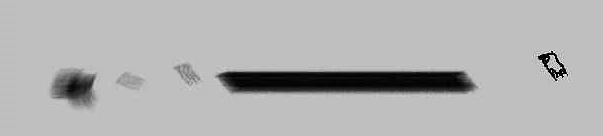
The cursor for brushes/erasers/clone stamps in Photoshop 2023 just randomly started looking really chunky and pixelated? All other cursors look normal, the brushes stilll operate as normal, but the cursor looking like this is really distracting. If could get a fix for this, I'd really appreciate it. I really don't want to have to uninstall and reinstall Photoshop.

Correct answer Jeff Arola

Perhaps what your seeing is due to the addition in photoshop 24.1 of cursor settings to change the boldness of your brush outlines. Thin is what the previous versions of photoshop used.


https://helpx.adobe.com/photoshop/using/painting-tools.html#cursor-preference

6 replies

December 25, 2022

I changed the brush tip outline to thin and updated my graphics driver and the problem seems to be resolved,  though I couldn't tell you which of these fixed it, lol.

ElizabethOOOG
Known Participant
December 25, 2022

Outdated graphic board. Might be incompatible. 

Okay
ElizabethOOOG
Known Participant
December 25, 2022

Make sure you have the brush tool and not pen tool. 

Okay
Jeff Arola
Community Expert
Jeff ArolaCommunity ExpertCorrect answer
Community Expert
December 25, 2022

Perhaps what your seeing is due to the addition in photoshop 24.1 of cursor settings to change the boldness of your brush outlines. Thin is what the previous versions of photoshop used.


https://helpx.adobe.com/photoshop/using/painting-tools.html#cursor-preference

PECourtejoie
Community Expert
Community Expert
December 25, 2022

This is the correct answer, users complained of poor visibility on neutral tones.

TheDigitalDog
Inspiring
December 25, 2022

Try disabling GPU in the Preferences (Performance tab). In Photoshop also go to Preferences > Technology Previews... and enable "Older GPU mode (pre 2016)" - Restart Photoshop. Any better?

You can try this too: in Preferences>Technology Previews, check the box 'Deactivate Native Canvas' and uncheck 'Enable Native Canvas Rulers' options, then restart Photoshop. Does this work?


Author “Color Management for Photographers" & "Photoshop CC Color Management/pluralsight"
Mylenium
Legend
December 25, 2022

Start by checking your hardware acceleration and cursor settings in the preferences and consider updating your graphics driver. This looks like the functions can't properly support the brush preview. Anything more than that will require better information liek actual system info and the details for the mentioned settings.


Mylenium