
Participant
February 14, 2018
Answered

Photoshop -Brush Rate in Liquify greyed out

  • February 14, 2018
  • 1 reply
  • 3406 views

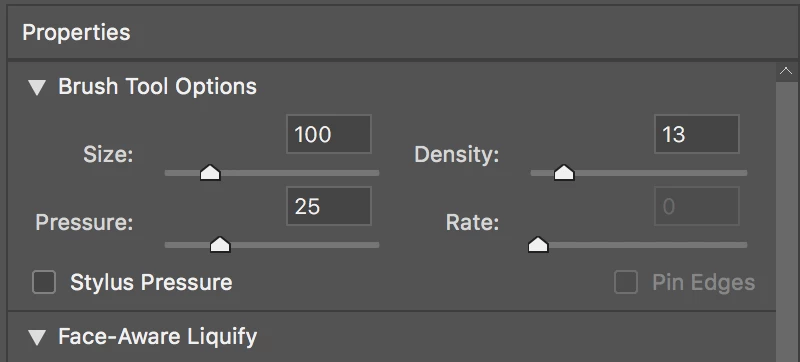
Hello - I'm doing a photo retouching tutorial, and it wants me to change the Brush Rate in Photoshop Liquify filter. That box is greyed out.

Anyone know what I can do?

Macbook pro laptop 2015, High Sierra 13.13.3
    This topic has been closed for replies.
    Correct answer davescm

    Which tool do you have selected? Pressure and rate do not apply to all tools.

    For example the smudge tool only has pressure

    The reconstruct and smooth tools have both pressure and rate

    The pucker tool only has rate

    ......etc

    Dave

    1 reply

    leighsnyAuthor
    Participant
    February 14, 2018

    Now the rate is working but the pressure is not

    davescm
    Community Expert
    davescmCommunity ExpertCorrect answer
    Community Expert
    February 14, 2018

    Which tool do you have selected? Pressure and rate do not apply to all tools.

    For example the smudge tool only has pressure

    The reconstruct and smooth tools have both pressure and rate

    The pucker tool only has rate

    ......etc

    Dave

    leighsnyAuthor
    Participant
    February 14, 2018

    I think that was my problem. Not seeing the tools to choose from. New at this thank you!