
Participating Frequently
May 8, 2020
Question

Photoshop bug: hand tool keeps snapping to the same spot

  • May 8, 2020
  • 14 replies
  • 6147 views

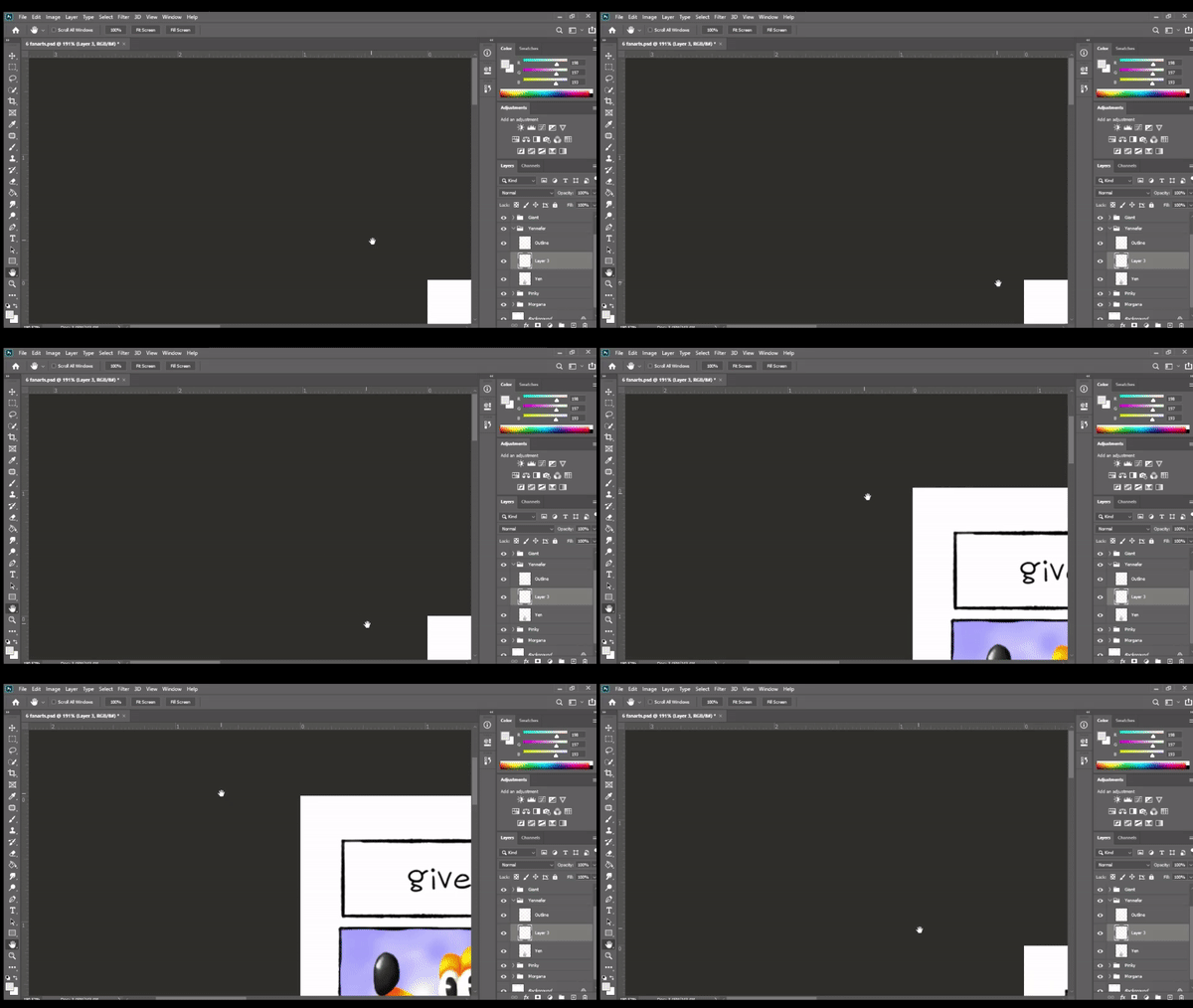
I'll use the space bar to temporarily activate the hand tool. When I let go, the screen snaps me to a different spot and then it gets stuck there. No matter what I do, it won't "unstick" itself. It's like the view is locked on that one particular spot on the pasteboard. 


I updated to version 21.1.2 and it's still doing it. Closing and opening Photoshop tends to help but it only takes a minute or so before it starts doing it again.


I tried googling this but no one else seems to have this issue. Any help would be much appreciated!
 

This topic has been closed for replies.

14 replies

Participant
January 15, 2022

2022 year, problem still persist. Worst drawing program.

Participant
May 17, 2023

2023 same issue, still going on. Using a pen tablet or mouse. The pen tablet i'm using is a Wacom Intuos B

Participant
September 9, 2021

Yeah, I'm having the same problem here, also with the Rotate View Tool. I'm working on an illustration and it's awfu to be unable to rotate and move the image. Moving at least works if I use only the view bars to move the image. But rotating it becomes impossible. I'm using Windows 10 and a Huion Kamvas pen display.

PECourtejoie
Community Expert
Community Expert
September 9, 2021

Hi, are your graphic tablet and GPU drivers up to date?

dumaker
Inspiring
August 15, 2021

Same problem here 😞 Not  sesolving yet?

inHouseGraphics15135457
Participating Frequently
June 18, 2021

Same issue. I upgraded from a previous version yesterday and it started happening immediately. I noticed it doesn't snap back if you press the space bar, drag and hold a little bit longer than you normally would before releasing the space bar after moving it (at least for me it does)... but this isn't a solution. It's an annoying workaround for the time being. I was on a previous version of PS because of another massive issue I had that Adobe couldn't fix. Their solution was "This is a known issue so we advise you to use a previous version of the program." This was after 3 adobe techs remoted into my machine. I only upgraded yesterday hoping all the issues were fixed. Now this.

I plan on going back to the previous version again. It's pretty crappy we pay this much money for the programs and get nothing but unsolved issues.

Participant
June 14, 2021

Why hasnt this been resolved yet??? Seriously... I have been having this problem for a long time and it seems like it should be a quick patch. What the heck Adobe??

JJMack
Community Expert
Community Expert
June 14, 2021

You are not addressing Adobe here you are addressing other users of Photoshop we do not work for Adobe or kow what Adobe is doing. We know Adobe has posted many known issues in Photoshop 2021. Adobe has not finished the development of Photoshop 2021 yet.  https://helpx.adobe.com/photoshop/kb/known-issues.html   Adobe historically does not fix all reported issues

JJMack
Participant
June 10, 2021

It's one of the things thats caused me incredible inconvenience. I've decided to just leave adobe all together and use clip studio paint instead, it's so much better. Thanks adobe you just lost customers.

Participant
May 31, 2021

Any updates on this issue??? I'm having the same problems. Both with the hand tool making the image snap to one of the corners randomly AND having the brush tools scribble randomly all over the screen. This is soooooo frustrating. Makes trying to retouch take way longer than necessary. How is this not solved by Adobe? 

Participant
March 25, 2021

exact same issue here... goodness its been close to a year now and i still have to deal with it

Participant
October 17, 2020

I was so happy to see this thread then so disappointed when I saw there was no resolution. Gutted this hasn't been resolved yet. COME ON ADOBE!

Participant
July 23, 2020

Same issue. Prior to it starting I noticed zoom had switched to scrubby on its own and this started after switching it back, going back to scrubby doesn't revert the problem. I can only get my work on screen by choosing fit to screen in the zoom option but that means I can no longer easily zoom in on specific parts of the image. This happens with both the spacebar shortcut and the tool itself selected.
v21.2.1