

Photoshop - Cannot Enable "Use Graphics Processor"
I recently migrated over to a 2016 Macbook Pro with the Radeon Pro 460 graphics card. Still using CS6 I opened that version of Photoshop and found that I could not rotate my canvas. I was given the following notice.
"Could not complete your request because it only works with OpenGL enabled document windows."
I thought upgrading to Creative Cloud might fix my problem but upon opening Photoshop CC, I was given the following Message after opening my first document.
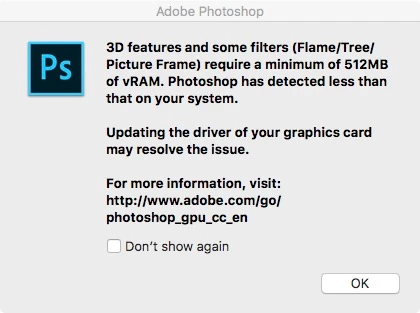
Recent posts that sounded close to my problem suggested that I turn on my Graphics Processor. So I went to the Performance Preferences window and saw this.
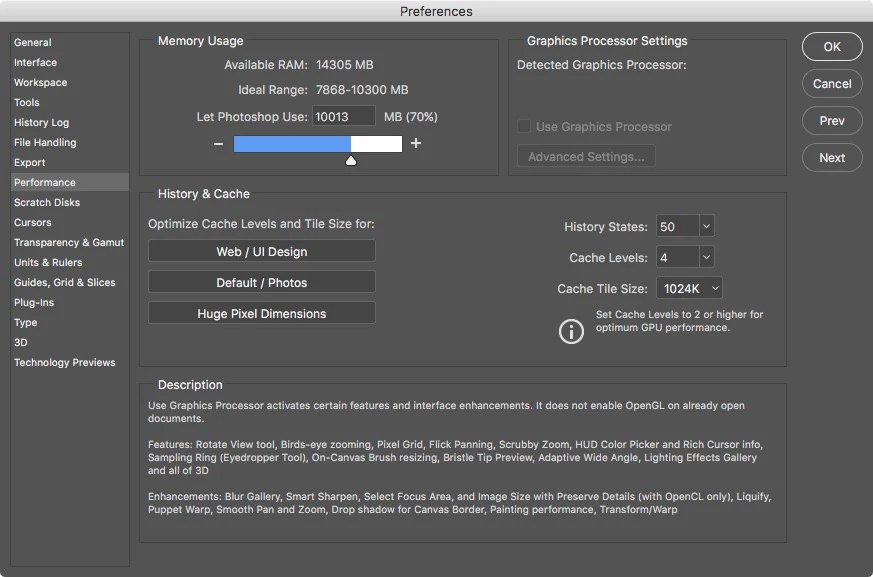
Assuming that I'm suppose to see the Radeon Pro 460 listed under "Detected Graphics Processor," It's apparent that Adobe (or at least Photoshop) does not recognize my Graphics card.
I haven't checked all of my applications but when opening Premiere, I encountered this window.
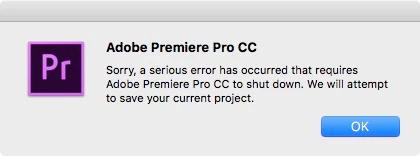
I believe the graphics card is the crux of my problems, but I can't rule out the operating system itself either. (macOS Sierra 10.12.2)
Any help would be greatly appreciated.
 AdChoices