
Participant
August 28, 2020
Answered

Photoshop canvas Won't rotate because of openGL

  • August 28, 2020
  • 4 replies
  • 8523 views

Everytime I try to rotate the canvas in photoshop I get the "Could not complete your request because it only works with openGL enabled document windows", I have a NVIDIA GTX 1080, windows 7, and the latest version of photoshop. What do I do to solve this problem? also the "use OpenCL" option in the performance is greyed out.

Thanks in advance.
This topic has been closed for replies.
Correct answer

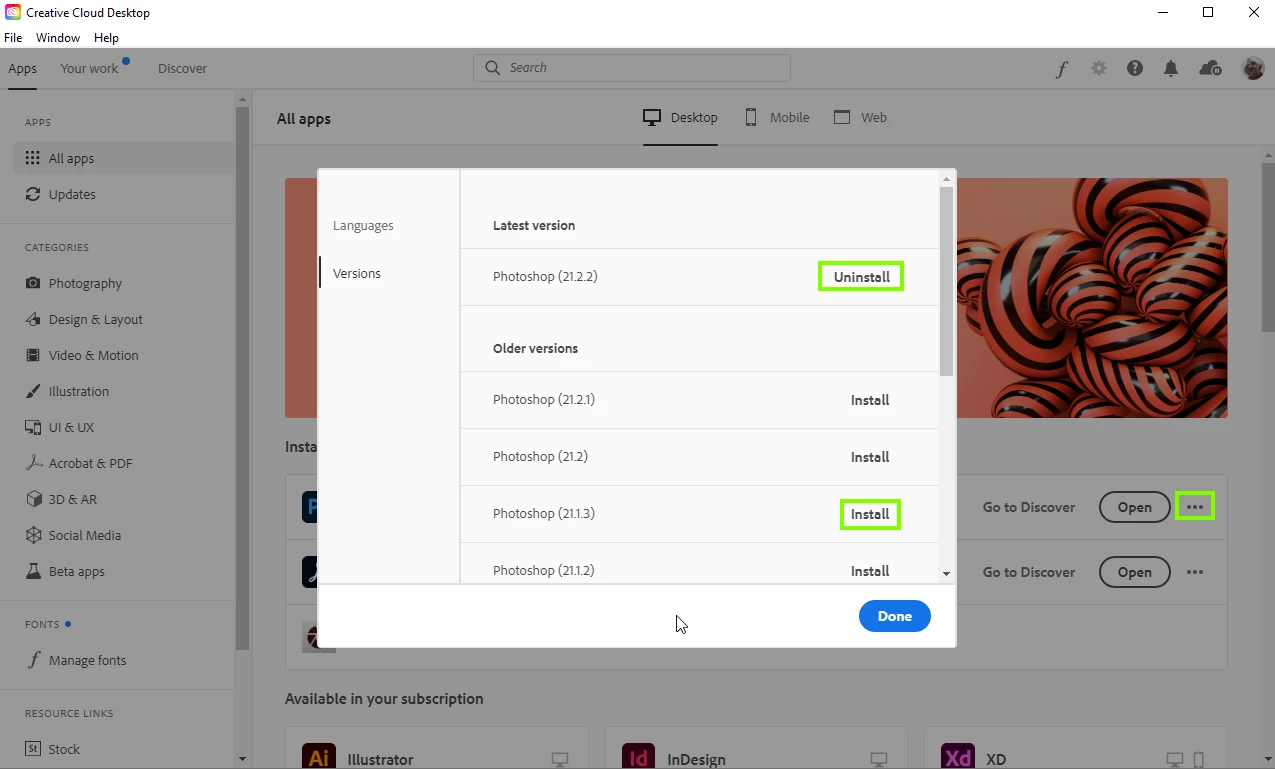
Did you try doing a clean install with the Studio drive, if that doesn't help the only option you have at the moment is to revert back to 21.1.3


4 replies

Participant
June 16, 2024

“IT ONLY WORKS WITH OpenGL ENABLED DOCUMENT WINDOWS”

Find in research bar : “Regedit” then Enter

Computer > SOFTWARE > Adobe > Photoshop > 150.0 (Biggest number) fyi

Right click in blank space New > QWORD (64-bit) Value.

Set name to  AllowOldGPUS then close this window and turn on Pts. It works for me!!!

Known Participant
November 16, 2021

I'm an old hand at Adobe software. Out of all the constant new additions to Photoshop, all the bells and whistles that clutter up the program and leave it looking like the control deck of a jumbo jet - ROTATE CANVAS was one of the few that actually helped, a genuine improvement that aided illustration immeasurably. And now they’ve gone and p***ed up the wall with this 'only works with OpenGL document windows' error which I have tried and failed to solve since I updated to the buggy latest version. Thanks Adobe!

D Fosse
Community Expert
Community Expert
November 16, 2021

Rotate canvas works as it always has - but not if you have a buggy GPU driver or an outdated card.


Another common problem with laptops is dual GPUs. You need to completely disable the integrated Intel GPU and use only the dedicated Nvidia/AMD GPU.

Known Participant
November 17, 2021

I appreciate your reply D Fosse but my drivers are up-to-date. As to my 'outdated' card, well, it was working in the morning before I updated my Adobe versions. I have been trying all the suggestions mentioned in the Forum but they are yet to be successful.

I called it buggy because there were also aspects of Premiere and Animate that I had to resolve before they functioned properly.

But feel free to blame me and defend Adobe all you like.

Known Participant
February 11, 2021

Too bad there isn't a SD driver for all cards. It seems that for the GeForce GT 730 is no SD driver (haven't found one). I run into troubles every time I upgrade PS... Wacom tablet (1.5 years old) won't work correctly (the cross isn't aligned when cloning etc), rotation does not work... Seems like Adobe started to act like Apple where you are forced to buy new hardware every 2 years or so 8-/

August 28, 2020

Hi

There are major issues with Photoshop version 21.2.2 not detecting some old and not so old GPU's, have you tried updating your GPU driver from the Nvidia website, when installing click the advanced options and custom install and perform a clean install, also check out this, especially section 7

https://helpx.adobe.com/ie/photoshop/kb/photoshop-cc-gpu-card-faq.html


Participant
August 28, 2020

I already have the latest GPU driver which I updated from their program, GeForce Experience. But it still doesn't detect the graphics processor in the performance tab.

August 28, 2020

I couldn't find and SD version for my video card, but I installed 21.1.3 and everything works Great!!

thank you so much!


Glad you're up and running again, it's a shame that you have to revert to a previous version considering your GPU is only 4 years old.

You can get the Studio driver from the same page as you download the Game Ready