
Participant
December 25, 2015
Answered

Photoshop CC 2015 - Endless validating license loop during start-up. Any Solutions?!

  • December 25, 2015
  • 4 replies
  • 17965 views

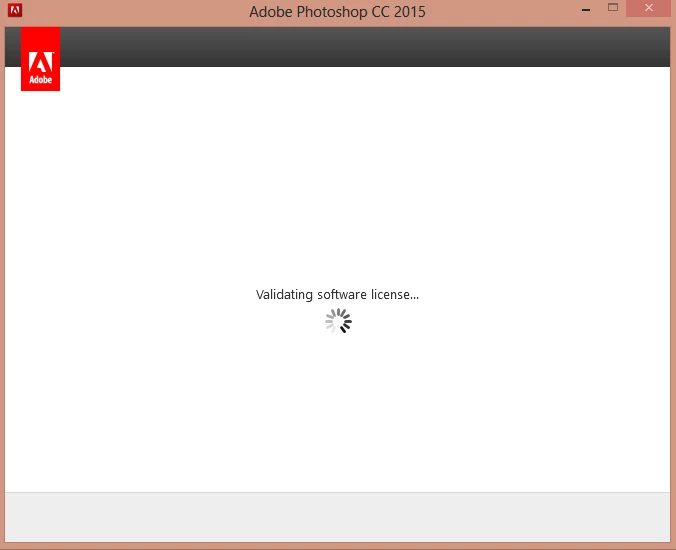
I've been using PS CC 2015 for quite a while editing photos and such,  I uninstalled PS CC 2015 from my C drive (to clear space and consolidate PS CC 2015 stuff on another drive) and installed under another drive, I could not get back into Photoshop. While trying to start it up it would give me a Validating Software License window that would pop-up and disappear every few seconds over and over again.


----------------------------------------------------------------------------------------------------------------------------------------------------


Stats on my computer:


Windows Edition: Windows 8 Pro

Processor: Intel(R) Core(TM) i7Cpu

Installed memory(RAM): 8 GB

System type: 64-bit Operating System, x64-based processor


----------------------------------------------------------------------------------------------------------------------------------------------------

Solutions I've tried:

-Uninstalling and reinstalling under C drive.

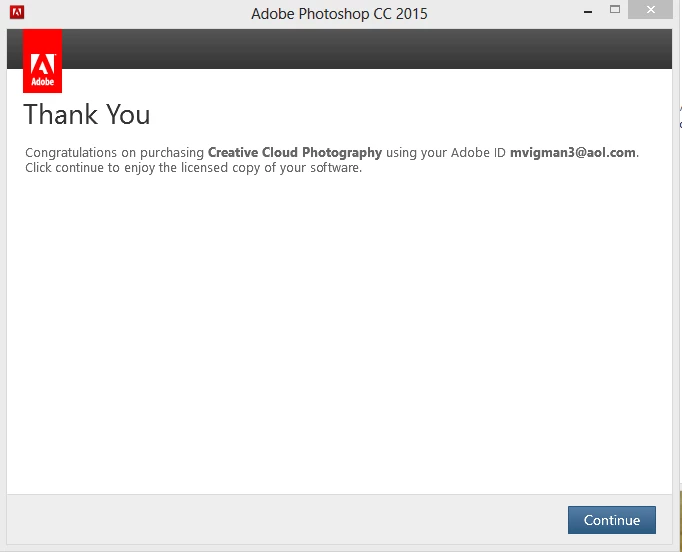
-Signing out of Creative Cloud while it was trying to validate, would then give me licensing prompt, signed into Adobe ID with photography subscription, after the window saying, hit continue to use licensed software with the correct Adobe ID signed in, it went back to the endless validation loop.

-Deleting all adobe related items under other drives and keeping all adobe related items on C drive.

-Deleted and reinstalled creative cloud.

-Checked that payments on the subscription were going through

-Checking update logs to make sure I hadn't missed one.

------------------------------------------------------------------------------------------------------------------------------------------------------------------------------------------------------


Possible things I may have done (not sure if I did) to screw it up. Let me know if any do trigger issues.


Attempted to move adobe related files not through Creative Cloud, just simply moving folders, without uninstalling and reinstalling.


Accidentally deleted adobe related files, not sure about this one though, I don't think I touched anything on my C Drive (main default drive)

------------------------------------------------------------------------------------------------------------------------------------------------------------------------------------------------------


Solutions I am contemplating:


Deleting all adobe items, files,  related to photoshop and creative cloud, starting from scratch I guess?


Canceling the plan and starting on fresh email, (adobe ID) However, since it's a year plan contract, paid monthly, I assume they will charge for the rest of the 10 months. I've been using PS CC 2015 for 2 months.


------------------------------------------------------------------------------------------------------------------------------------------------------------------------------------------------------


Any help is appreciated, willing to try almost anything since I do creative work on pictures for friends, if a staff member could check on their end whether my subscription is working, it'd be much appreciated.


In conclusion, endless validating software loop, tried a bunch of solutions, trawled through the internet unsuccessfully, extremely frustrated.


An eager user of Photoshop CC 2015,

Michael Vigman


This topic has been closed for replies.
Correct answer Akash Sharma

Hi Michael,

Thanks for your Detailed Thread.

Please follow the steps below.

First off make sure you have Followed steps mentioned in Adobe Creative Cloud sign-in errors

  1. Rename Slcache and Slstore
  • Navigate to C:/ProgramData\Adobe\ (Program data is hidden Folder) and rename Slstore it to Slstore.old
  • Navigate to C:\Program Files (x86)\Common Files\Adobe\ and rename Slcache to Slcache.old


   2.  Now Following Adobe Creative Cloud sign-in errors  Rename opm.db File

  • Navigate to the OOBE folder.: - \Users\[username]\AppData\Local\Adobe\OOBE
  • Rename the opm.db file to opm.old.db


   3.  Run Cleaner to clean install Adobe Creative cloud and Photoshop.(If step 1 and 2 does not resolve the issue)

Let us know if that helps

Regards,

Akash

4 replies

deresayjay
Participant
September 17, 2017

How do i solve this issue on MAC

Nate-556
Participant
November 21, 2016

Isn't this a bit ridiculous for users to have become an IT wiz to fix a problem with software you are charging people for? I now have the same problem and find it unacceptable that I need to follow those instructions for a product I'm paying for. Likely uninstalling the program and my credit card if Adobe with all of it's engineering skills cannot find a final solution addressed in a software update.

And to further add to my frustration, when I contacted customer support chat, the agent asked to remote into my system! What kind of stuff are you guys doing? Charging for software that is broken, asking to remote into a private computer, expecting us to jump through hoops to resolve an issue that surely can be fixed and pushed in an update? The more I stew on it, the more angry I'm becoming. I'm not sure that even if you do fix it that I will keep it. And I know my little bit of money isn't anything to a giant such as adobe, but I will post reviews on every retail website I can find and not to mention the better better business bureau.

MagnusKallas
Participating Frequently
March 2, 2017

Same issue here, now I'm on Trial with Acrobat and nothing else is working on a critical moment.

I know how bad Illustrator sucks, it's a ridiculous piece of bad program engineering, but I need Photoshop and InDesign right away (I can finish my vectors with free and stable Inkscape) but guess what - the whole CC bundle is messed up thanks to a shi**y Acrobat update I didn't even want.

You really are going for the MS-style money-grab route, aren't you?

Participant
July 12, 2016

This worked perfectly (without the Cleaner tool). Thank you.

Akash Sharma
Akash SharmaCorrect answer
Legend
December 25, 2015

Hi Michael,

Thanks for your Detailed Thread.

Please follow the steps below.

First off make sure you have Followed steps mentioned in Adobe Creative Cloud sign-in errors

  1. Rename Slcache and Slstore
  • Navigate to C:/ProgramData\Adobe\ (Program data is hidden Folder) and rename Slstore it to Slstore.old
  • Navigate to C:\Program Files (x86)\Common Files\Adobe\ and rename Slcache to Slcache.old


   2.  Now Following Adobe Creative Cloud sign-in errors  Rename opm.db File

  • Navigate to the OOBE folder.: - \Users\[username]\AppData\Local\Adobe\OOBE
  • Rename the opm.db file to opm.old.db


   3.  Run Cleaner to clean install Adobe Creative cloud and Photoshop.(If step 1 and 2 does not resolve the issue)

Let us know if that helps

Regards,

Akash

Zapyx_Author
Participant
December 25, 2015

Thank you so much for the help! Simply renaming the files/folders and using the CC Cleaner worked. I am extremely happy that I can get back to the program I use the absolute most.

Sincerely,

Michael Vigman