ninose11
Inspiring
November 7, 2017
Answered

Photoshop CC 2018- keyboard shortcut for "Make Selection..."

  • November 7, 2017
  • 6 replies
  • 7355 views

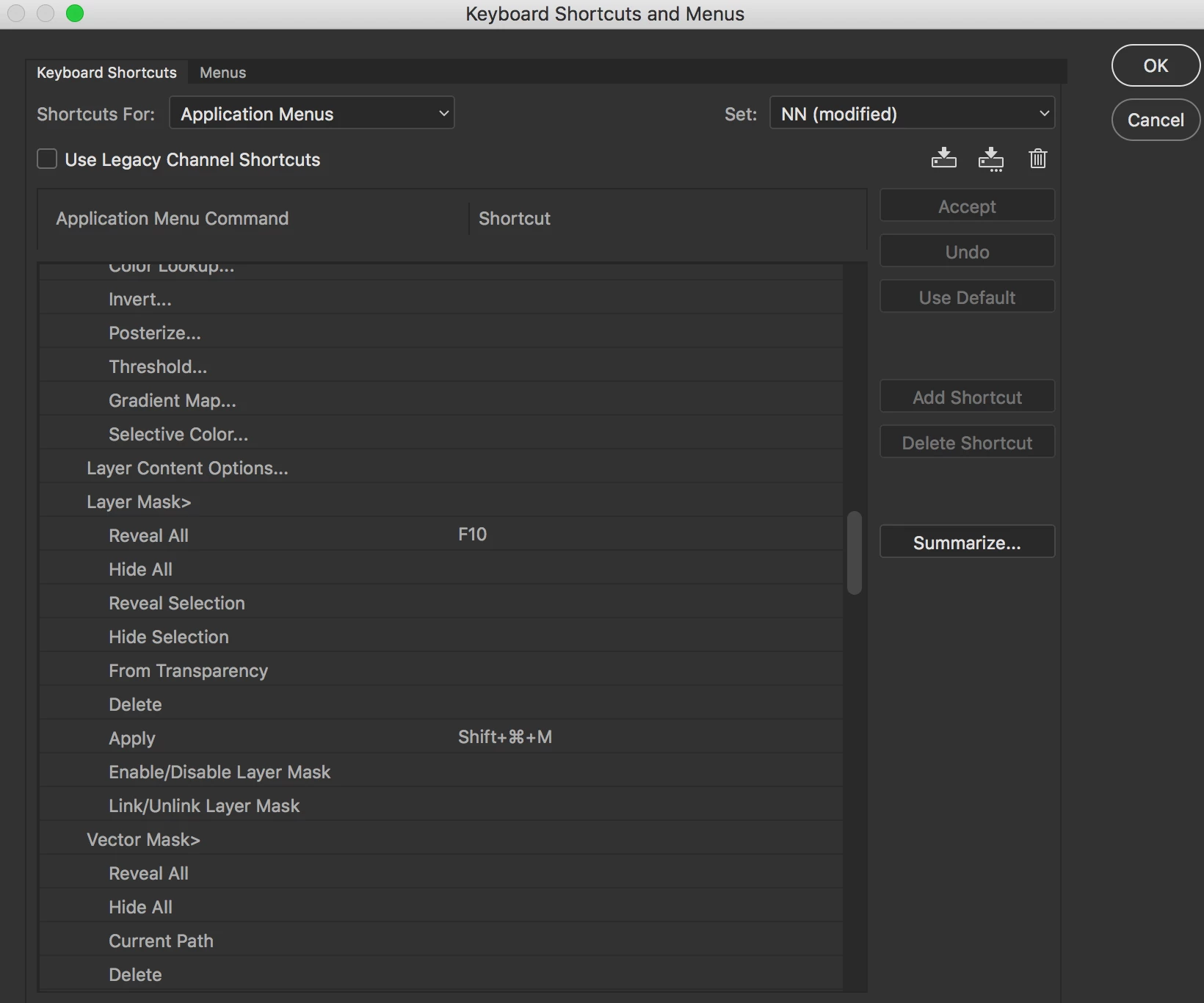
I know that I can customize many keyboard shortcuts but "Make Selection..." doesn't seem to be one of them

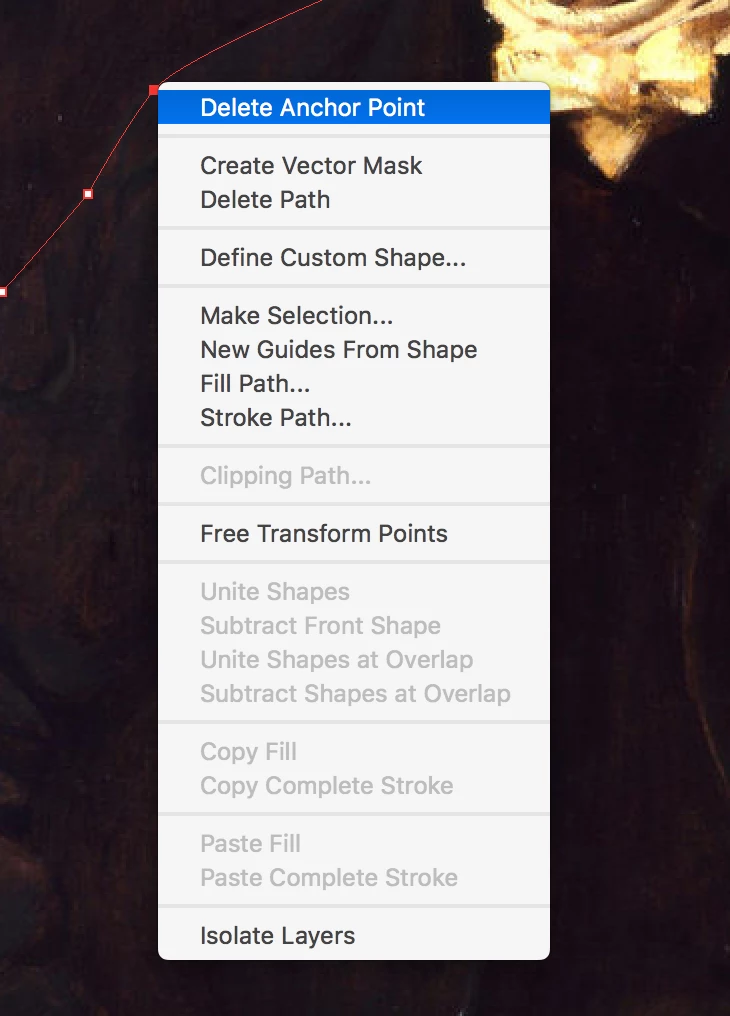
When I go into my Keyboard Shortcuts Menu, under the Layers Panel, I  can't find the default shortcut for this function "Make Selction..." which appears in a pop up menu when you right click with your mouse. I would like to reassign it if only I can find the default keyboard shortcut. Does anyone know where it might be?
    This topic has been closed for replies.
    Correct answer JJMack

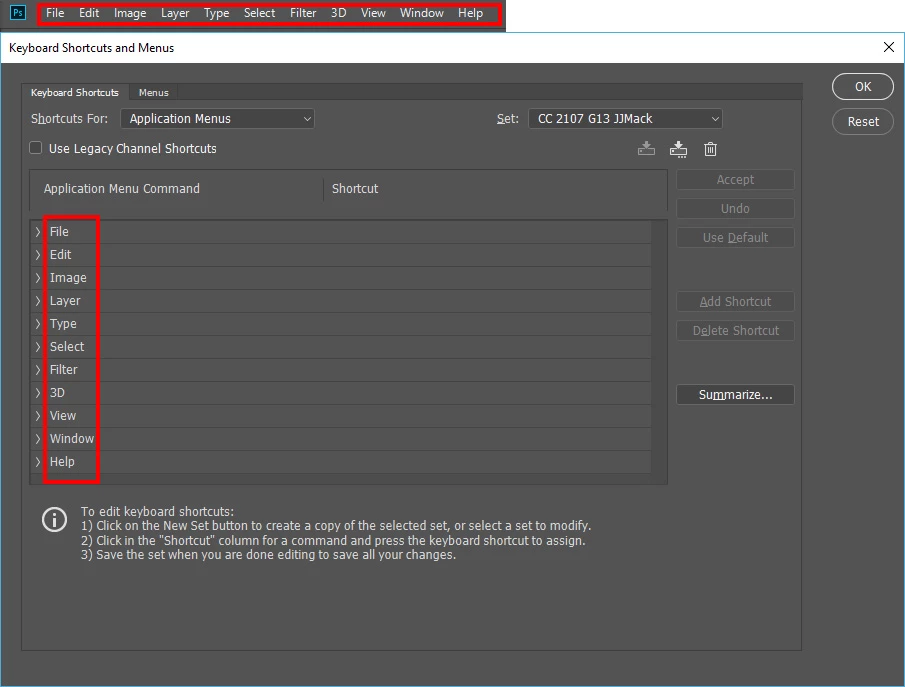
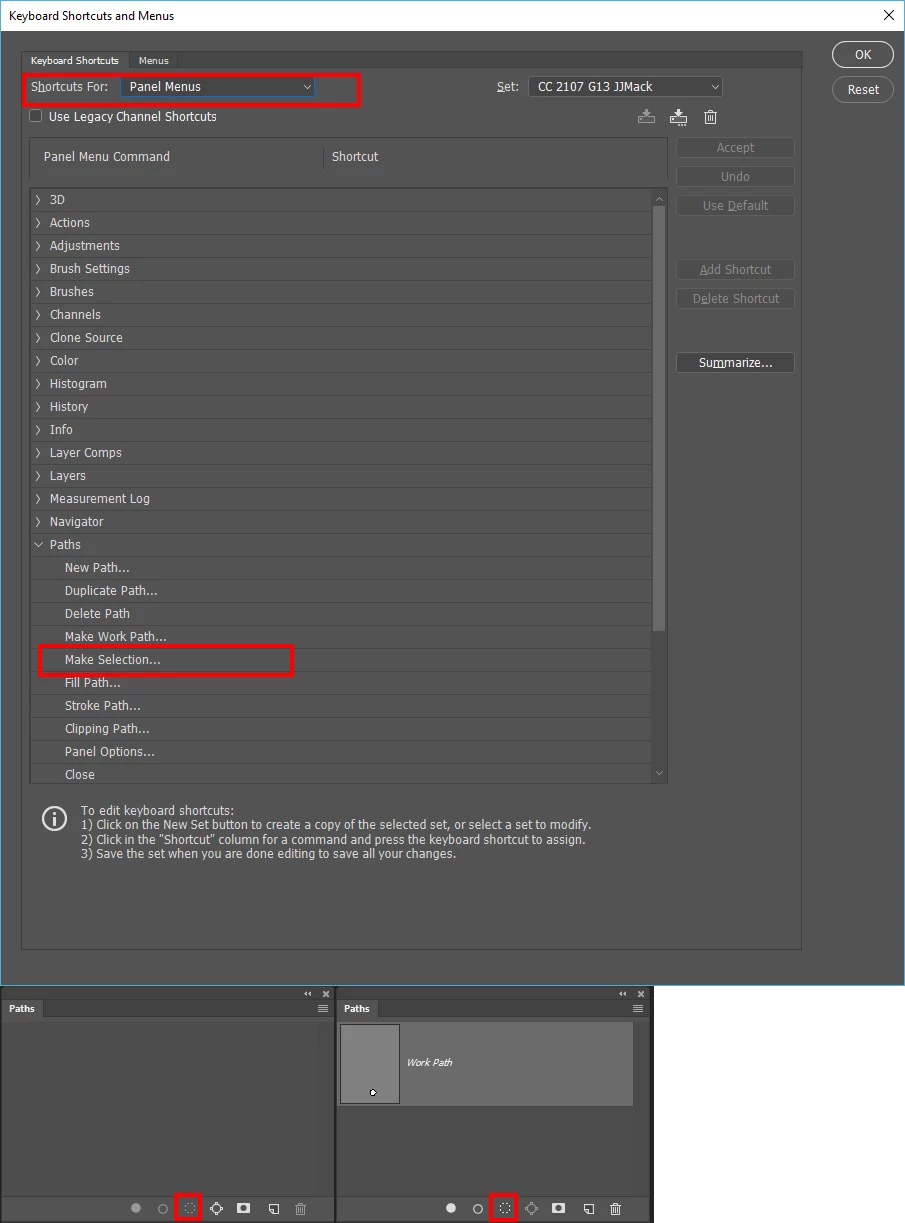
    ou are looking for something that does not exist.  Adobe Photoshop  application has 11 menus in its menu bar. There is no Path menu.  Photoshop has a Paths Palette. Paths have right click pop-up menu with a make selection item.  However, there is no Photoshop  Application Path menu.

    Your need to look for the Path palette panel. A path must be targeted first.

    6 replies

    Participant
    January 9, 2023

    Something that will mess you up coming from CS6 is that in the paths window you used to be able to make the selection of a path immediately by holding cmd and pressing whatever path in the path window, in CC it works the same but you now have to click on the path thumbnail and not on the path text.

    The shortcut cmd+return isn't really useful when working with paths quickly for me.

    PECourtejoie
    Community Expert
    Community Expert
    January 9, 2023

    Hi, and welcome, @Janne27858431788f That CMD now works only on the thumbnail of the path makes sense: one can select multiple paths by CMD+clicking on their name, as we can in the Layers panel. The outlier is in fact the channels panel, where a CMD+click selects the content of that channel, even on a title, and one has do Shift+click to select non-contiguous channels... Not very standard behavior...

    Participant
    June 18, 2018

    Photoshop cc 2018 keyboard shshortcukeys

    ninose11
    ninose11Author
    Inspiring
    November 7, 2017

    JJMack and Jeff, thank you both very much for your help and those screen snap shots. Issue resolved, I assigned an F# key via the Action Menu for that command in the Paths Palette.  

    Jeff Arola
    Community Expert
    Community Expert
    November 7, 2017

    You actually don't need to assign a keyboard shortcut since photoshop already has a built-in shortcut for this unless you want the Make Selection dialog to always show.

    After you draw the path press Ctrl+Enter (windows) or Command+Return (mac) to make a selection of the path.

    Of note the shortcut uses whatever the last used settings in actual Make Selection dialog were.

    JJMack
    Community Expert
    Community Expert
    November 7, 2017

    There are also button to click on.  But you must first select the path.  Paths also have mode like add, subtract, exclude, intersect.  Here I Selected two closed path one mode add or combine the other subtract.  You know the paths targeted because their node points show. I then clicked the make selection button.  Then filled the selection made.

    JJMack
    JJMack
    Community Expert
    JJMackCommunity ExpertCorrect answer
    Community Expert
    November 7, 2017

    ou are looking for something that does not exist.  Adobe Photoshop  application has 11 menus in its menu bar. There is no Path menu.  Photoshop has a Paths Palette. Paths have right click pop-up menu with a make selection item.  However, there is no Photoshop  Application Path menu.

    Your need to look for the Path palette panel. A path must be targeted first.

    JJMack
    JJMack
    Community Expert
    Community Expert
    November 7, 2017

    You are looking for an orange in an apple pile.  There is no make selection in the layer panel as you point out in edit  keyboard shortcuts. That is correct menu layer does not have such an menu item.  Then you show a make selection option is a path option. That is a path menu item it is not a layer menu item.

    JJMack
    ninose11
    ninose11Author
    Inspiring
    November 7, 2017

    Thank you for your help JJMack. I'm now looking for "Make Selection..." in Keyboard Shortcuts and can't find a Path Menu section for shortcuts.