
Question
Photoshop cc 2018 screen tearing when zooming out
Hi,
I have recently downloaded Photoshop CC 2018, and whenever I zoom out from the section I have been working on (length of time varies) the screen will tear leaving behind a section of my image down the right hand side. As seen below: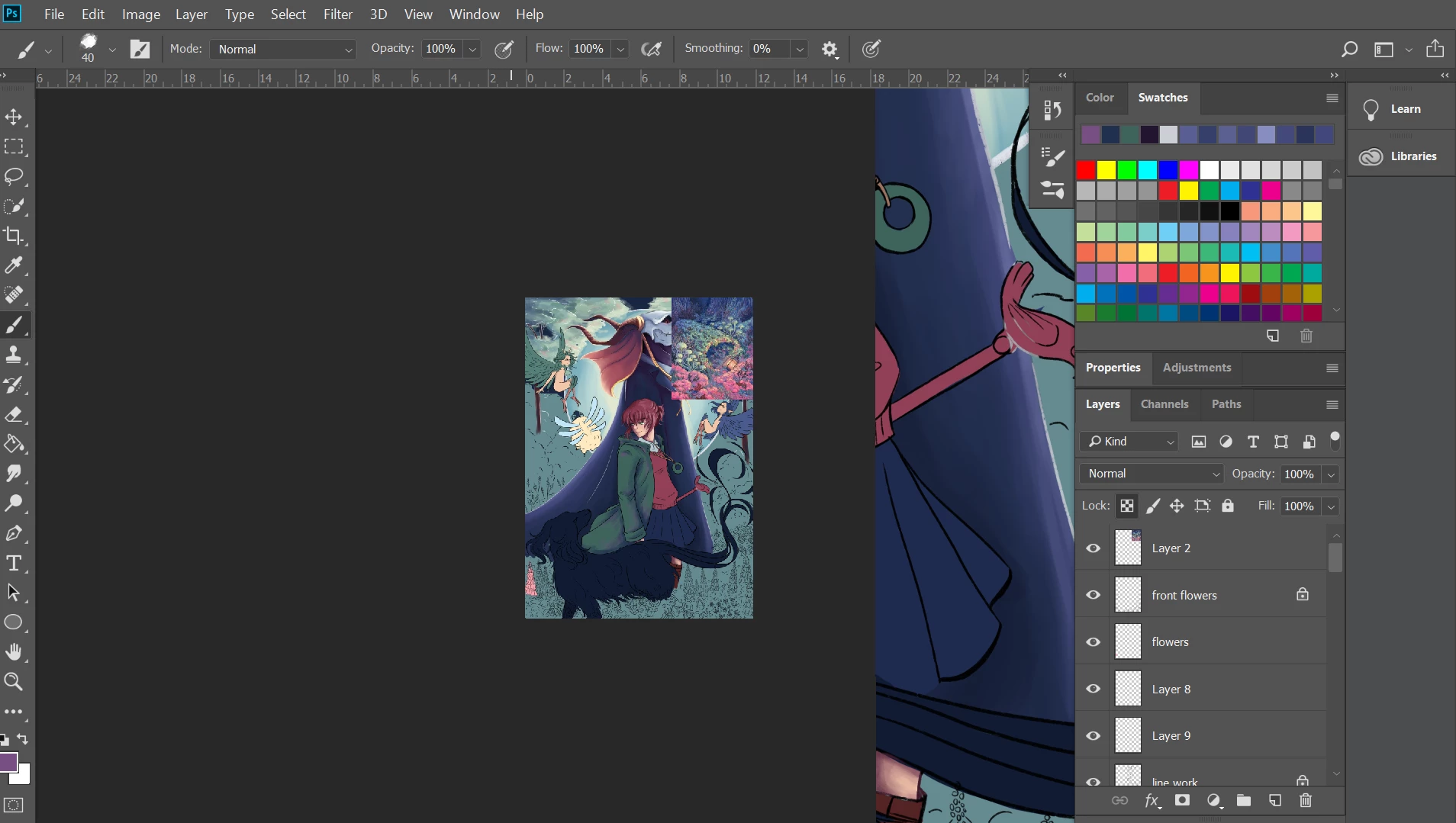
It is extremely annoying as I have tried everything (and this is the second time I am posting this question to get an answer). I’m using a Windows 10 PC with 16GB of RAM. I have done the following:
Photoshop is up to date
Graphics card is up to date
Wacom driver is up to date
Performance is now sitting on Basic
Reinstalled Photoshop
Restart PC multiple times
Is there anything else I can do to fix this issue? The only solution so far is to change screen modes which is not ideal.
 AdChoices