
Photoshop CC, Cannot save files in desired folder
Hello, I have a problem I need help with.
I have started using latest photoshop with creative cloud on my windows 10. When I try to save the file in my c drive, which I have tried .psd and .jpeg files so far, I cannot save due to an error saying 'Could not save "file name" because the file cannot be found.' However, I noticed that I can save in 'creative cloud files' folder, made after installing creative cloud. Other than that folder, I cannot save. If I want, I could copy this file saved and paste to place I want to save.
I can save in this creative cloud files folder, but I would like to save files in folders i want to. This is a problem especially if I want to fix a jpeg file and save directly in the same folder where original file is in. I would have to do extra work, saving in creative cloud files folder and moving its location.
In summary, I would like to save my photoshop files directly into folders where I want them to be.
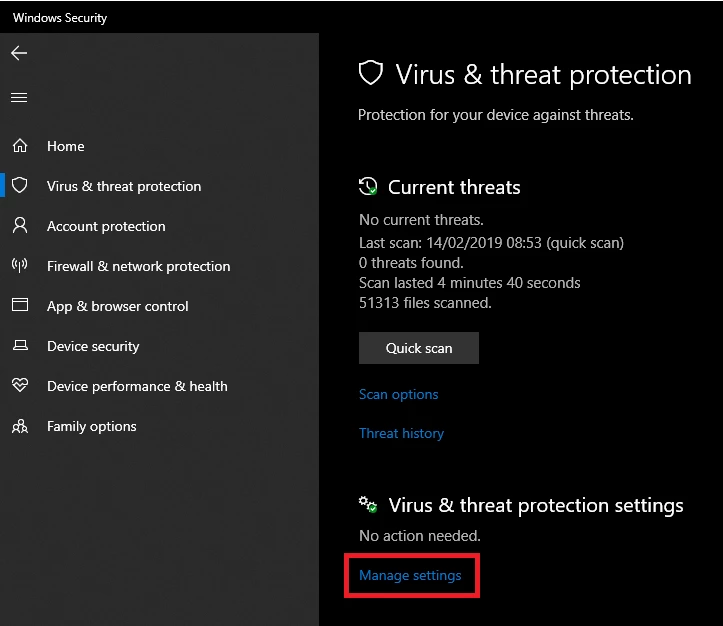
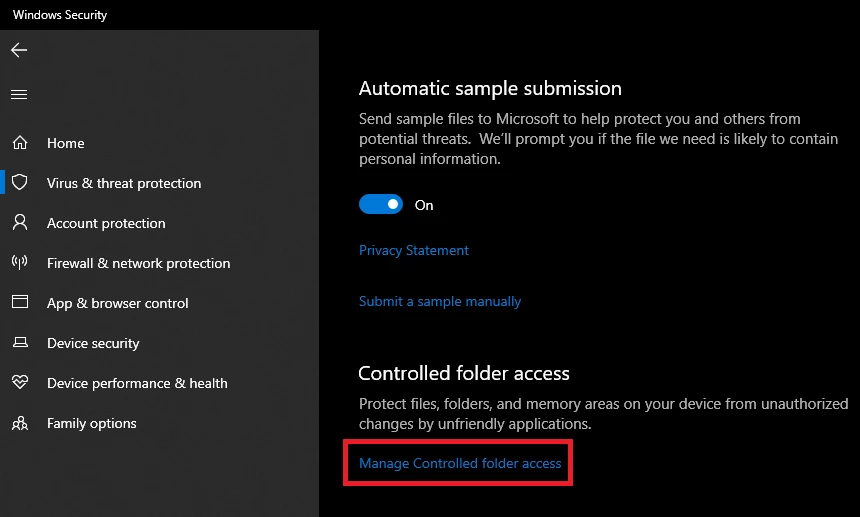
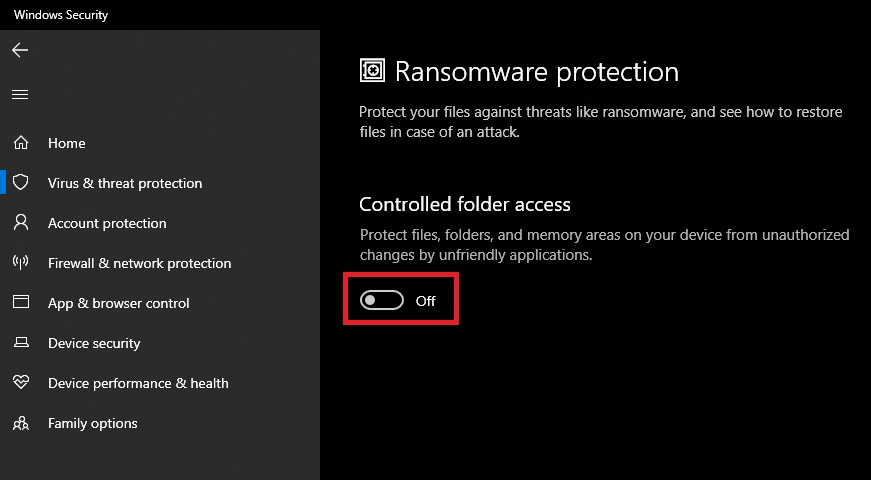
How can I solve that 'Could not save "file name" because the file cannot be found.' problem?
Why am I only able to save directly in 'Creative Cloud Files'?
Every help would be great. Thank you.
Moderator: Moved from Adobe Creative Cloud to Photoshop
 AdChoices