
Known Participant
October 28, 2013
Question

Photoshop CC on Mavericks: Photoshop slows down/freezes often

  • October 28, 2013
  • 3 replies
  • 14647 views

Ever since updating to Mavericks, in addition to having the blank menus problem (see relevant thread: http://forums.adobe.com/message/5785359#5785359), I noticed that about once every hour or so, Photoshop will stop reacting to things (it's not listed as "Not Responng" though and there is no beachball or grey circles cursor). Sometimes it will go back to normal on its own, sometimes I can click on a different app and go back into Photoshop and it's fine, but sometimes this won't help. If I work on huge files (2-3 GB PSB files) then slowdowns get much more frequent to the point where I click on something, it freezes for 2 minutes, and then I continue working for a few seconds and it freezes again and so on, until I quit and reopen the file. This has happened a lot on large files, but the short slowdowns always happen regardless of file size. It's extremely annoying and far worse than the blank menu bug.

I notice that most of the time (if not always) I am using the Brush tool when this happens (this might be coincidence - I use the Brush a lot).

I can't yet figure out how exactly the process happens, but it only occured to me now that this may not be general normal slowness since it never happened before. I have 16 GB of RAM on a fresh new iMac so system performance should not be an issue, especially not on tiny files.

I will provide more info when the bug happens again, in the meantime, does anyone else have this issue? Any suggestions?

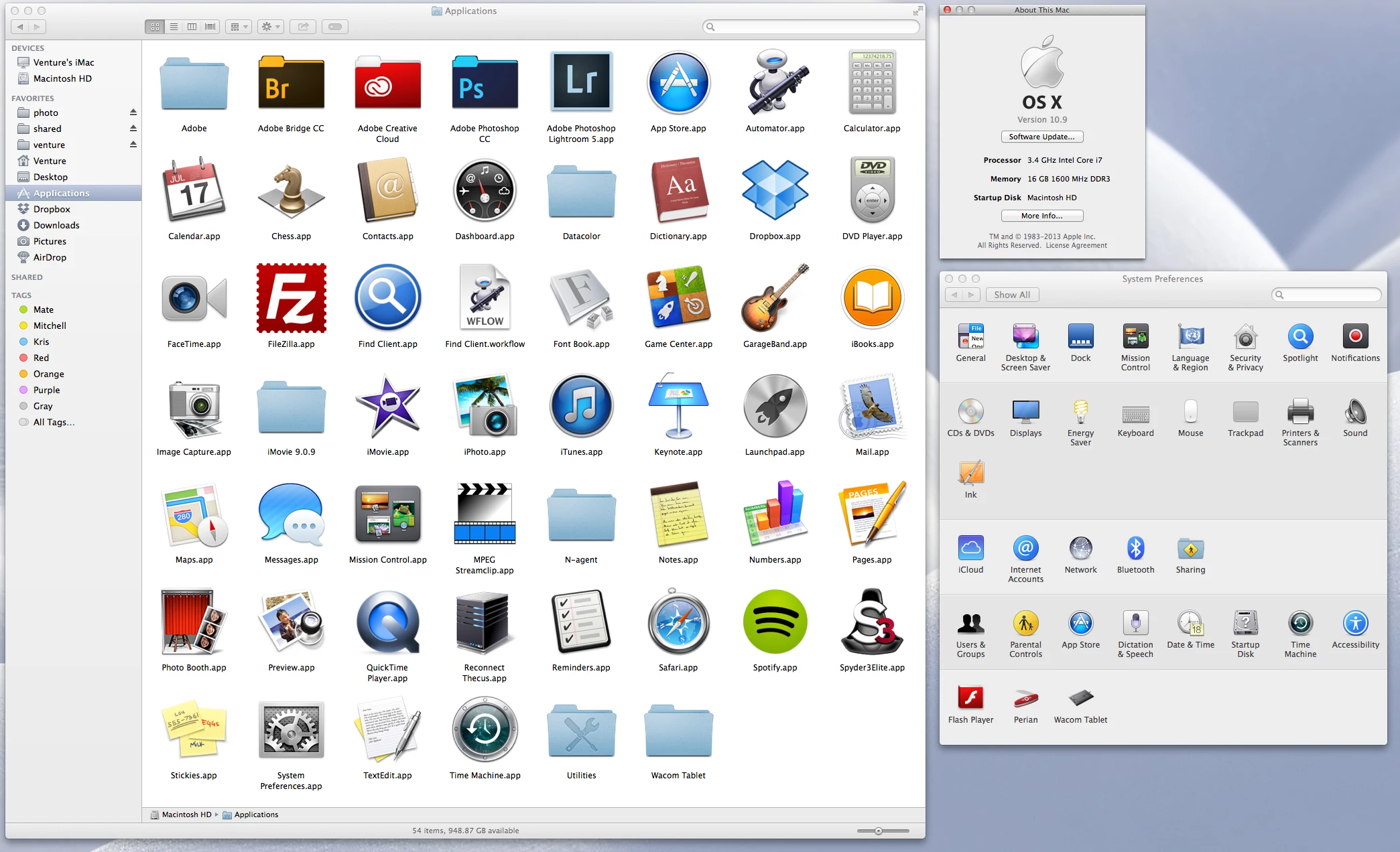
Also, no I don't have any dodgy programs installed. OS X Mavericks, Photoshop CC 14.1.2, and Wacom Intuos 4 Driver 6.3.7-3, plus some other apps that are necessary to run a computer nowadays (Perian, MPEG Streamclip, Flash, Java, and not much more (see screenshot).
This topic has been closed for replies.

3 replies

Participant
January 4, 2014

I just subscribed to CC ("upgraded" from CS5 12.0.4) and am having the problem discribed in the original post.  More than once per hour when using Photoshop CC.  I, however, am using Slow Leopard on this Mac and not Mavricks.  I have never had this issue with previous versions of Photoshop... and am still not as I've swiched back to using CS5 until this is fixed (why am I paying a monthly fee to use CC if it's broken?).  So the problem is definately CC specific for me.

Photoshop CC

OS X 10.6.8

No Perian

No Tablet

lehestro
Inspiring
January 6, 2014

Can anyone report their CC issues with Mavericks having gone away? I couldn't open a number of programs, and others were running terribly slowly, so downgraded back down to Lion. However, there are a number of key under-the-hood features I'd like to take advantage of in Mavericks, so am looking for confirmation that it's now safe. I use basically all the apps except for the web dev ones. Many thanks!

Participant
January 9, 2014

More information if it is at all useful....

Caveat:This is on Snow Leopard an not Mavericks but the symptoms are exactly the same as discribed in the OP and throughtout this thread.  PS is 14.1.2 x64.

I can reliably cause this problem with the Healing Brush by making the brush somewhat larger or smaller and then using the brush.  The freeze then happens for me almost every time.  And as discribed above by other posters, I am able to recover by switching focus to another app and then back to PS.  And as aslo discribed above , while frozed PS consumes about 100% CPU (i.e., 1 core's worth) and slowly eats up all the system's physical memory.

I have also had touble with other tools too, most frequently the Polygonal Selection tool.

ErikVerheggen
Known Participant
October 29, 2013

I also have this problem. After a long wait, the program resumes most of the time.

My Mac is a few years old.

Photoshop 14.1.2. x64

My Mac is OS X 10.9

Processor 2 x 2.8 GHz Quad-Core Intel Xeon

Memory 6 GB 800 MHz RAM

Venture1Author
Known Participant
October 29, 2013

All right I caught this properly on camera this time. Sorry for the bad video, I was holding a heavy Canon 5D II in one hand with manual focus and my wacom in the other. I could not have done a screen recording, beacuse the bug fixes itself as soon as I go to another app, so by the time I launch the screen recorder, there would be no bug to record. You may not see very well, but I start with the brush tool (I'm on a mask by the way), and instead of the normal brush cursor (circle) I have a mouse pointer that doesn't draw anything. I then try other tools only to find that none of them work, with the strange exception of the Eyedropper and (sort of) the Crop tool.

It's very interesting that when this freeze happens, most things in Photoshop work, but you can't draw on the canvas or use most tools. The eyedropper work fine, but the Crop tool half-works: The crop rectangle appears, but you can't drag it or apply it. No other tool seems to work, but other functions like showing/hiding layers, adjustment layers, etc... all work fine. You just can't draw or modify the canvas in any way! And the cursor is the OS X mouse cursor instead of whatever tool you're on. Except the eyedropper.

Going into another app and back into Photoshop fixes the issue instantly...

I couldn't check CPU usage this time, but last time it was at 80% during such a freeze.

PS: The very last title at the end of the video should say something like "If I switch to another app then back to PS again, PS works completely fine." instead of "Trying to use Brush tool". At the end it may look like things are not working but since I was trying to do things with one hand, I couldn't quite show things right. But you can see me use the smudge tool and it works fine, for example.

Adam Jerugim
Inspiring
October 29, 2013

I'd like to know if the issue occurs when Photoshop is the only application running on the system.  I'd also like to know if the issue occurs when a mouse is used to drive the app instead of stylus/tablet.  Does this only occur when using a tablet device?

Also, how much free space do you have on your OS volume?  I found the OS to start freezing even when I had ~60GB free on the OS volume.  Thought it was my hardware, but I'll check more tomorrow when I have access to the machine (MacPro 2x6core).  I do not see this problem on a newer iMac (w/fusion drive) or my Retina MBP.

A couple things to try:

1.  Check if Adobe Drive is enabled in File Handling prefs - if it is, disable it

2.  Also in File Handling prefs, try disabling Automatically save recovery information

Do either of those things help overall performance?

Thanks,

Adam

Chris Cox
Legend
October 28, 2013

Sampling/profiling the process while it's hung might give us some idea what is going on.

But so far we just keep seeing the application waiting on some part of the OS (disk access, or font information).

Oddly, Perian has been mentioned by a few people having the blank menu problem....

Venture1Author
Known Participant
October 29, 2013

All right, it happend again so I could catch it on a screen recording. Basically I was selecting something with the Quick Select tool, and suddenly Photoshop didn't respond to anything.

In the video you can see how the CPU usage for Photoshop is constantly around 80% (view at 1080p video to see the small text). It would stay at 80% until I go into another app and then go back into Photoshop. Then everything is back to normal.

This happens from time to time, regardless of tool or file size apparently. Usually it will stay frozen indefenitely until I click out of Photoshop and back in. For this reason, I can't show you that Photoshop is frozen because opening QuickTime to record the screen will cause me to obviously switch apps and fix the issue as soon as I go back to Photoshop.

By the way, our two other computers that also have the blank menu problem definitely don't have Perian installed, so I think it can't be the cause of that problem.

Venture1Author
Known Participant
October 29, 2013

Thanks for the contribution - that was my first thought too, based on a previous HDD failure. However, the fact that it doesn't happen working on the same files with 5.1 leads me to suspect CC rather than HDD. I ran a full TechTool Pro scan yesterday which didn't show up any hardware problem and no bad sectors. However, I have also assiduosly backed up as well, just in case!


Since our iMac is brand new and has no fusion drive (just a normal 1TB HDD) I doubt it's hard drive related. This strictly only started after Mavericks, I would have noticed earlier otherwise.